
A trust payment (also called a trust withdrawal) records money paid out of your trust account on a client’s behalf — for example, paying a supplier’s invoice from funds held for the matter. In Law App you create the payment, allocate it to the right file, finalise it so it’s recorded against the file’s trust ledger, then print or email the payment form.
The short video below walks through the whole process. The step-by-step guide underneath covers the full process with screenshots, so you can refer back quickly.
Step-by-step guide
There are two ways to create a trust payment. Both end the same way: the payment is saved as a draft, then reviewed, finalised and printed.
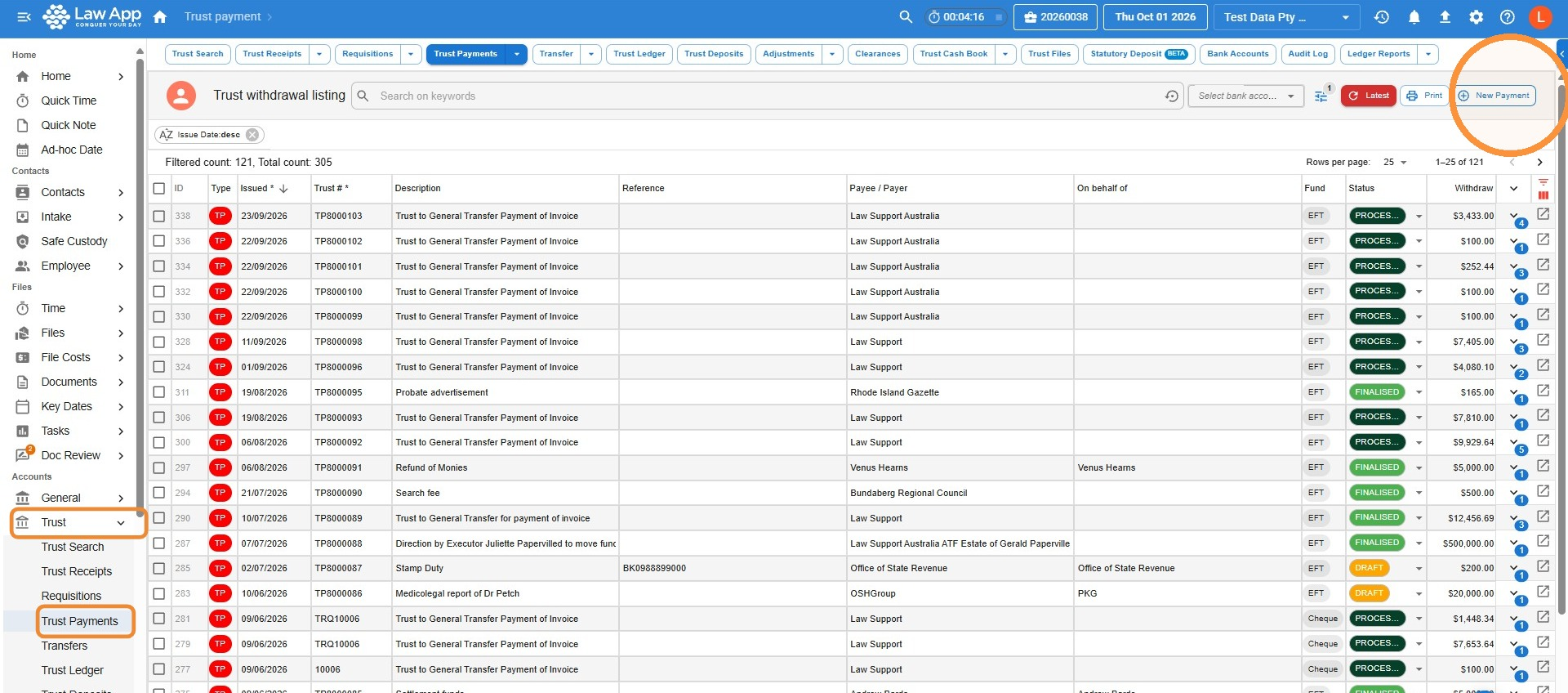
Trust > Trust Payments > New Payment
Handy for accounts staff entering payments without opening each file. You search for and select the file on the trust line.
File > Financials > Trust > Withdrawal
Best when you’re already working in the file. The file is filled in for you on the trust line.
What to enter on a trust payment
The payment fields are the same whichever way you create it.
Payment fields
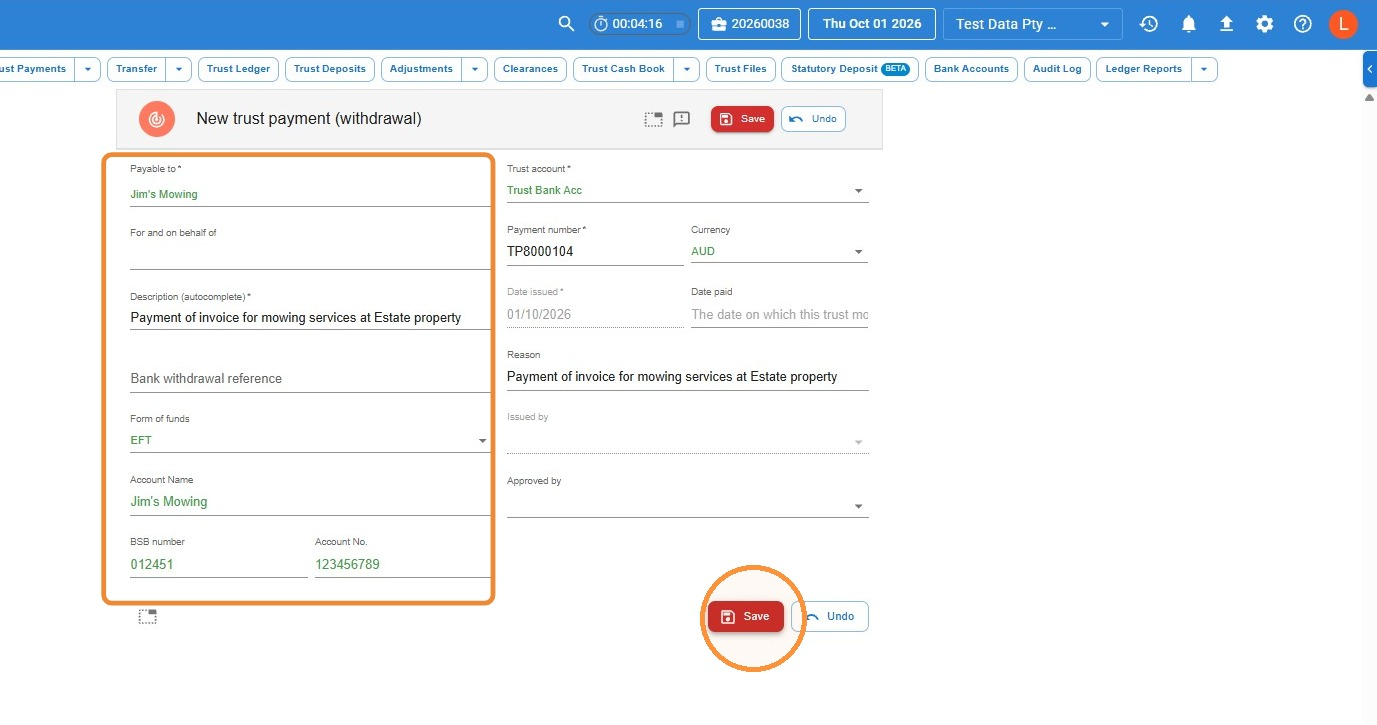
Payable to — who the payment is going to. Type and select a contact, or free type a name if they’re not a contact.
Description — what the payment is for.
Bank withdrawal reference — optional.
Form of funds — how the payment is being made, such as EFT, cheque or BPAY. The payment detail fields change to match:
- EFT — complete the account name, BSB and account number. If the payee is a contact with bank details saved on their contact card, these fill in automatically when you select them in Payable to.
- Cheque — no bank details are needed, so these fields don’t appear.
- BPAY — enter the Biller Code and Reference.
Date issued — always leave this as today’s date.
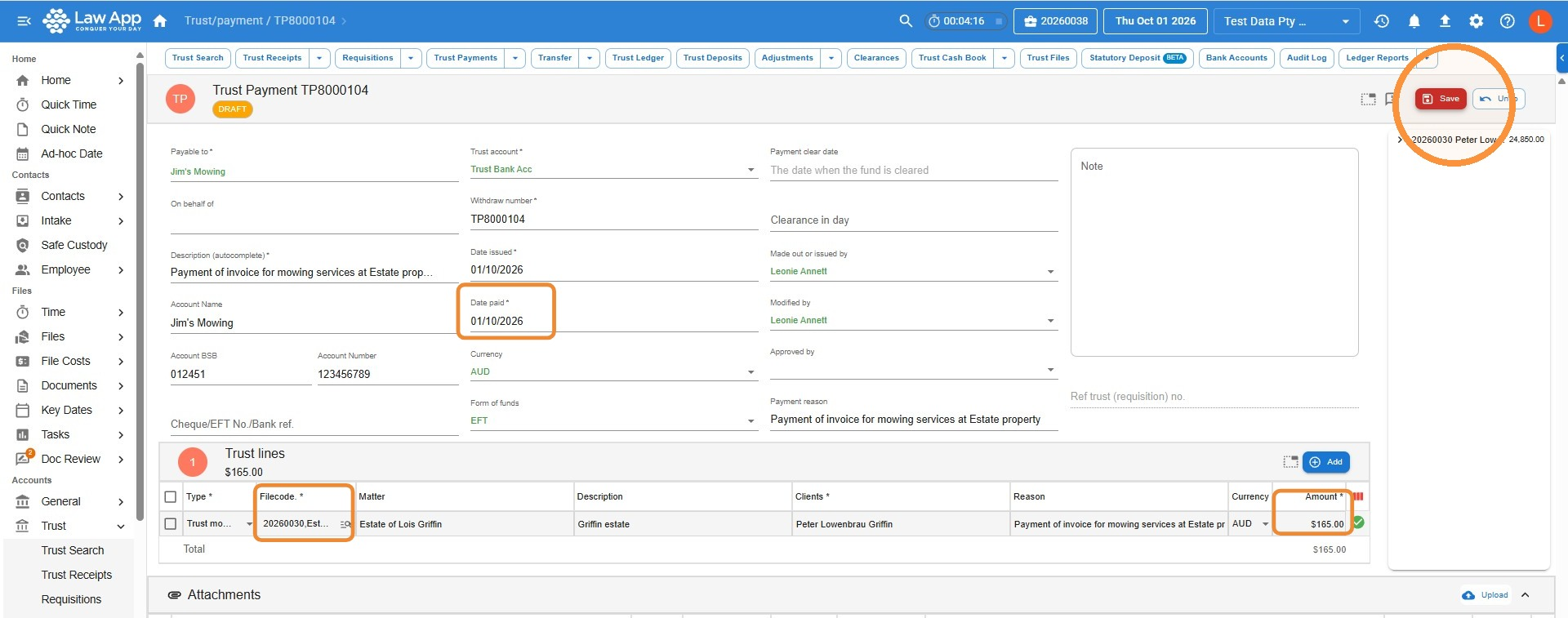
Date paid — the date the payment is made.
The other fields fill in automatically.
How to create a trust payment from the Accounts menu
- In the left menu, select Trust, then Trust Payments, then click New Payment.
- Fill in the payment details (see What to enter on a trust payment), then click Save.
- Enter the Date paid as the date the payment is made (Date issued stays as today). On the trust line, click in Filecode and search for and select the correct file — you can search by file number or keyword. Enter the Amount, then click Save.
- The payment is saved as a Draft. Review all the details and make any changes you need, then click Finalise.
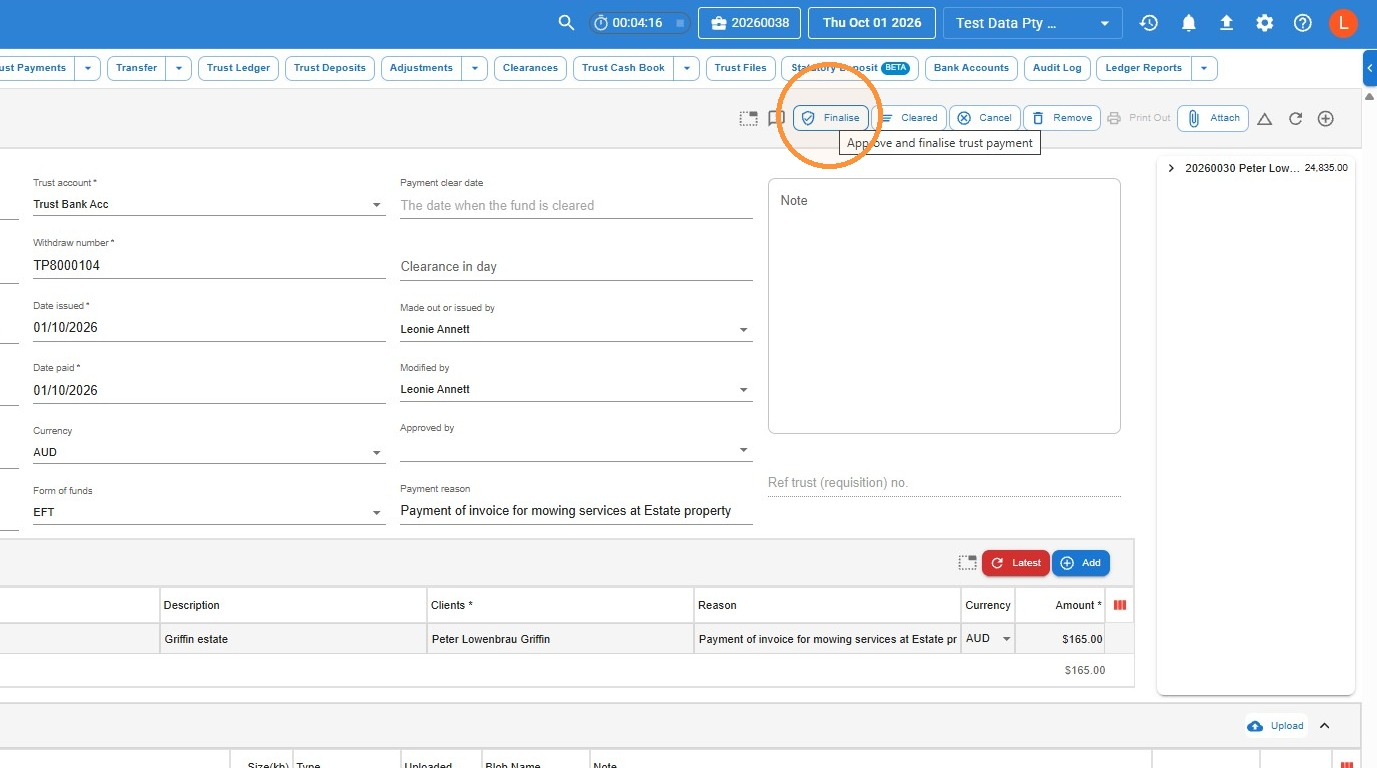
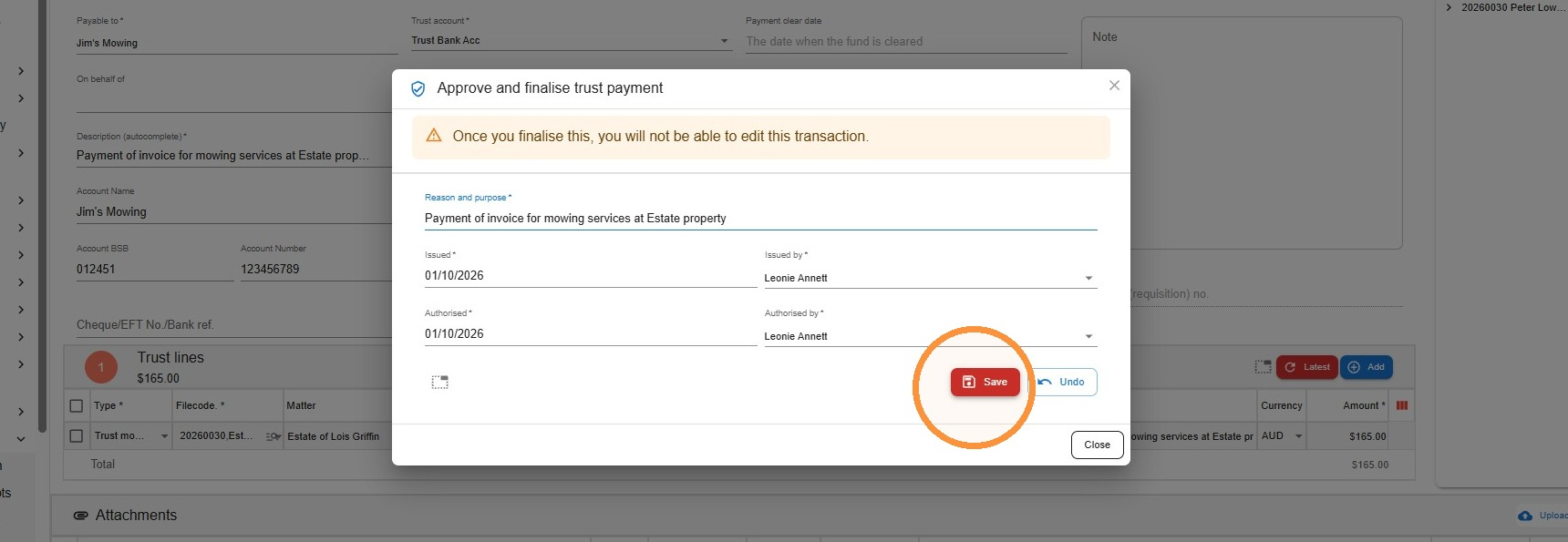
- In the Approve and finalise trust payment window, click Save.
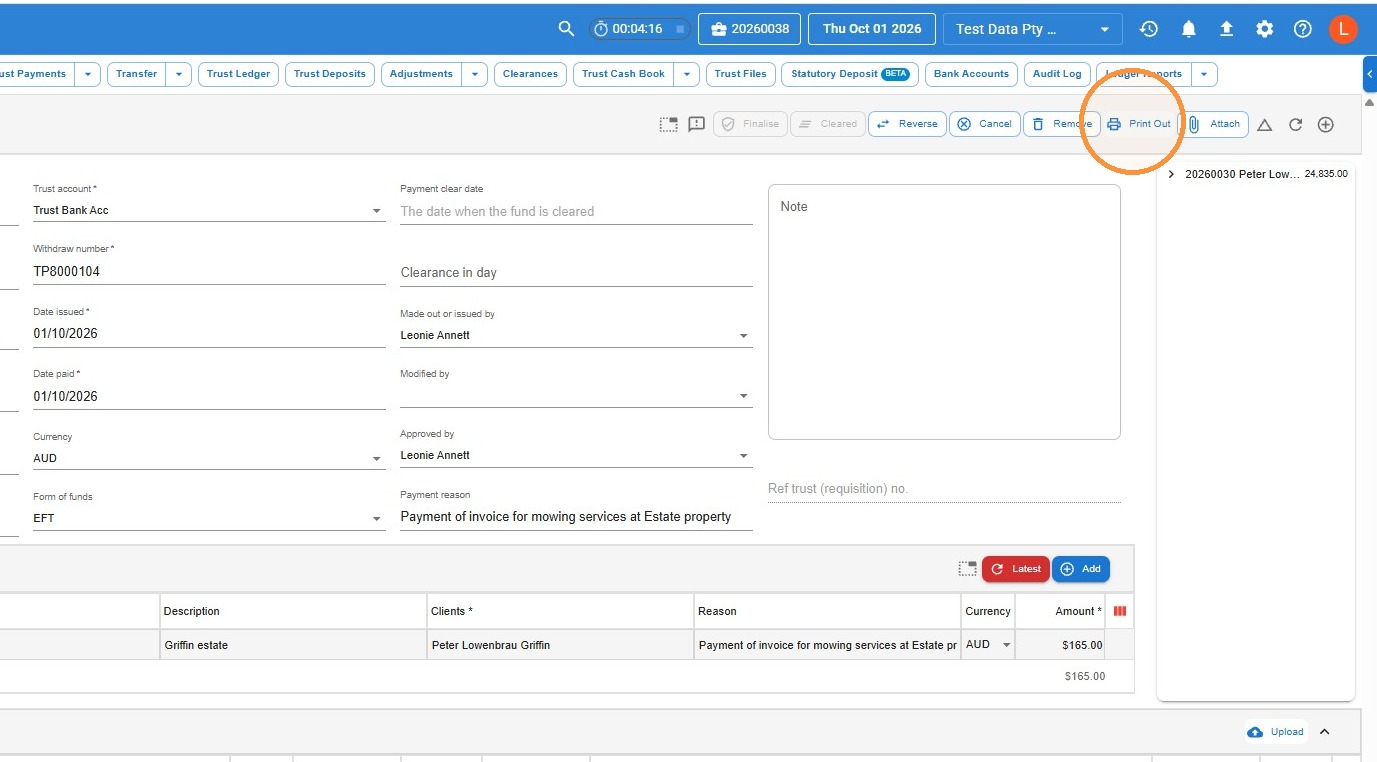
- To generate the payment form, click Print Out.
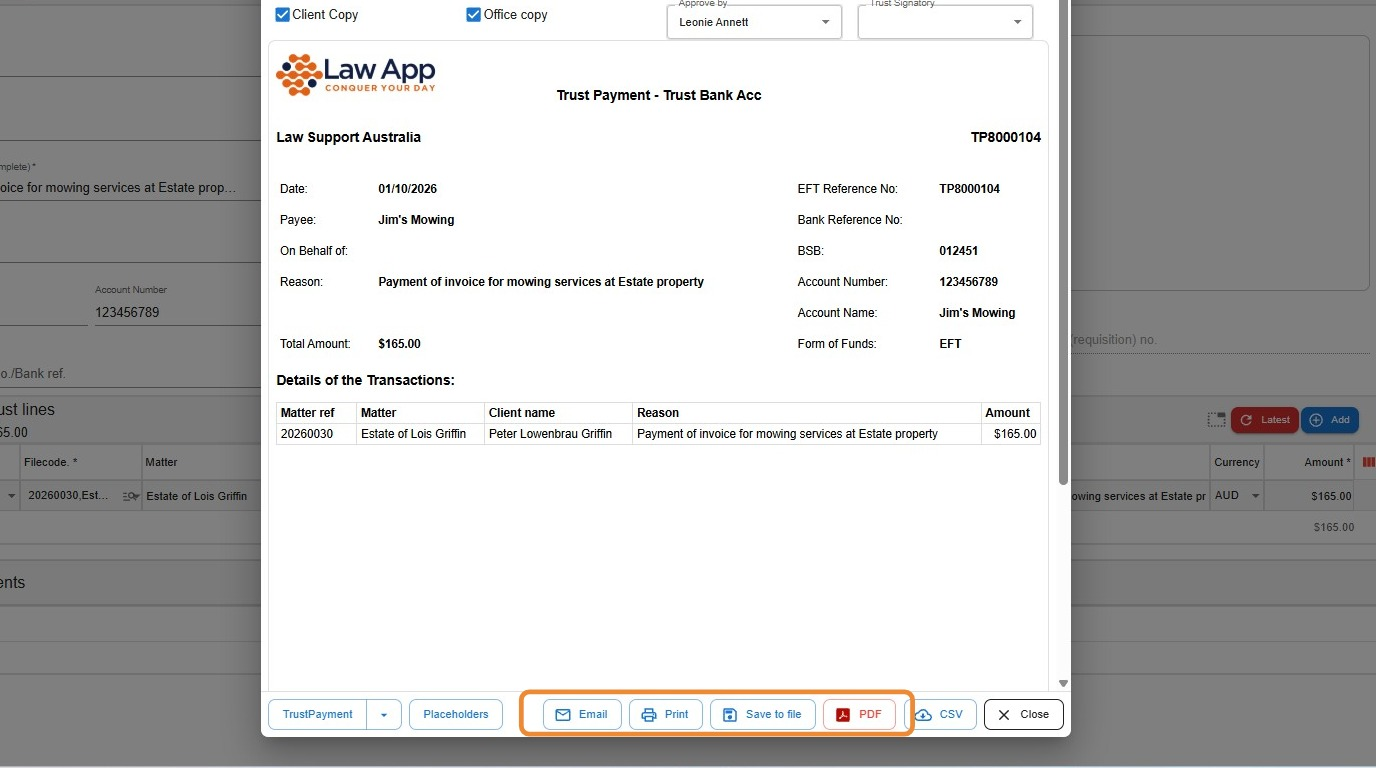
- From here you can Email, Print, Save to file or create a PDF of the payment form.
How to create a trust payment from within the file
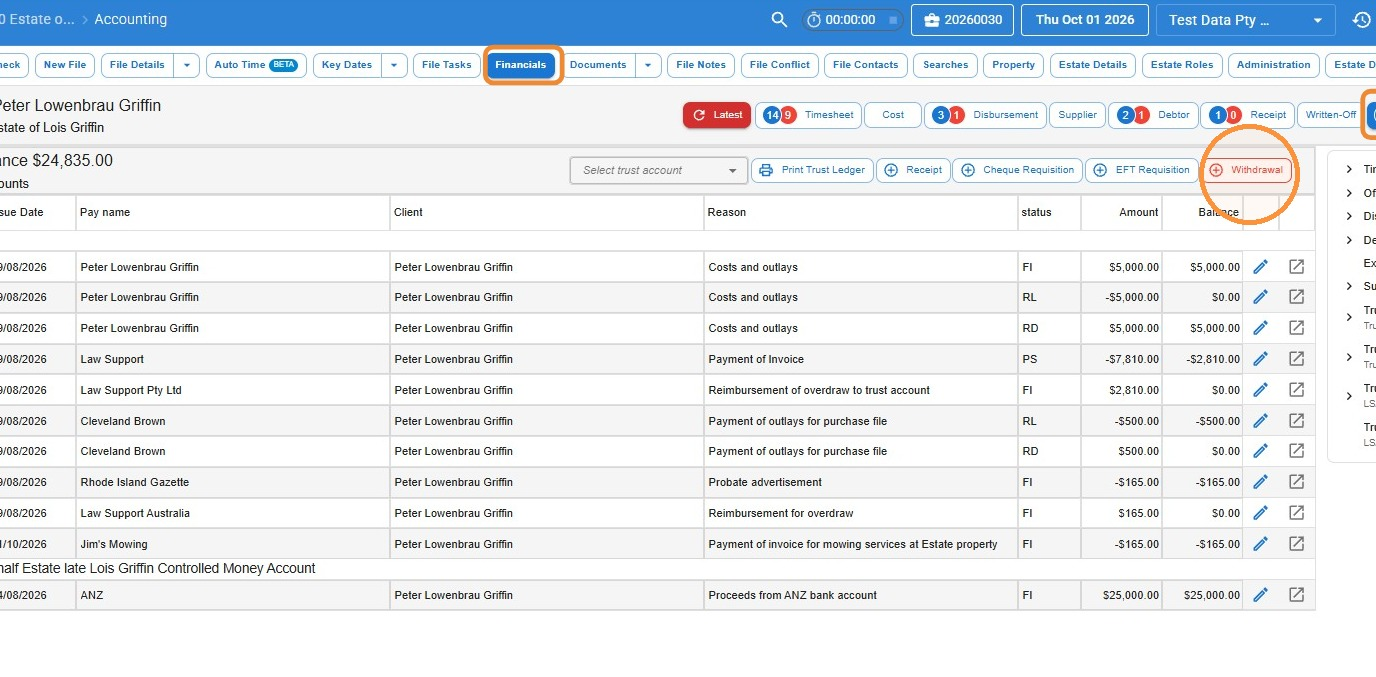
- In the file, click Financials, then Trust, then Withdrawal.
- Fill in the payment details (see What to enter on a trust payment), including the Date paid. Enter the amount in the Amount column of the trust line item, then click Save all to create the withdrawal.
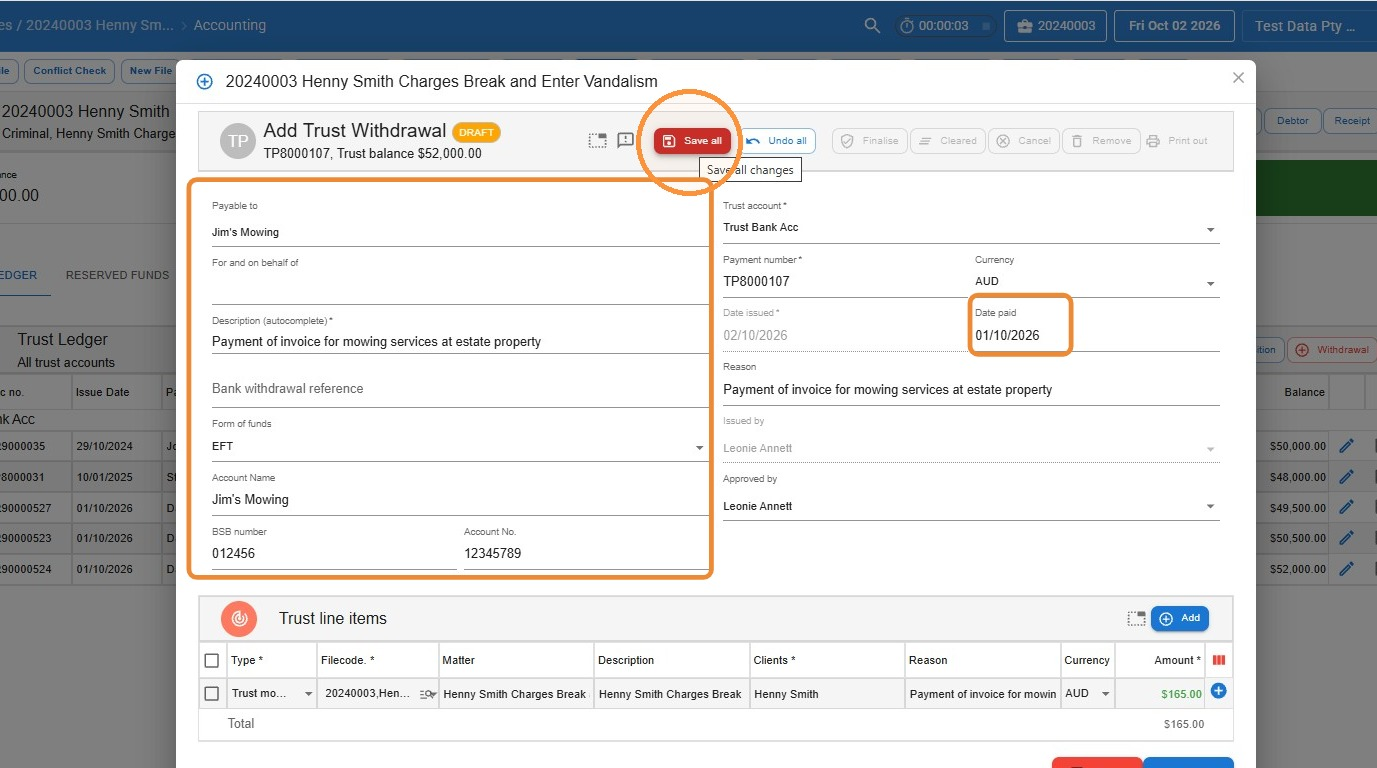
- The withdrawal is saved as a Draft and stays open. Review all the details and make any changes you need, then click Finalise.
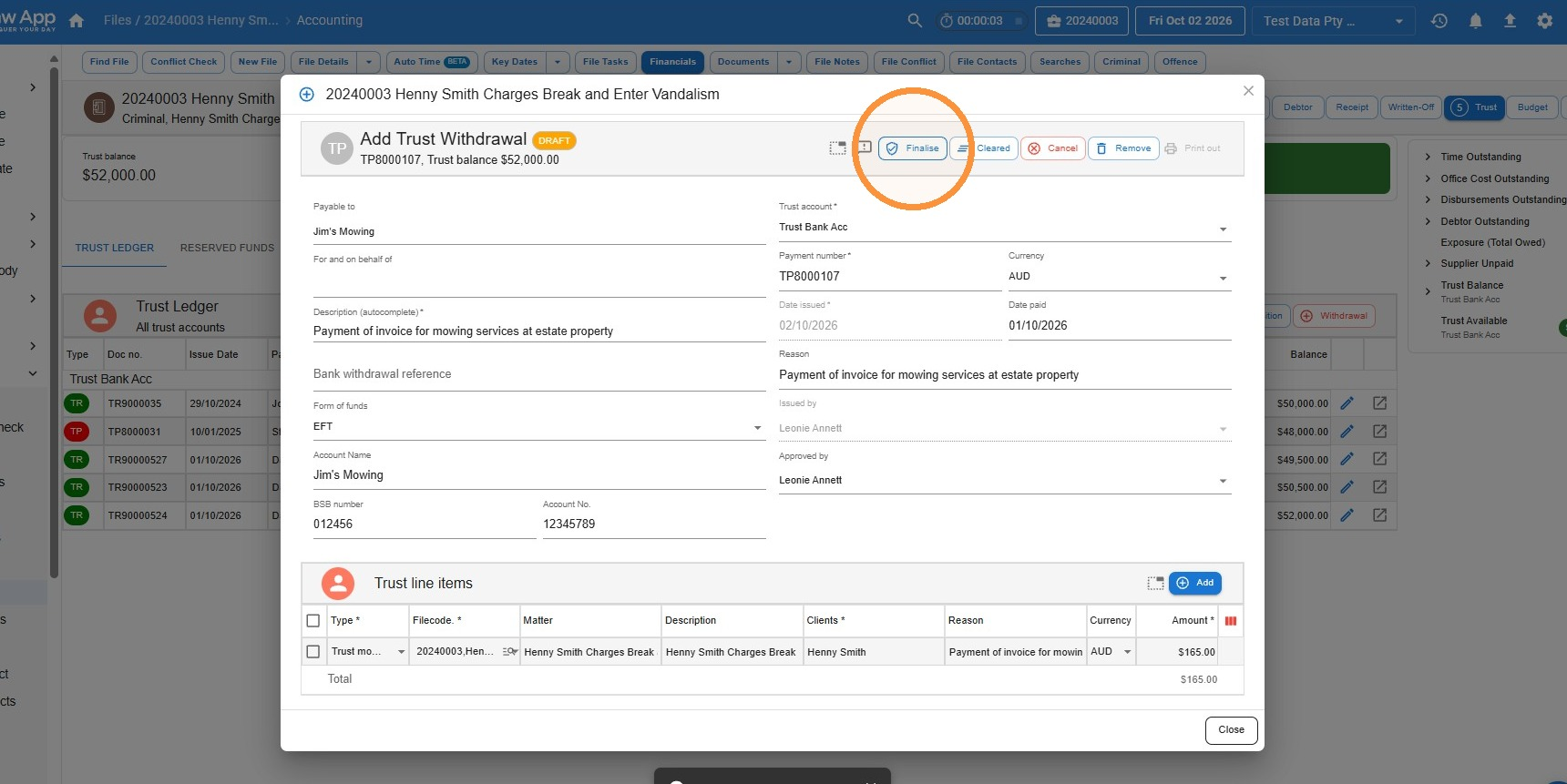
- In the Approve and finalise trust payment window, click Save.
- To generate the payment form, click Print out.
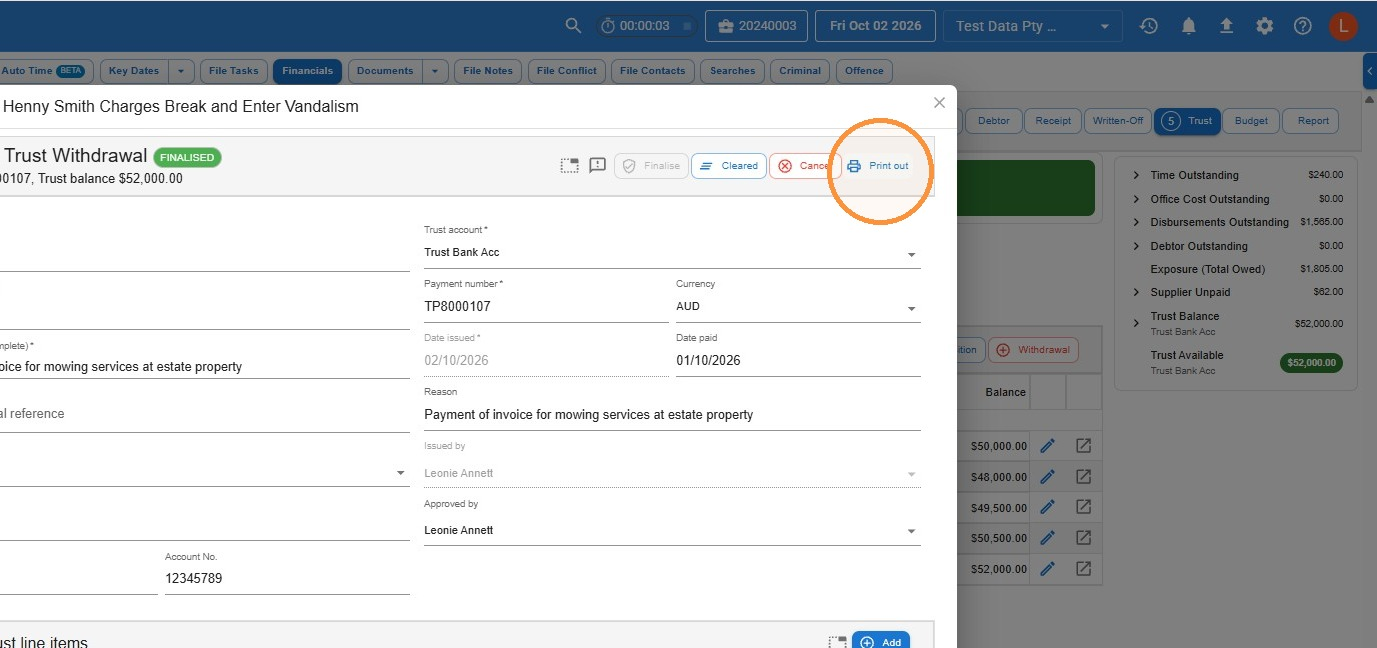
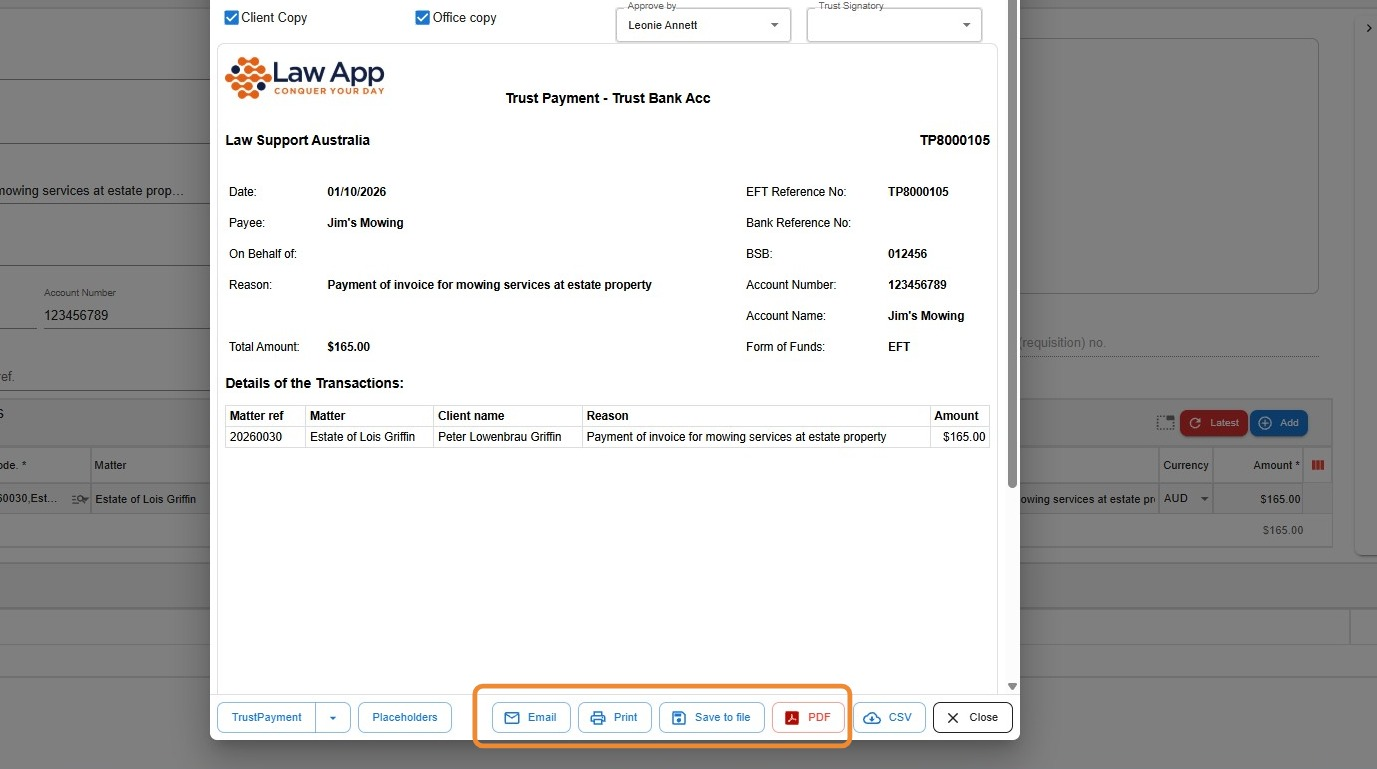
- From here you can Email, Print, Save to file or create a PDF of the payment form.
Common questions
Can I overdraw the trust account?
No. Law App won’t let you pay out more than the cleared trust funds available on the file, so the file can’t go into deficit.
Do trust payments need to be finalised?
Yes. A payment left in Draft isn’t finalised. Clicking Finalise approves the payment and records it against the file’s trust ledger. Once finalised, it can’t be edited.
What’s the difference between a trust payment and a general payment?
A trust payment is paid out of client money held in the trust account, under trust accounting rules. A general payment is paid from the firm’s general (office) account.
Leave a Reply