
A timesheet entry records time spent on a matter so it can be billed or tracked. In Law App you can record time with a timer, enter units manually, or use a fixed item — then save it as a draft or finalise it, ready for billing.
The short video below shows how to add a timesheet entry. The step-by-step guide underneath covers the full process with screenshots, including how to edit, bulk update and delete entries, and how to record non-billable time.
Step-by-step guide
There are three places you can record time in Law App. The fields work the same way in each, so pick whichever fits how you’re working.
Time > All Time Entries
See a running list of all your time entries across all files for the day.
Quick Time
Record time from the left-hand menu without leaving the screen you’re on.
File > Financials
Best when you’re already working in the file. The entry is recorded straight against it.
Three ways to record the time
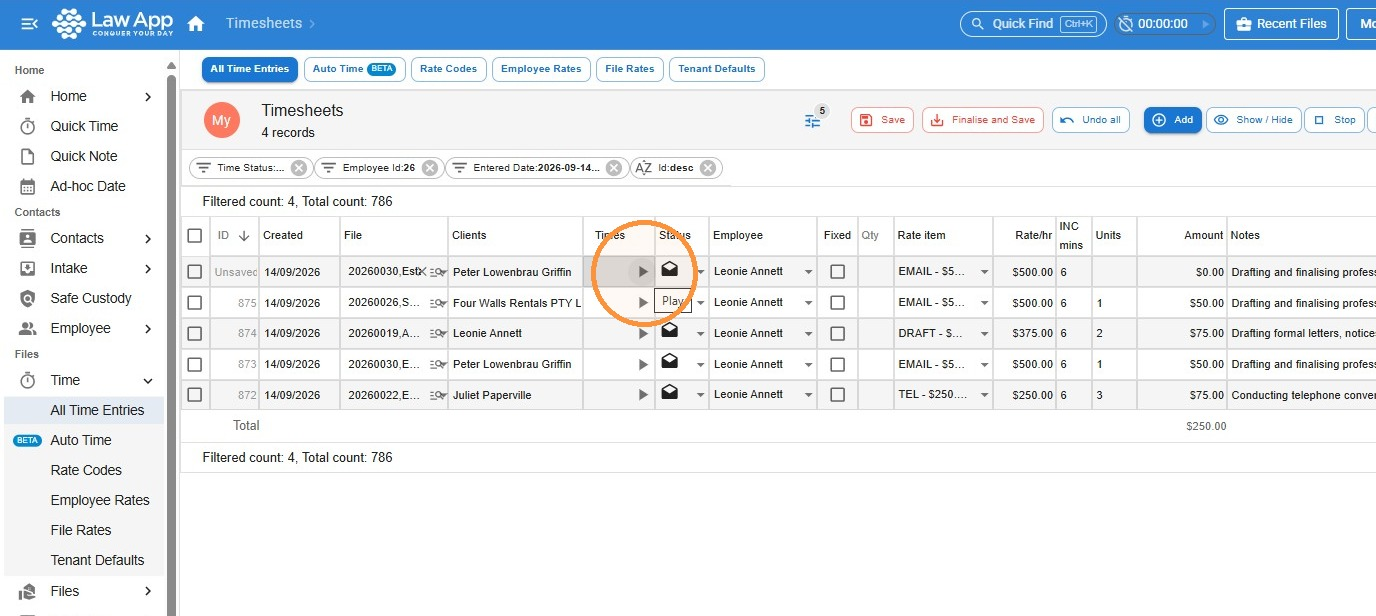
Timer — click Play to start the clock and Pause when you’re done. Units are calculated automatically from the time elapsed.
Manual units — choose a time-based Rate Item and type in the Unit Value for the time worked.
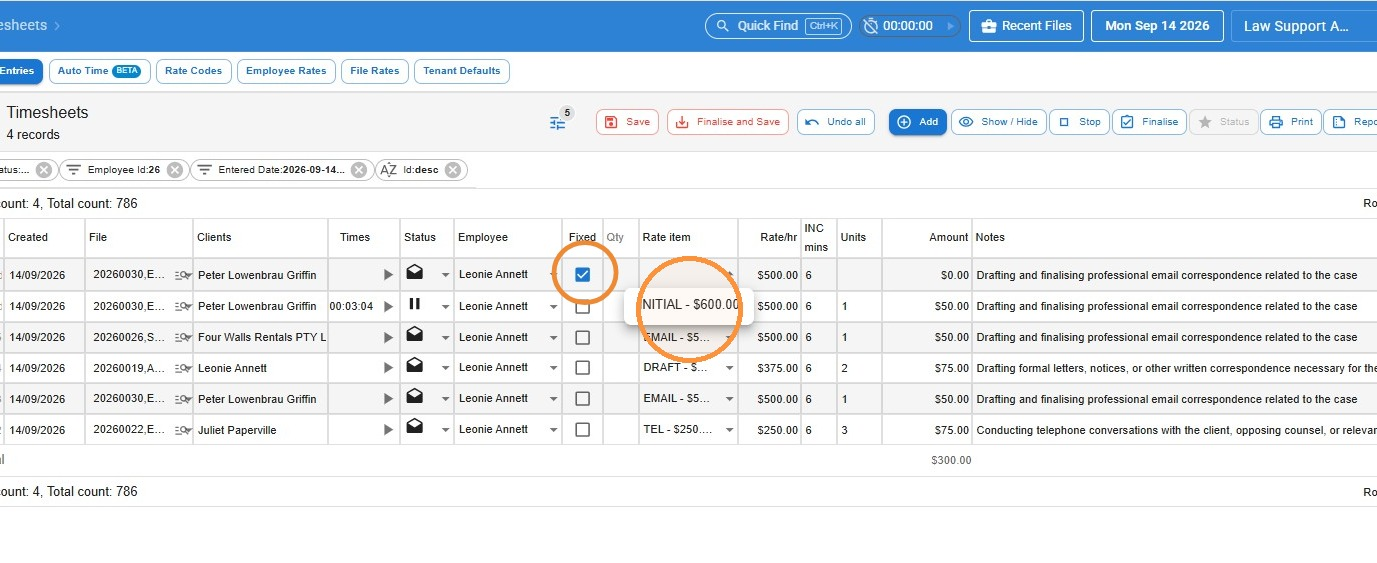
Fixed item — tick Fixed Item, enter the Quantity, then choose a fixed-rate Rate Item.
Recording time in All Time Entries
- Go to Time, then All Time Entries, and click Add.
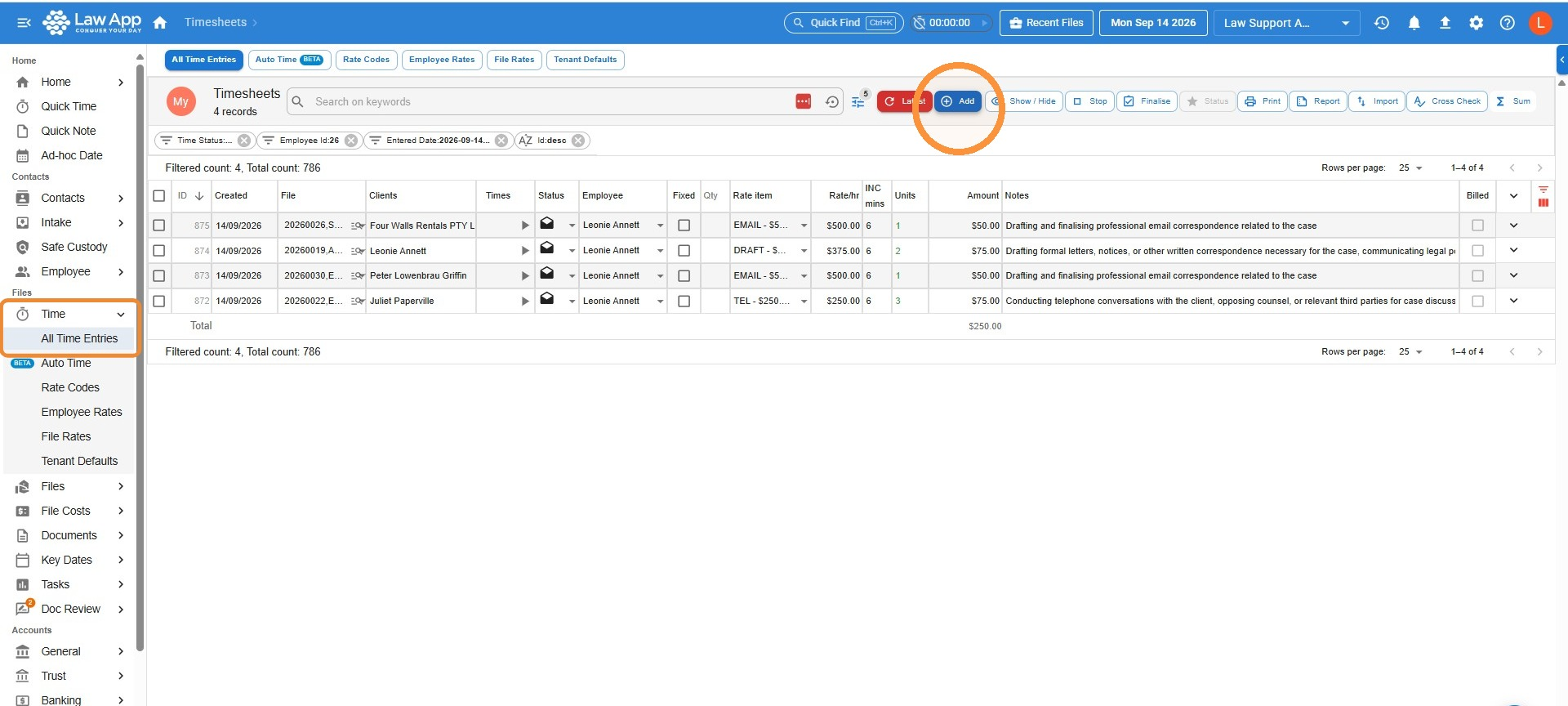
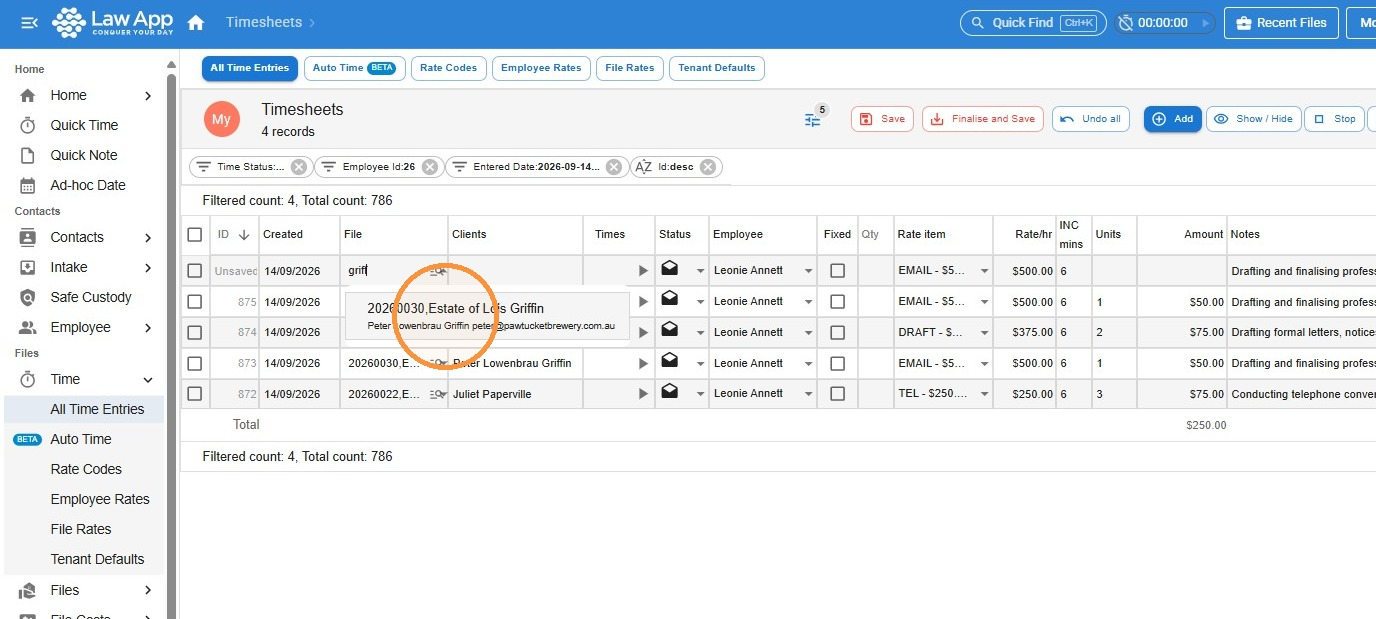
- In the File Number field, type a few letters of the client’s name or file name to search. A drop-down list of matching files will appear — click the correct file to select it.
- Record your time using the timer, manual units or a fixed item (see below).
Using the timer
Click the Play button to start the clock. Law App calculates the units automatically based on the time elapsed. Press Pause when you’re finished and the unit value will update.
Using a fixed item instead of time
Tick the Fixed Item flag to use fixed-rate options, then enter the Quantity. The Rate Item drop-down will update to show only fixed items.
Entering units manually
Select a Rate Item for the activity, then type the Unit Value to reflect the time worked. As long as the Fixed Item flag isn’t ticked, the Rate Item drop-down shows only time-based rate items.
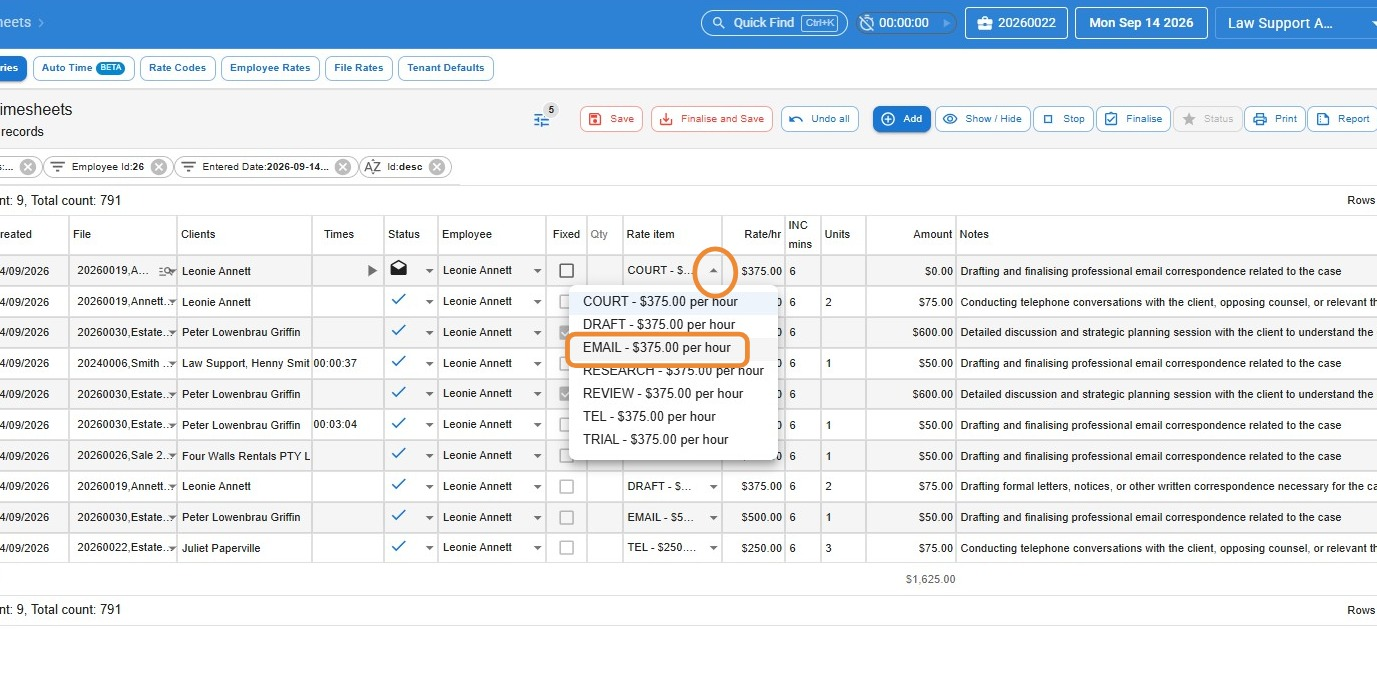
- Employee defaults to you, but you can select any employee from the drop-down if you’re recording time for other staff.
- Add your Notes. If the notes aren’t fully visible (this depends on your screen width), click the drop-down arrow to expand and view the full text.
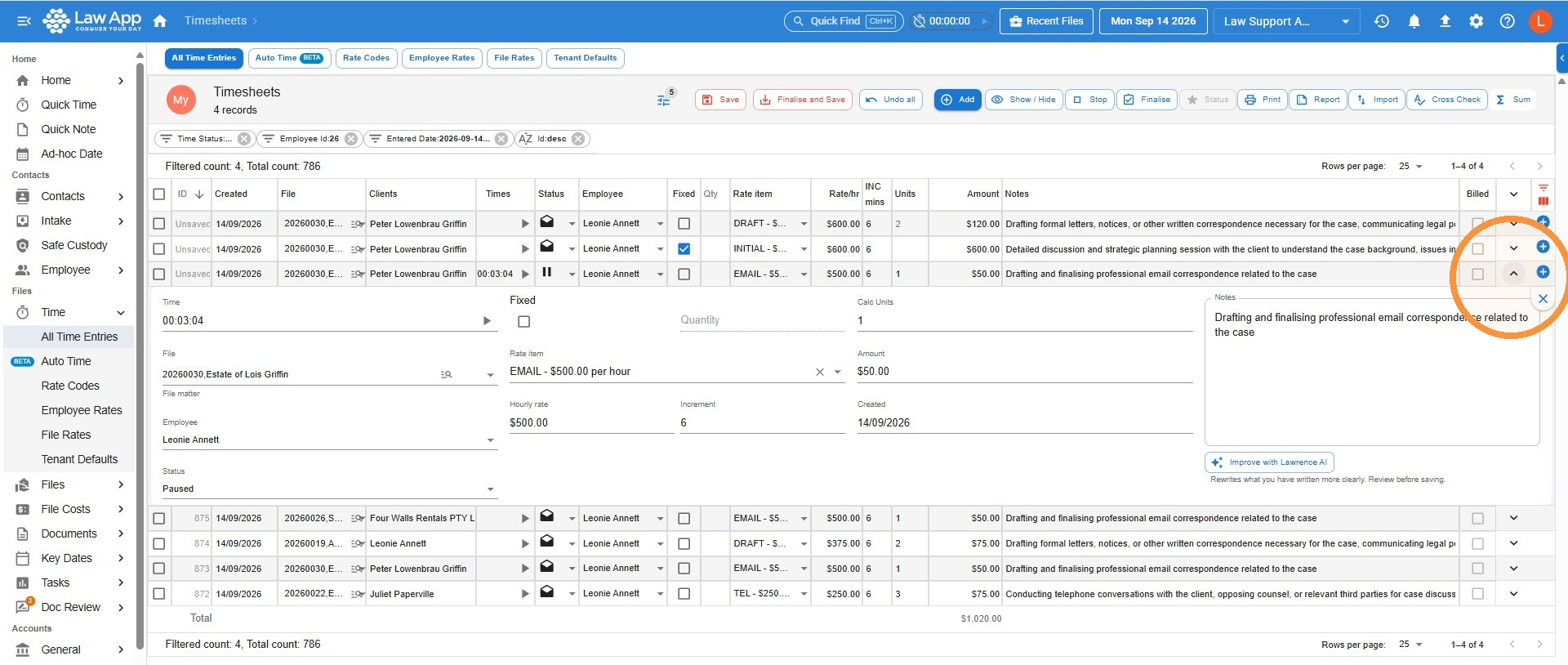
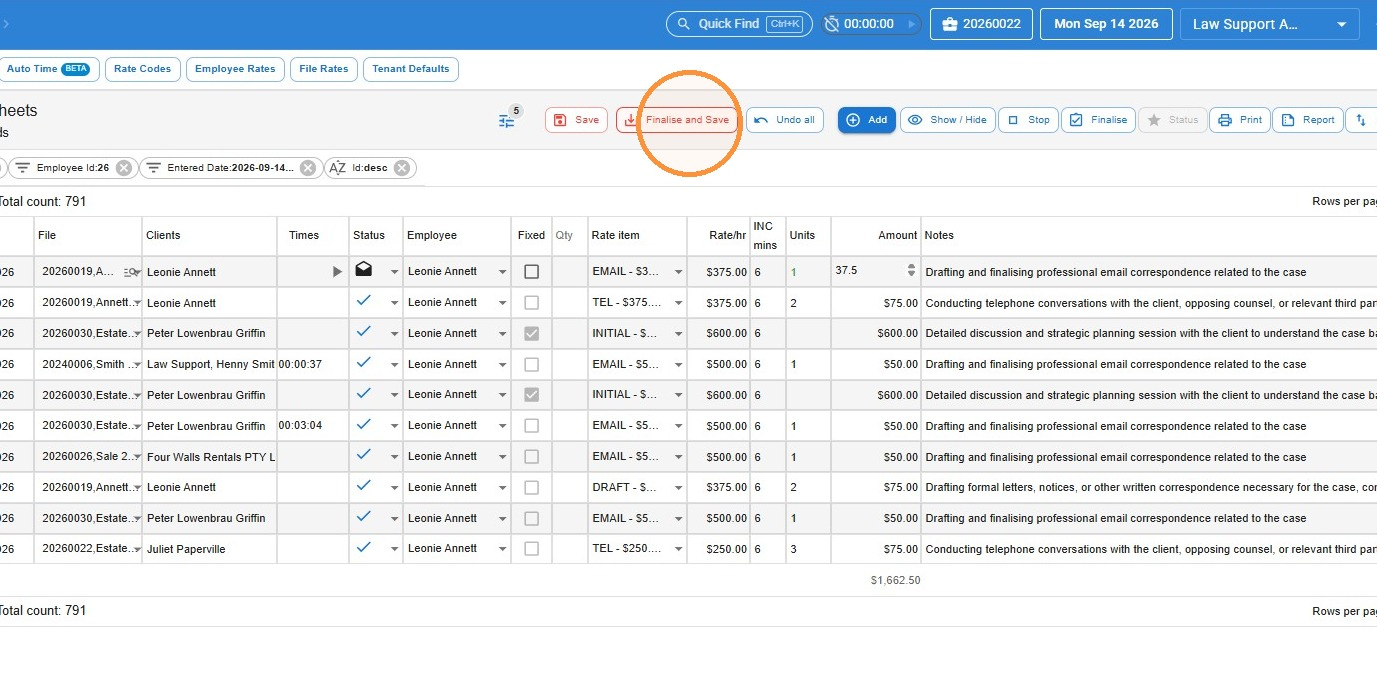
- Click Finalise and Save to finalise your entries, or Save to leave them in Draft for now.
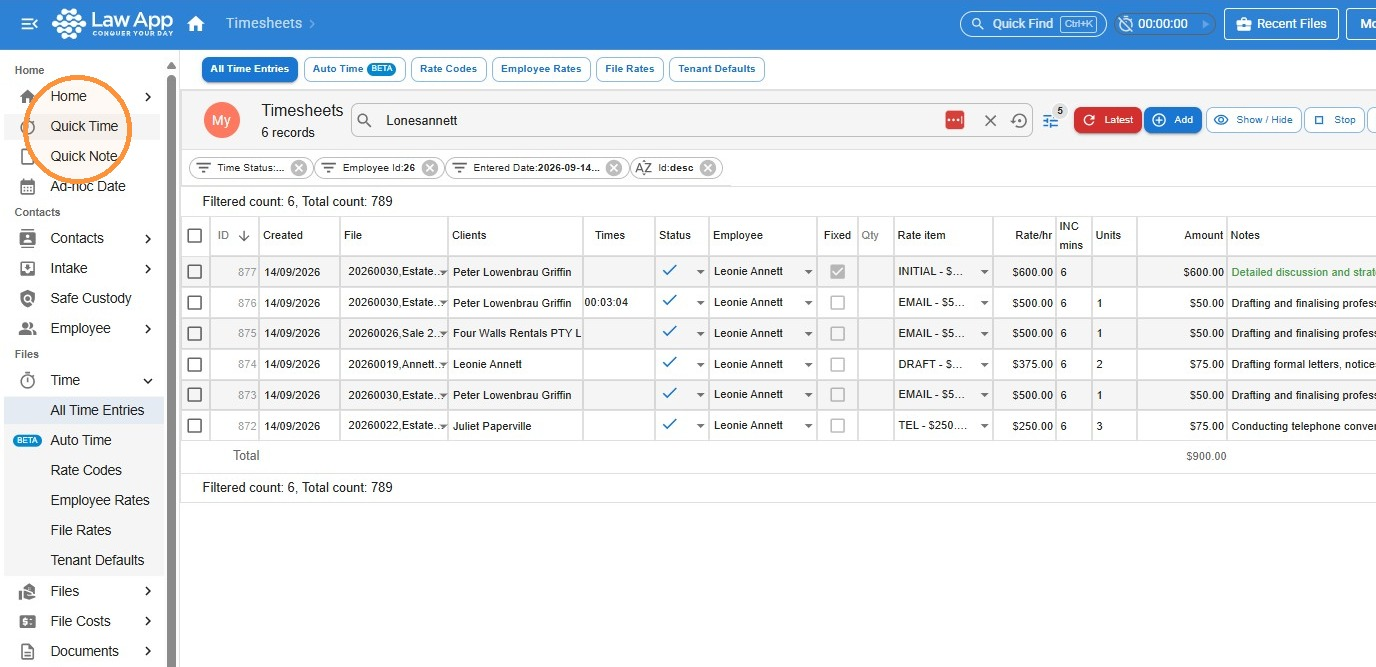
Recording time in Quick Time
- In the left-hand menu, click Quick Time.
- Click in the File field and search by file number or keyword. Click the file to select it.
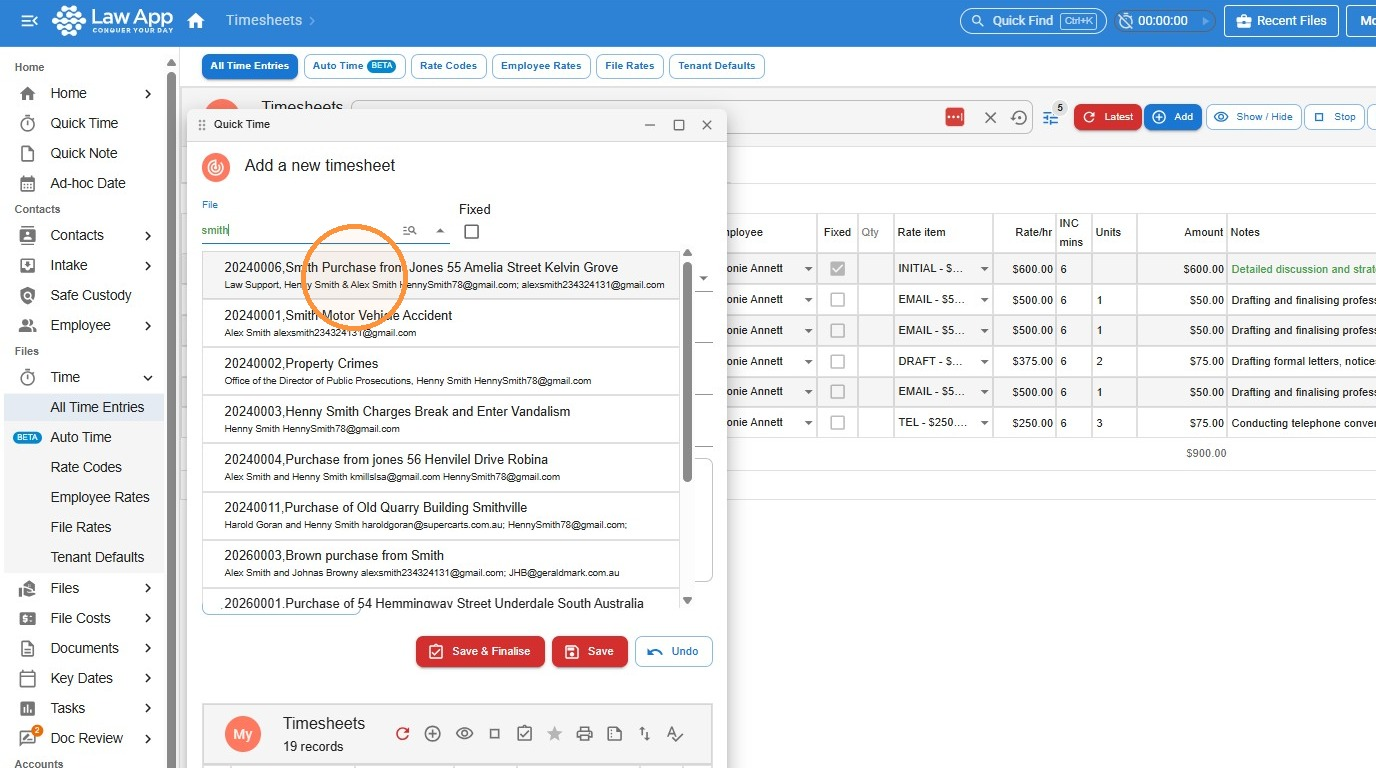
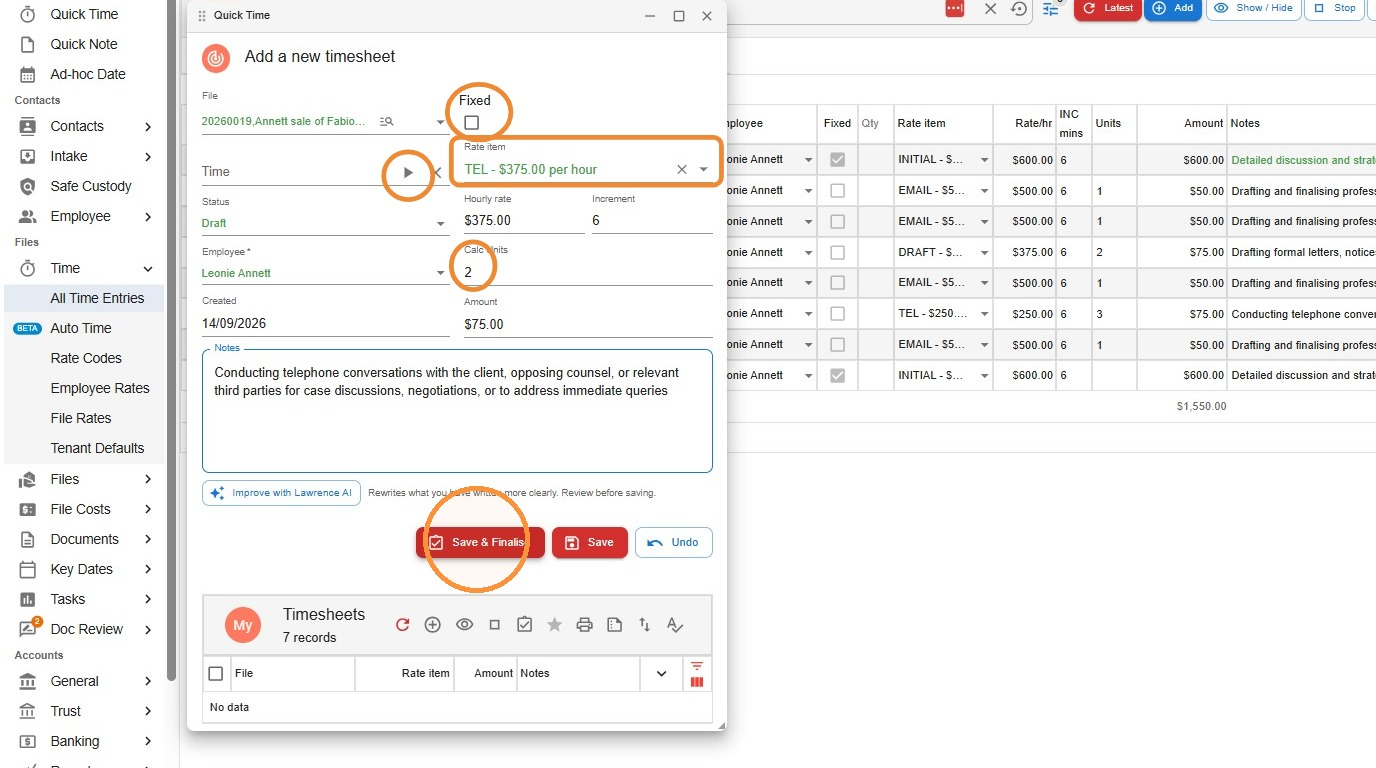
- You have all the same options as in All Time Entries:
- start the timer to calculate the time
- tick Fixed to select fixed fee entries
- record time manually by entering the number of units
- select your rate code in Rate Item
- Click Save & Finalise to finalise the entry, or Save to keep it in Draft.
Recording time within the file
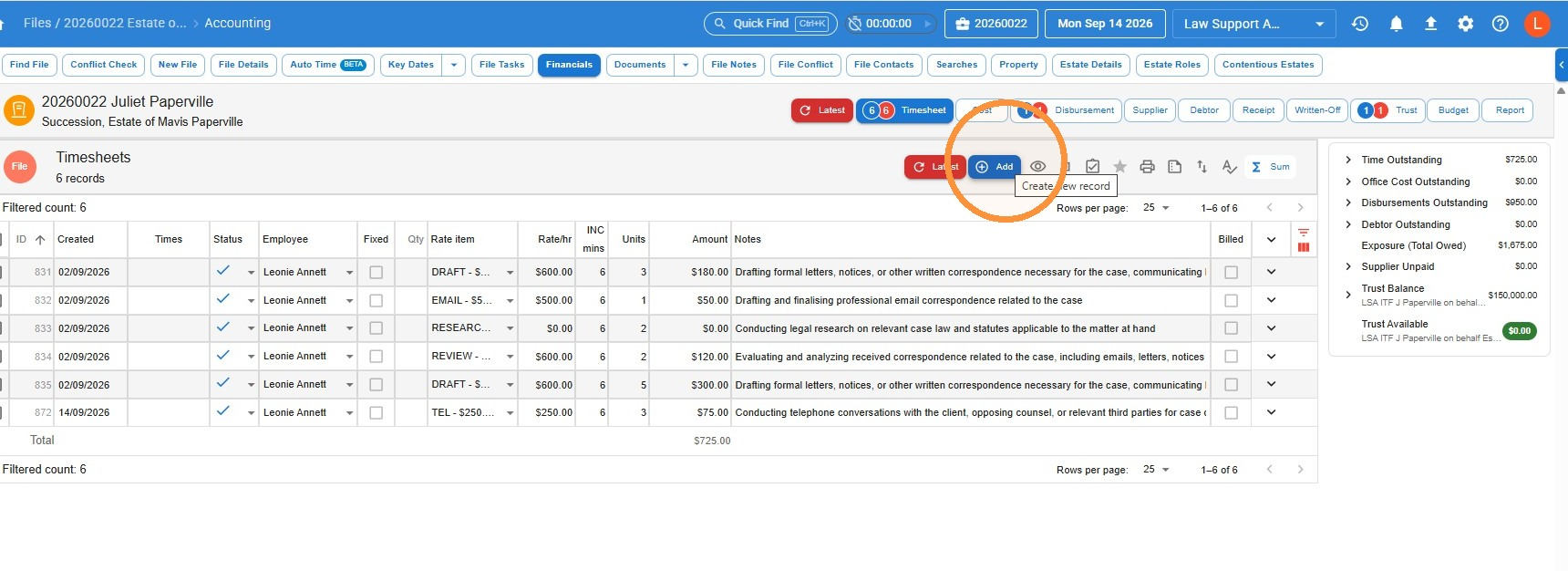
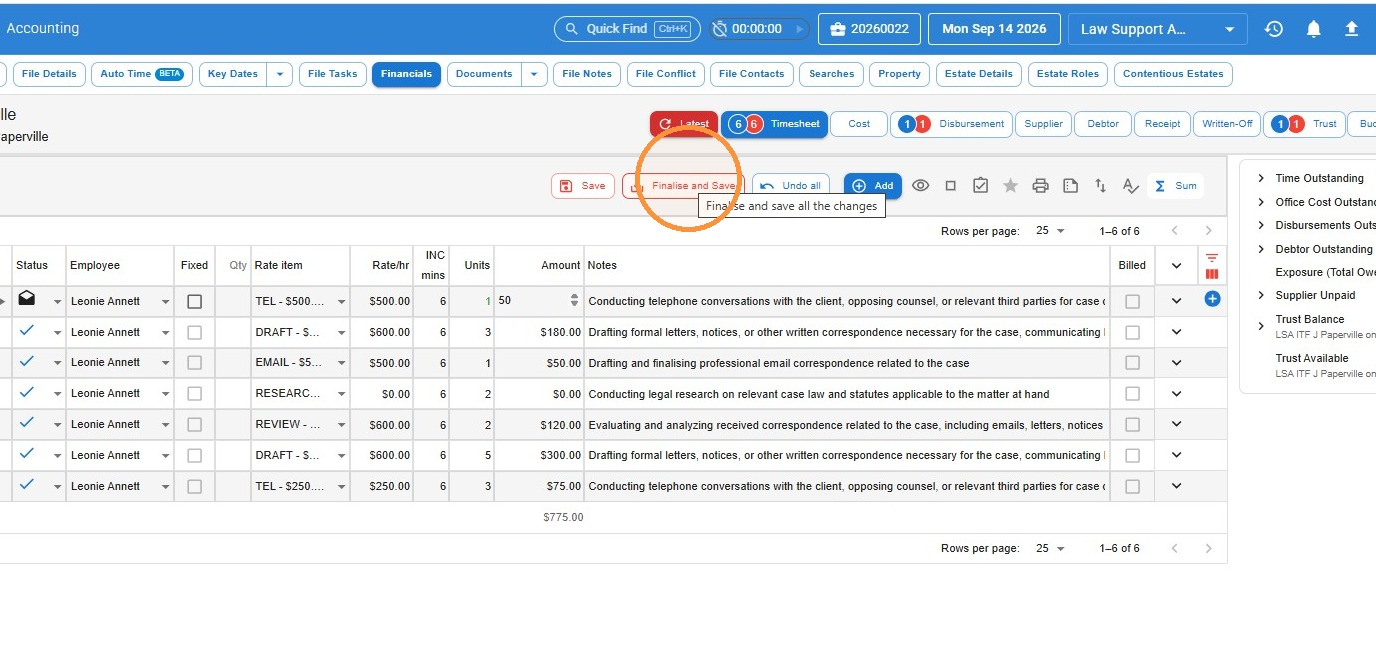
- With your file open, go to Financials and click Add to create a new entry.
- Record your time the same way as in All Time Entries:
- start the timer to calculate the time
- tick Fixed to select fixed fee entries
- record time manually by entering the number of units
- select your rate code in Rate Item
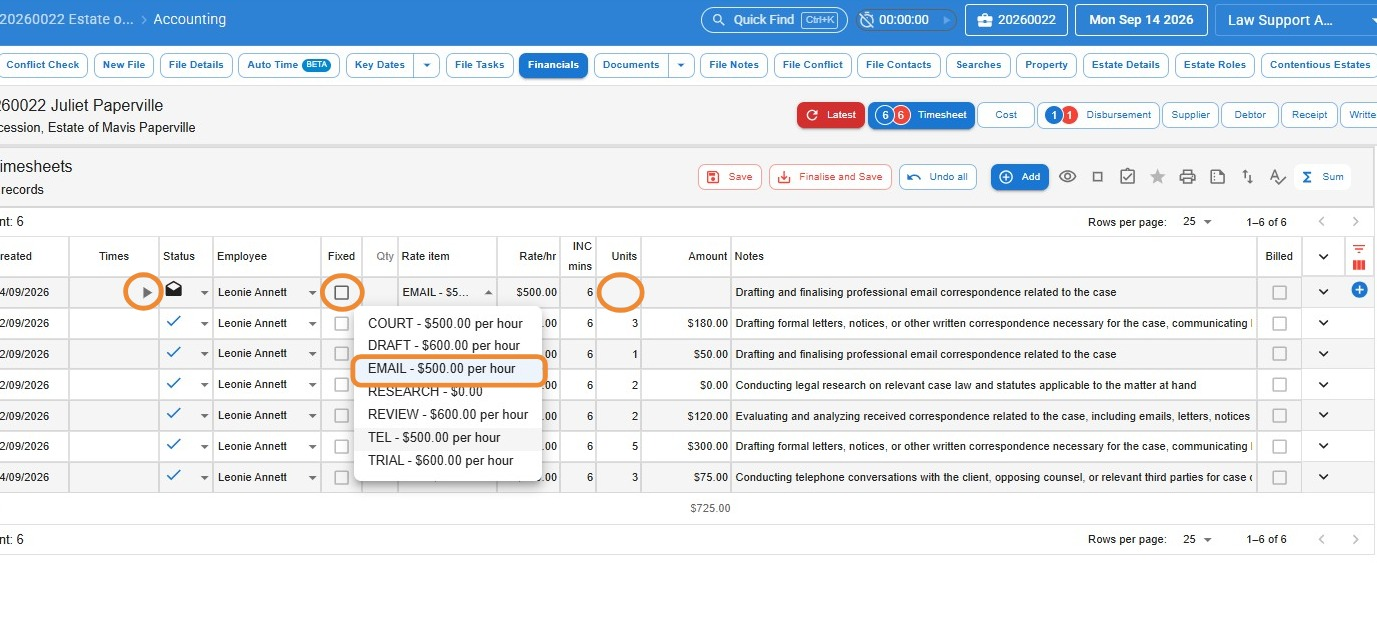
- Click Finalise and Save to finalise the entry, or Save to keep it in Draft.
Making changes to a finalised time entry
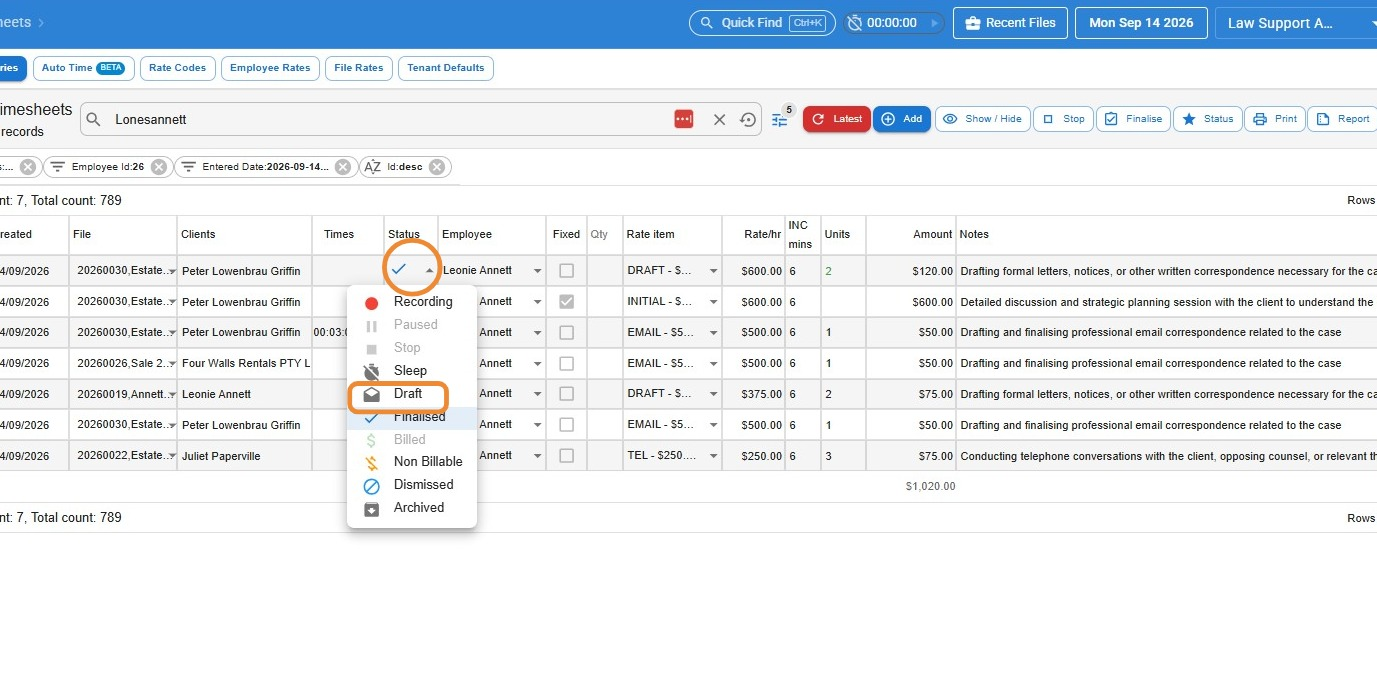
As long as the entry hasn’t been billed, you can set it back to Draft and make your changes.
- Click the Status box and select Draft, then click Save.
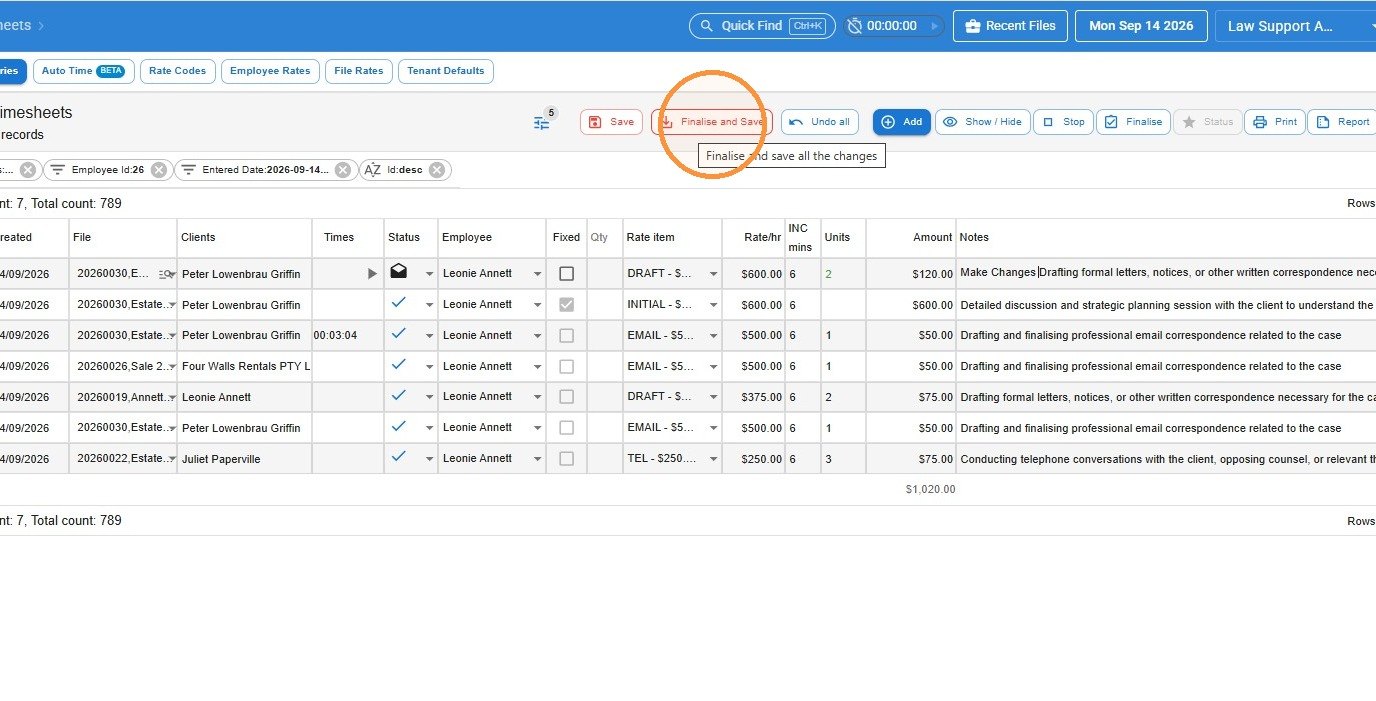
- Make your changes, then click Finalise and Save.
Changing the status of several entries at once
Sometimes you’ll need to change the status of multiple time entries at once — for example, marking all entries on a file as non-billable.
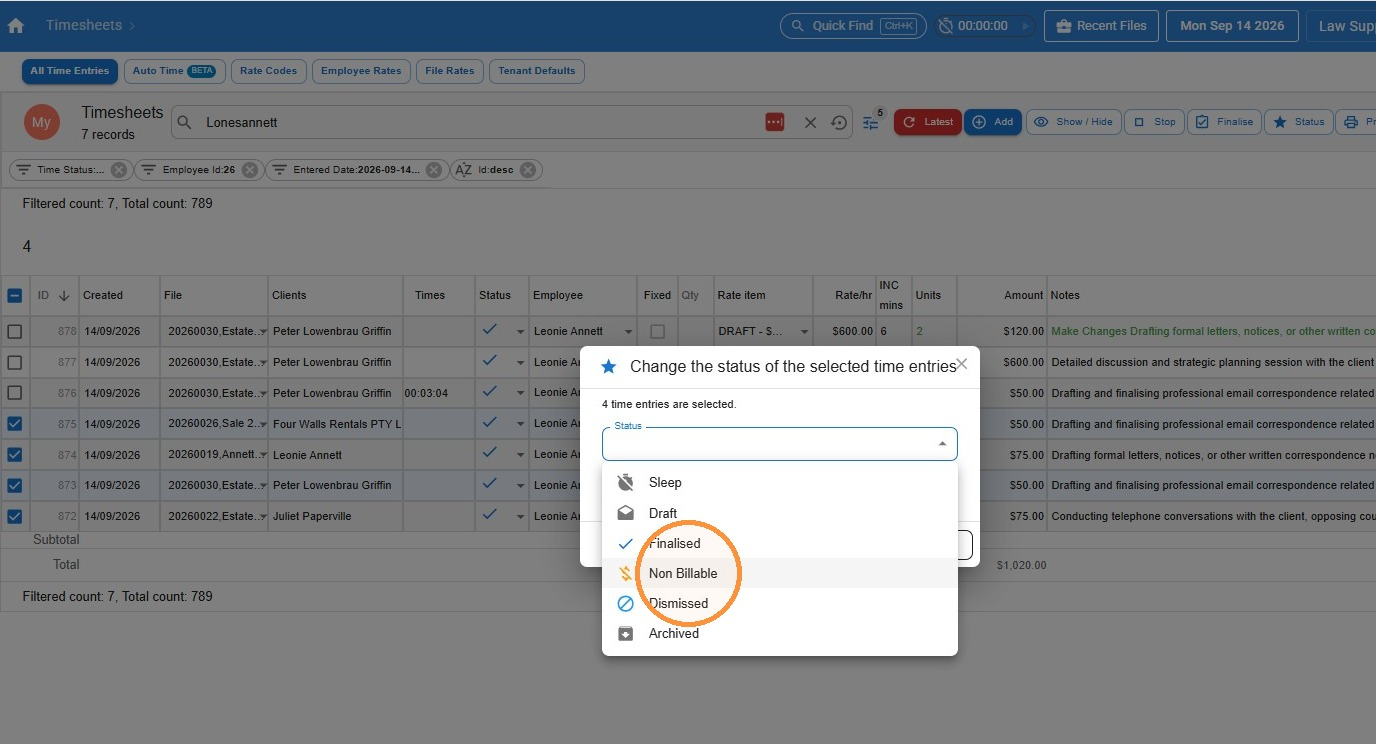
- Tick all the entries you want to change, then click the Status button.
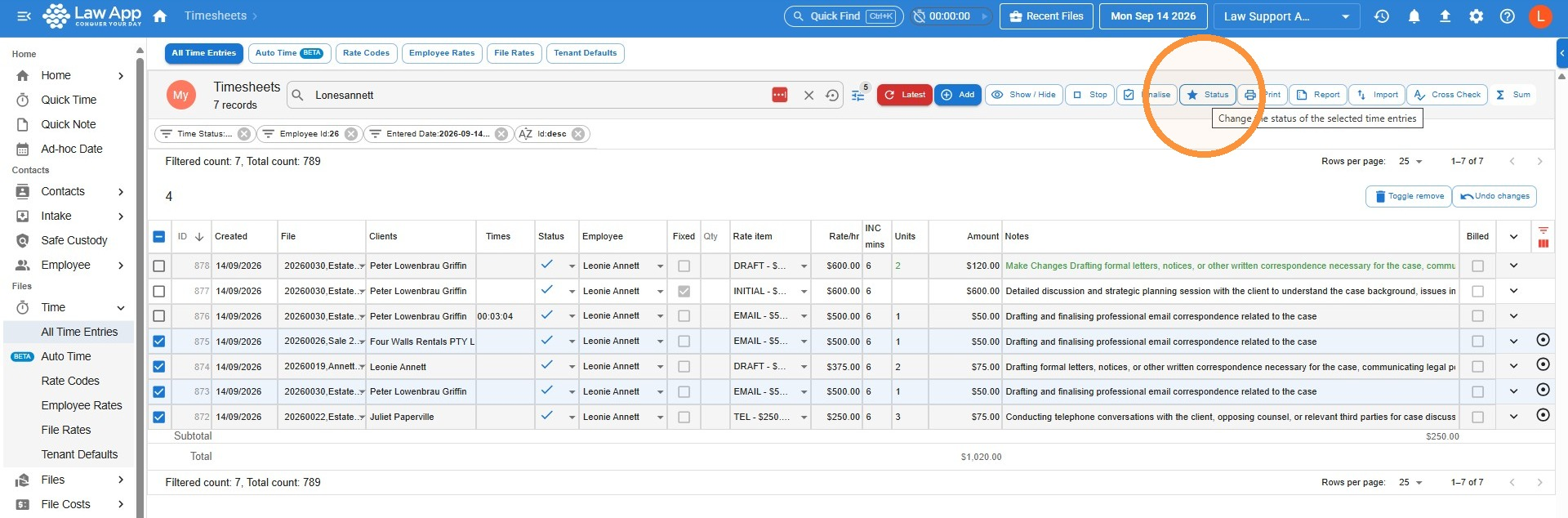
- Select the status you want to change the entries to.
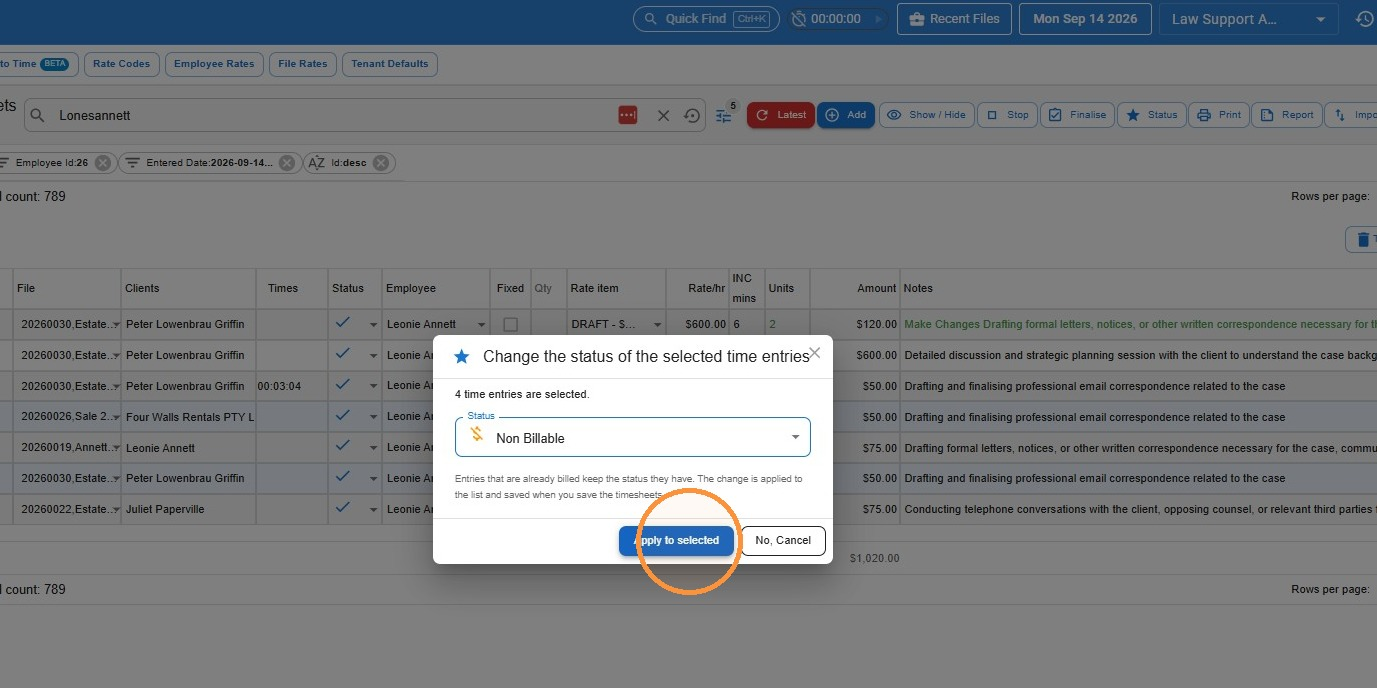
- Click Apply to selected.
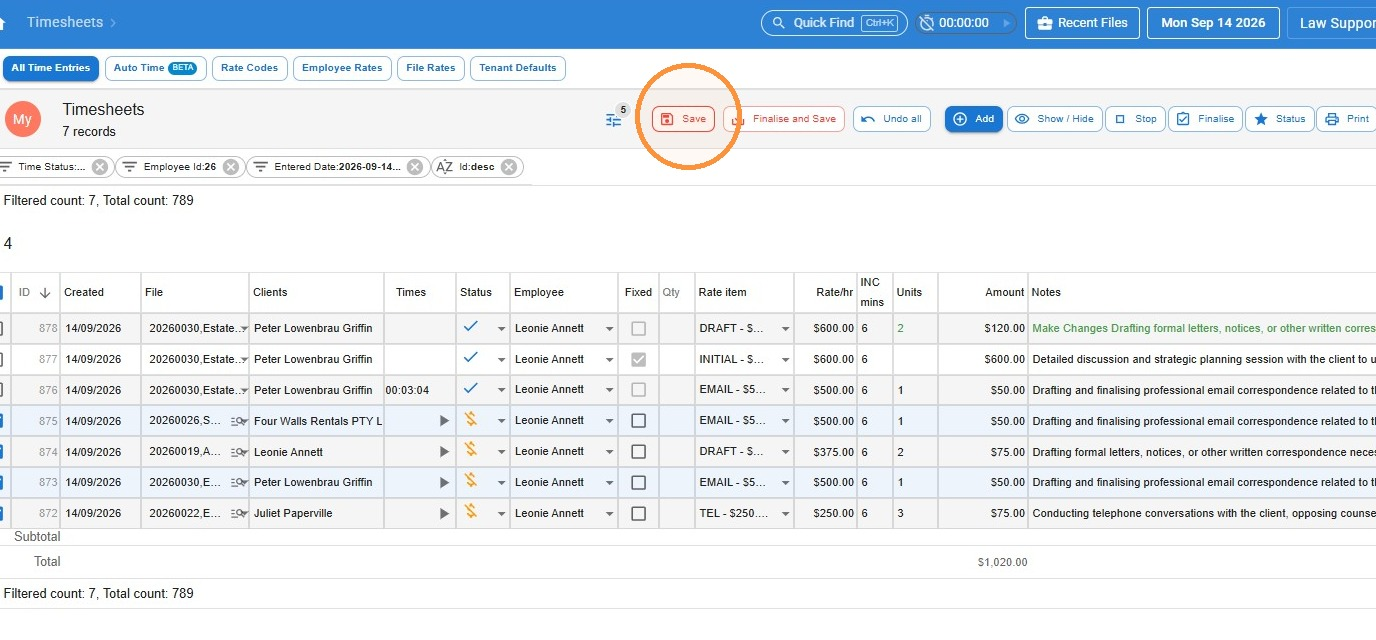
- Click Save.
Deleting a time entry
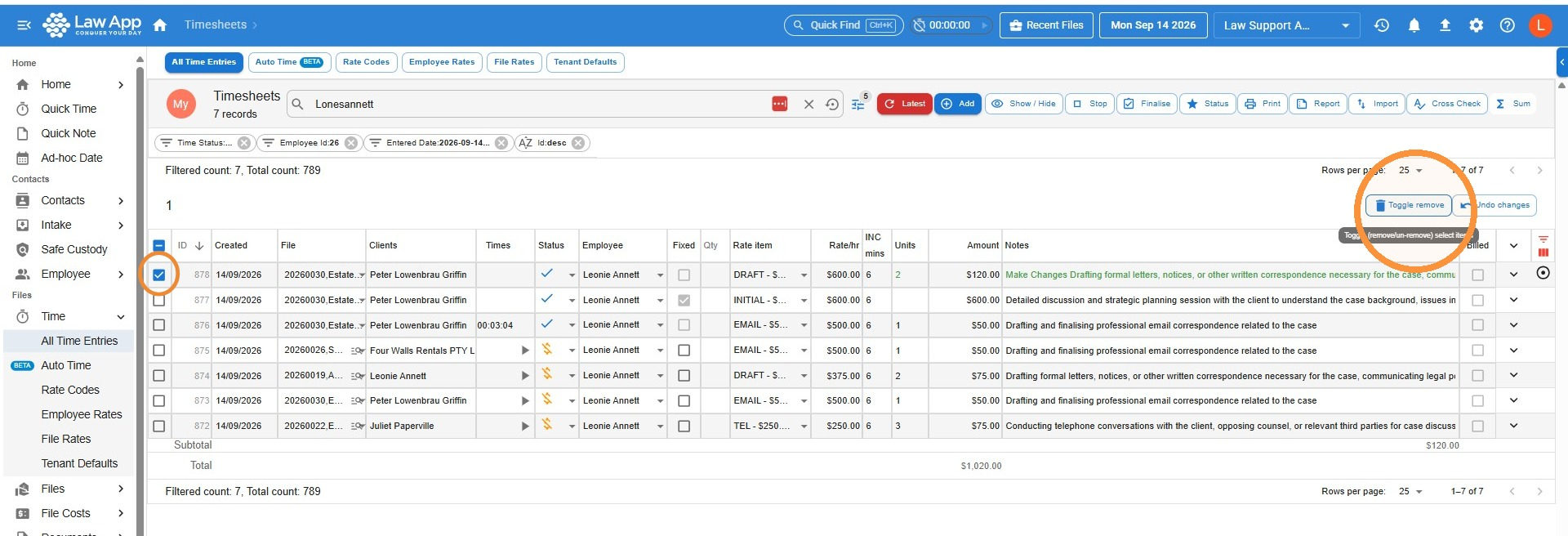
- Tick the box for the entry or entries you want to delete, then click Toggle Remove.
- Click Save.
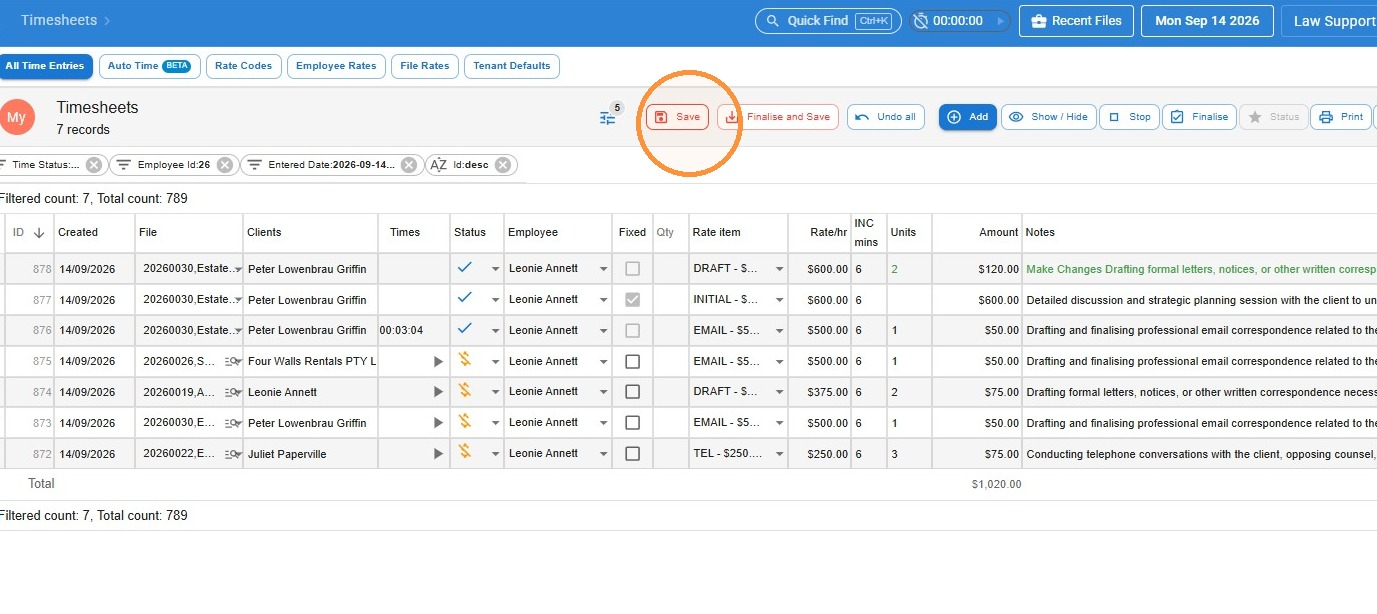 Removing time entries works the same way in Quick Time and in the file timesheet.
Recording non-billable time
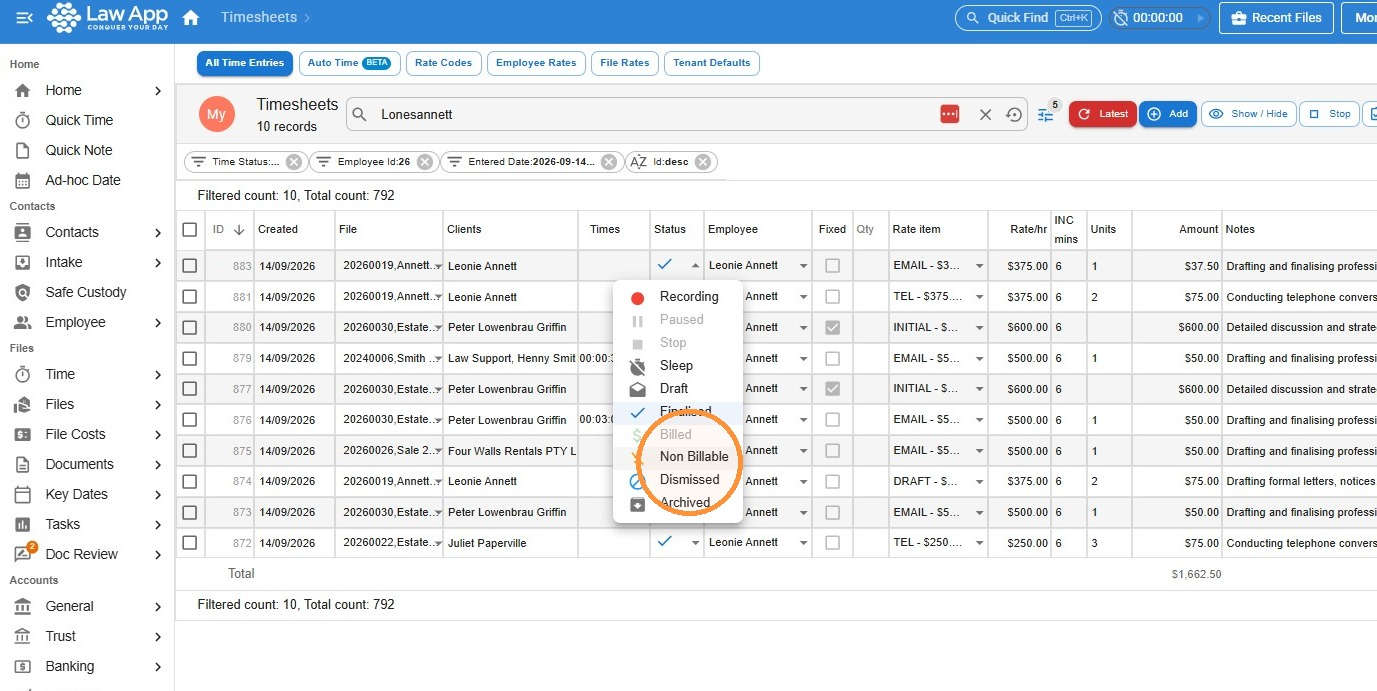
You may need to track non-billable time for internal reporting, matter tracking or compliance. Record it exactly the same way as regular time, but set the status to Non Billable.
- Record your time as usual, then select Non Billable in the Status drop-down.
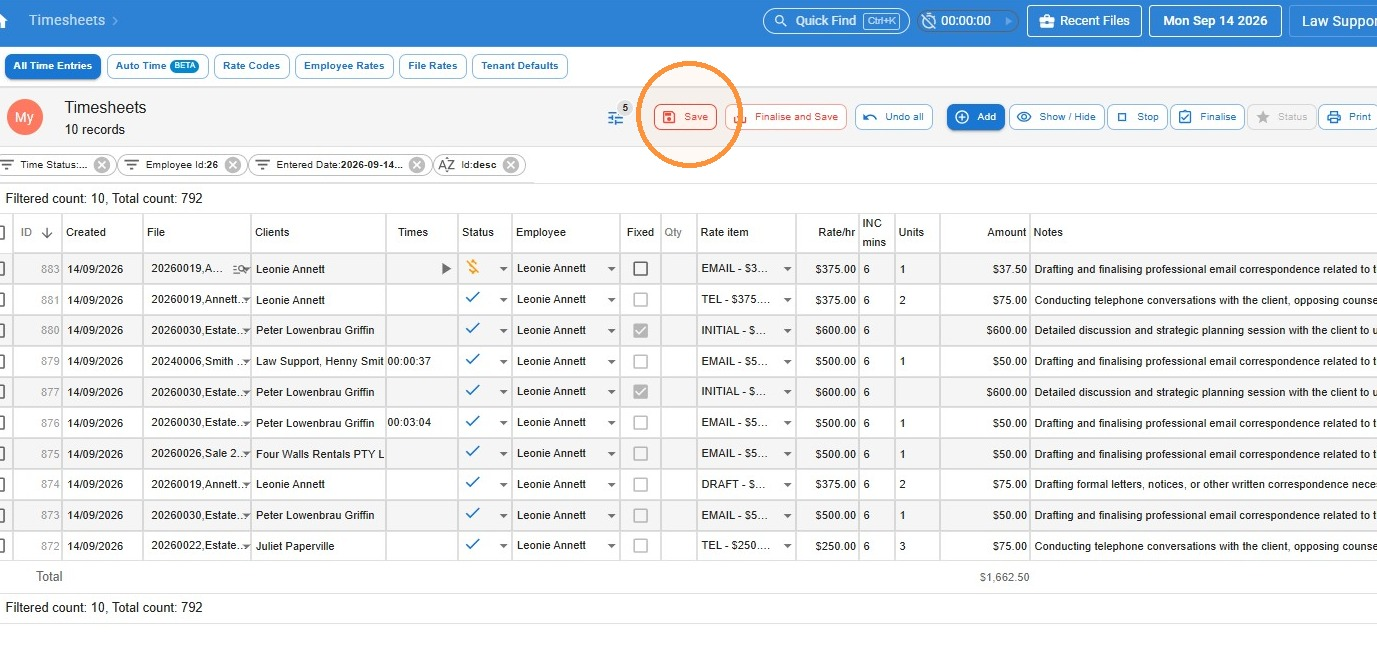
- Click Save.
Leave a Reply