
An invoice on a file is a tax invoice raised against a specific matter in Law App. It brings together the professional fees, office costs and disbursements recorded on that file into one bill for your client. Invoices start as a draft, so you can review them, and are locked once approved.
The short video below walks through the whole process. The step-by-step guide underneath covers the full process with screenshots, so you can refer back quickly.
Step-by-step guide
You can create a debtor invoice straight from a file’s Financials screen in one of two ways:
Bill All
Pulls in every billable timesheet entry, office cost and disbursement on the file. Remove anything you don’t want before saving.
Blank invoice (Add)
Starts with no lines. Add items by category, up to a date, or pick them one by one.
Before you start: check what’s ready to bill
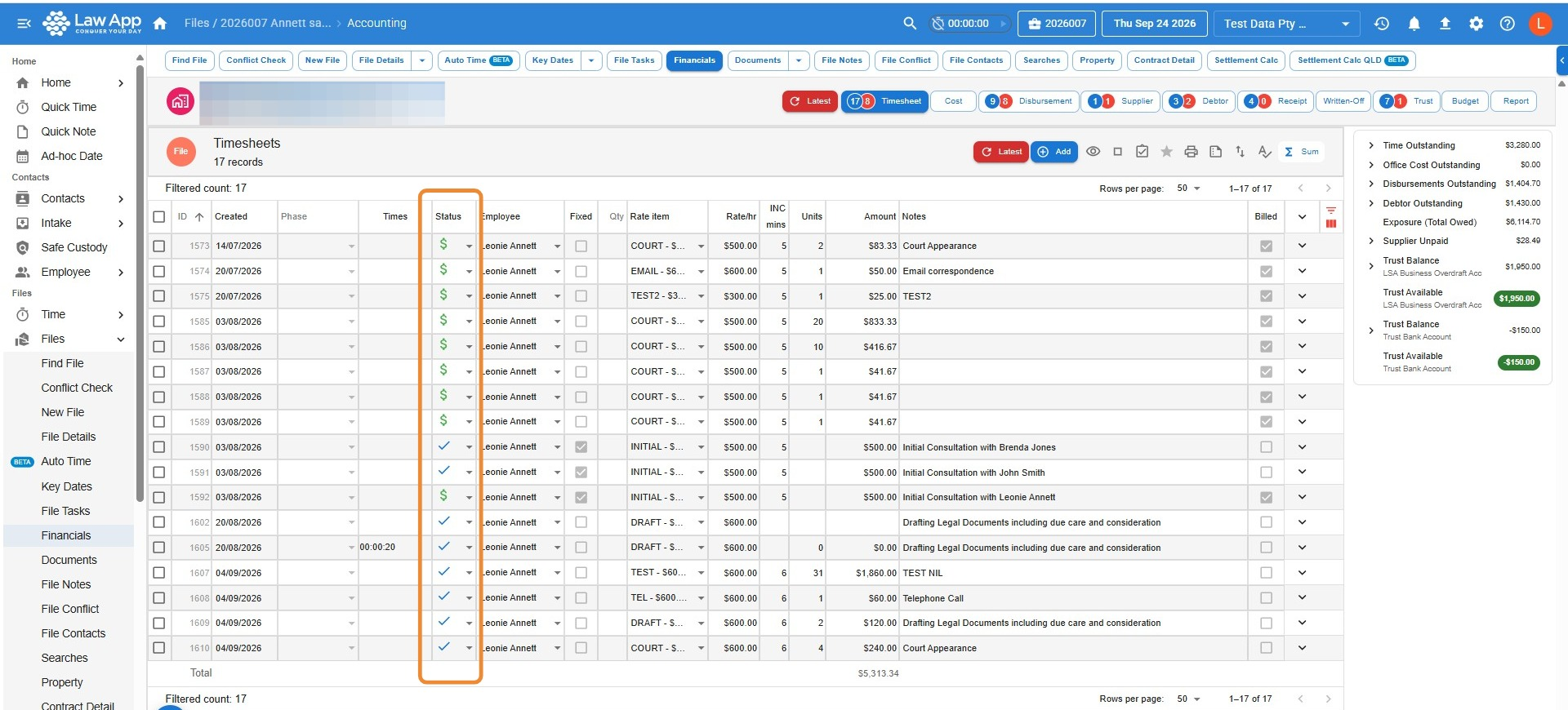
- Open the file and go to Financials, then the Timesheet tab.
- Check the Status column. A blue tick means the entry is finalised and ready to bill. A green dollar sign means it’s already been billed. An envelope means it’s still in draft — finalise it first if you want it on this invoice.
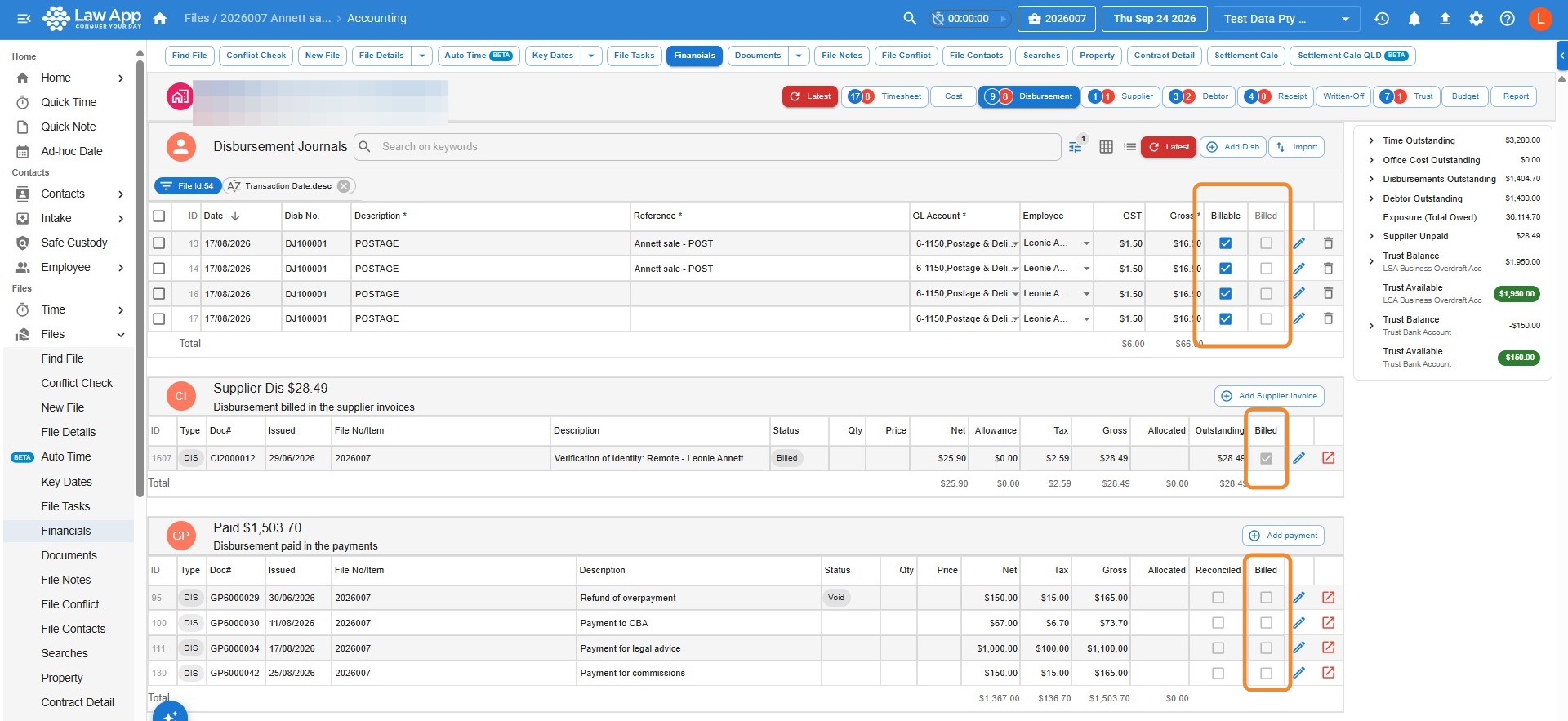
- Check the Cost and Disbursement tabs to make sure every expected office cost and disbursement is on the file. The Billable and Billed columns show whether each item is ready to bill or already billed.
How to create a debtor invoice using Bill All
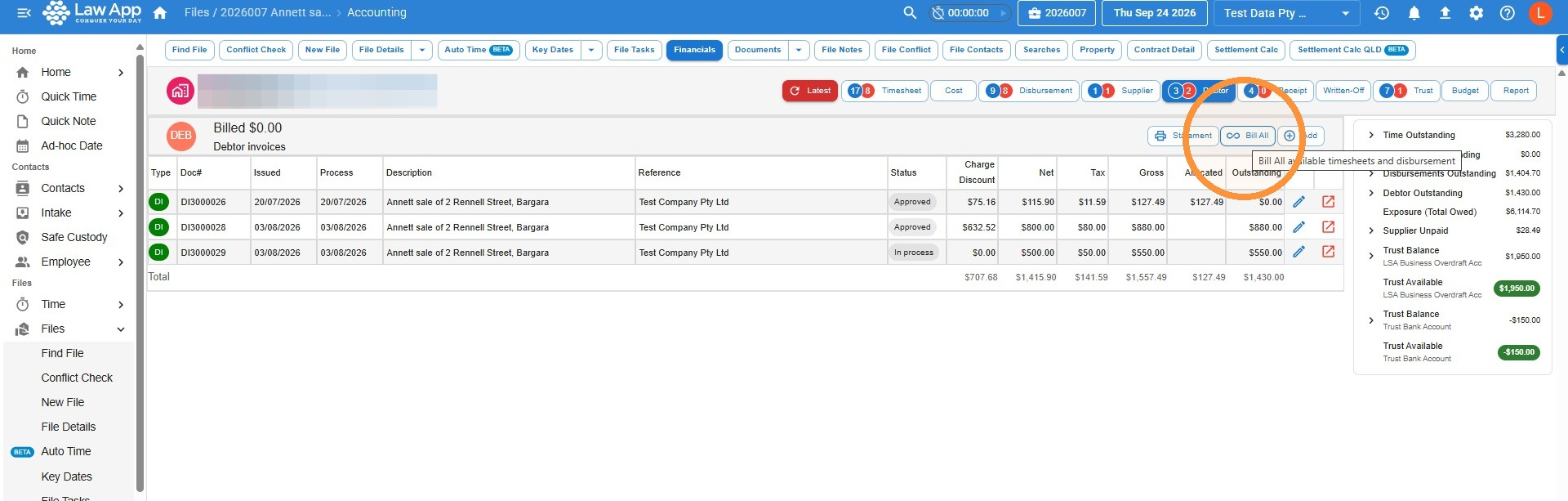
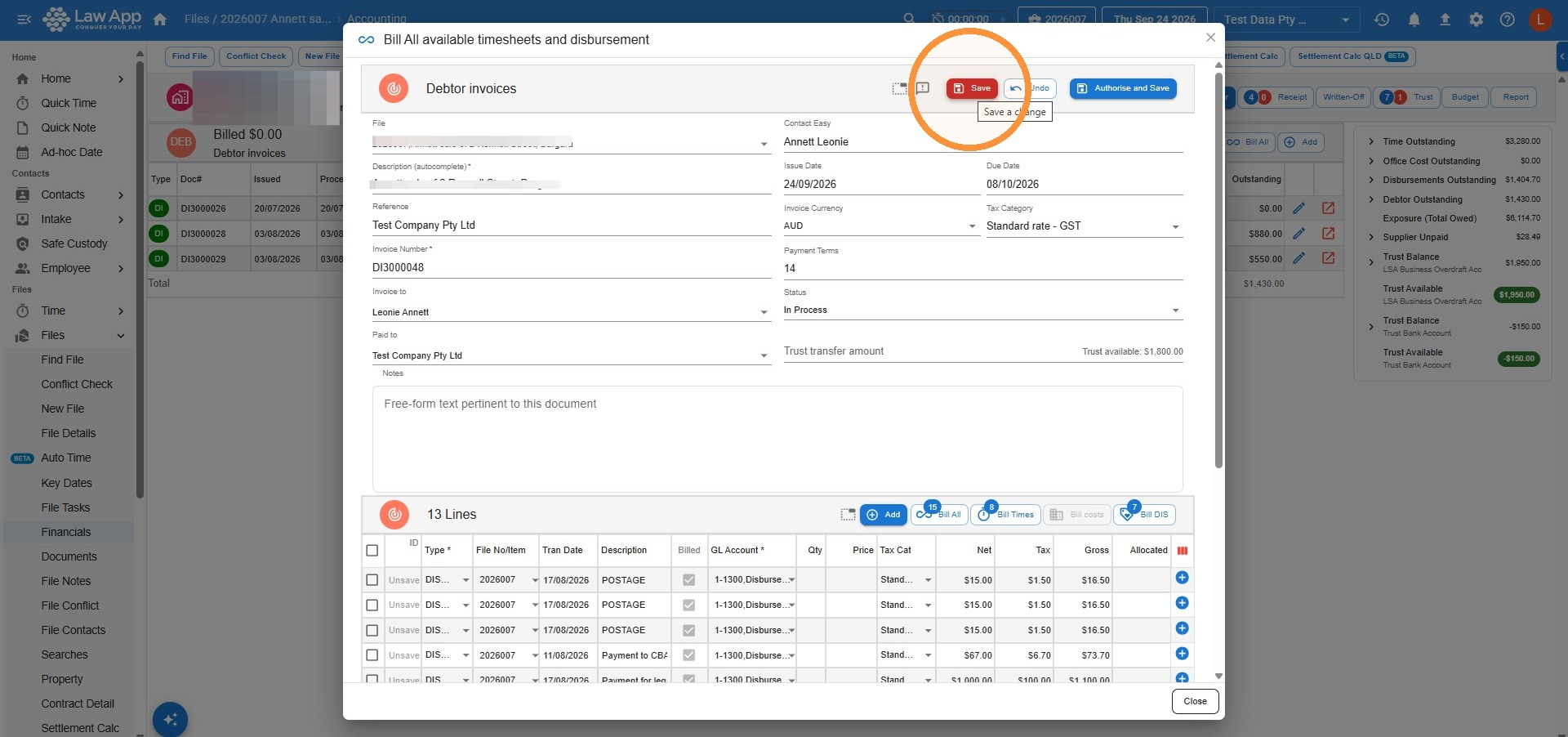
- On the file’s Financials screen, open the Debtor tab and click Bill All. This picks up all billable timesheet entries, office costs and disbursements on the file.
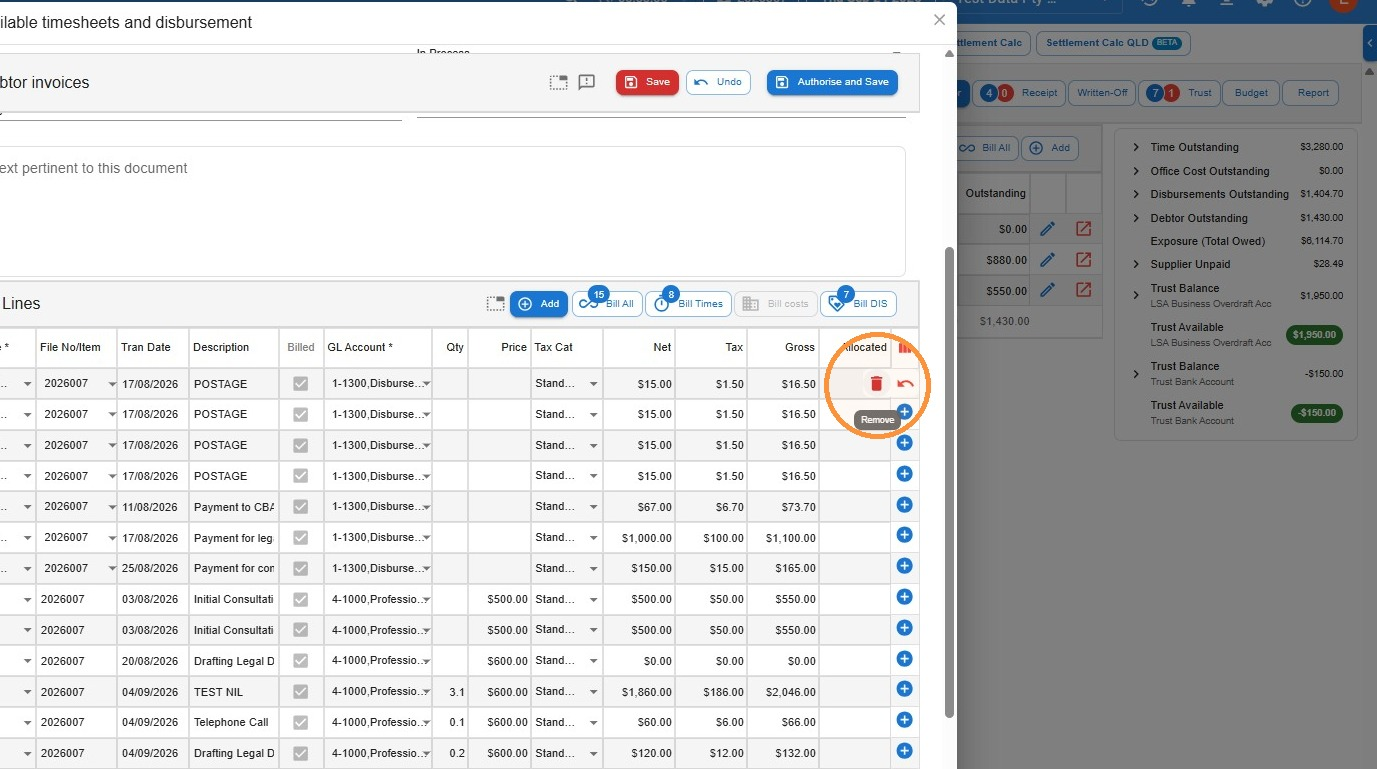
- To leave an item off the invoice, hover over the end of its line and click the Remove (bin) icon.
- Click Save to save the invoice as a draft, or Authorise and Save to send it straight to Approved status.
How to review, finalise and print the invoice
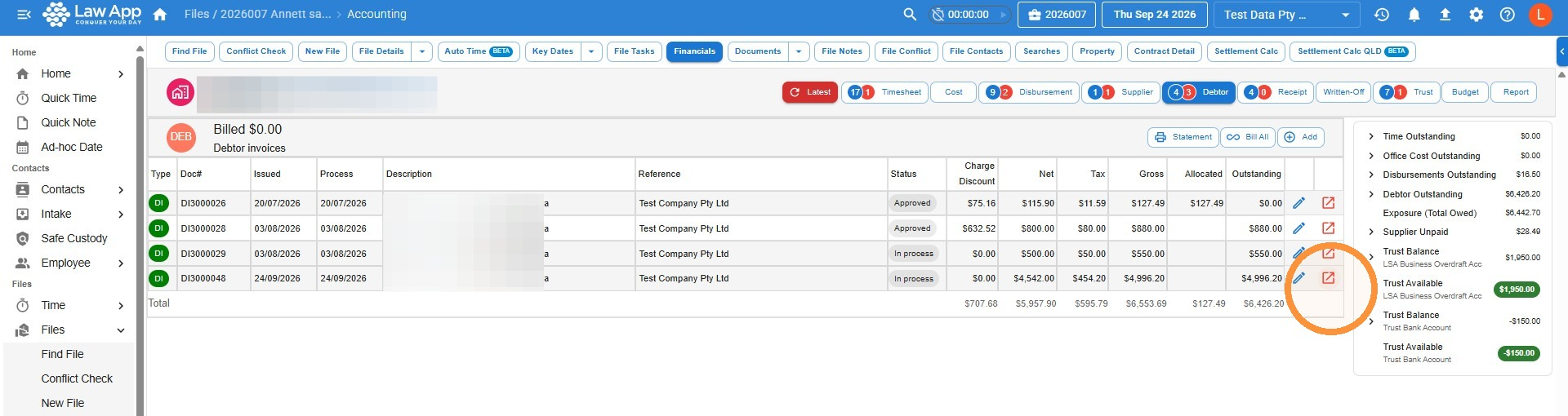
- You’ll be taken back to the Debtor tab, where your new invoice appears in the list. Click the Open in new icon (the square with an arrow) at the end of its row.
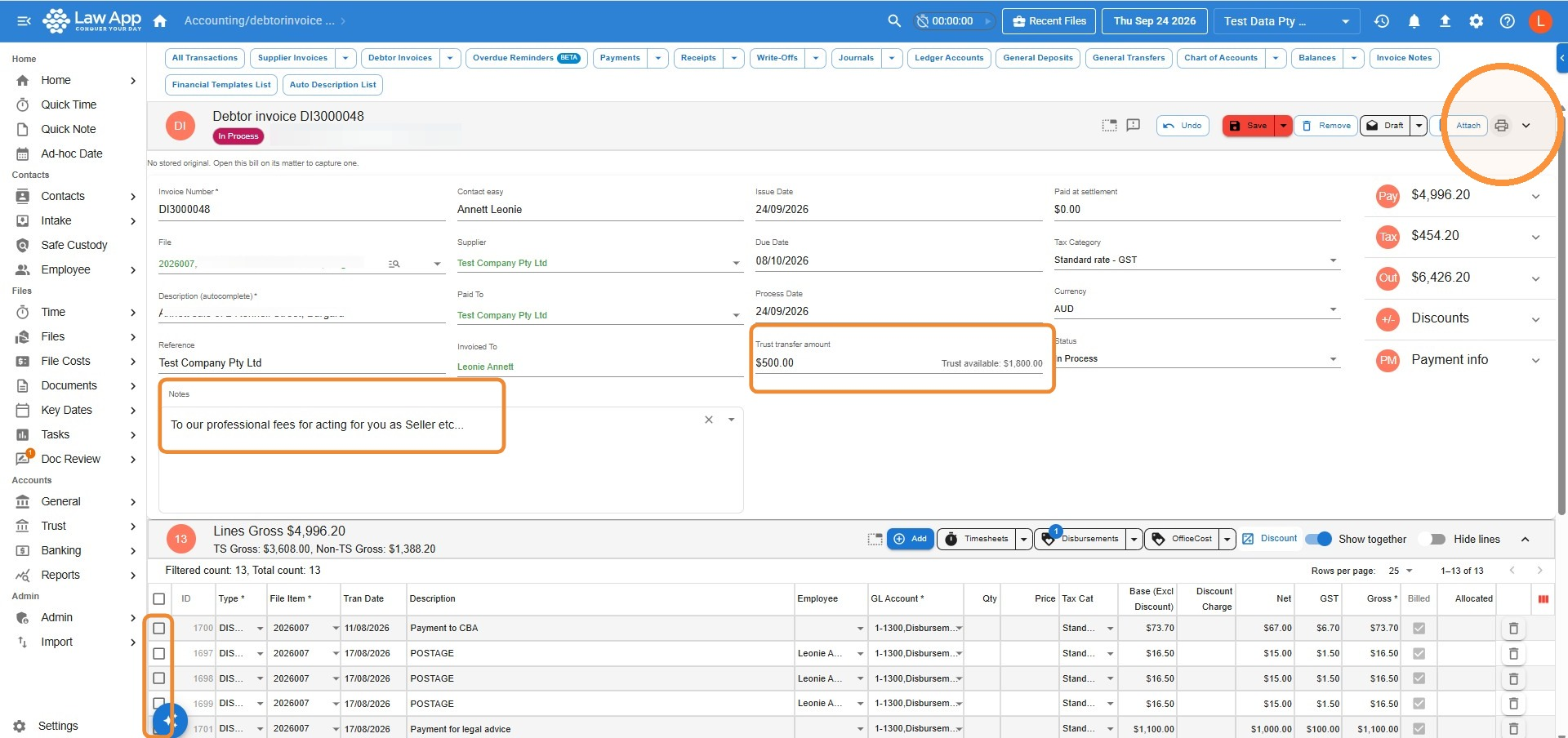
 Make any changes you need before approving the invoice:
- Remove more items — tick the box at the start of the item’s row, click Toggle Remove, then click Save.
- Show a payment from trust — if you’ll be drawing money from trust to pay the invoice, enter that amount in the Trust transfer amount field so it appears on the invoice.
- Add a description — select one of your firm’s generic invoice descriptions in the Notes field, or type your own. See How to set up Notes for your firm invoices.
- Apply a discount or write-up — see What’s the correct method for adjusting invoices up or down?
- Click Save after any changes. When you’re finished, change the Status to Approved and click the Print icon at the top right.
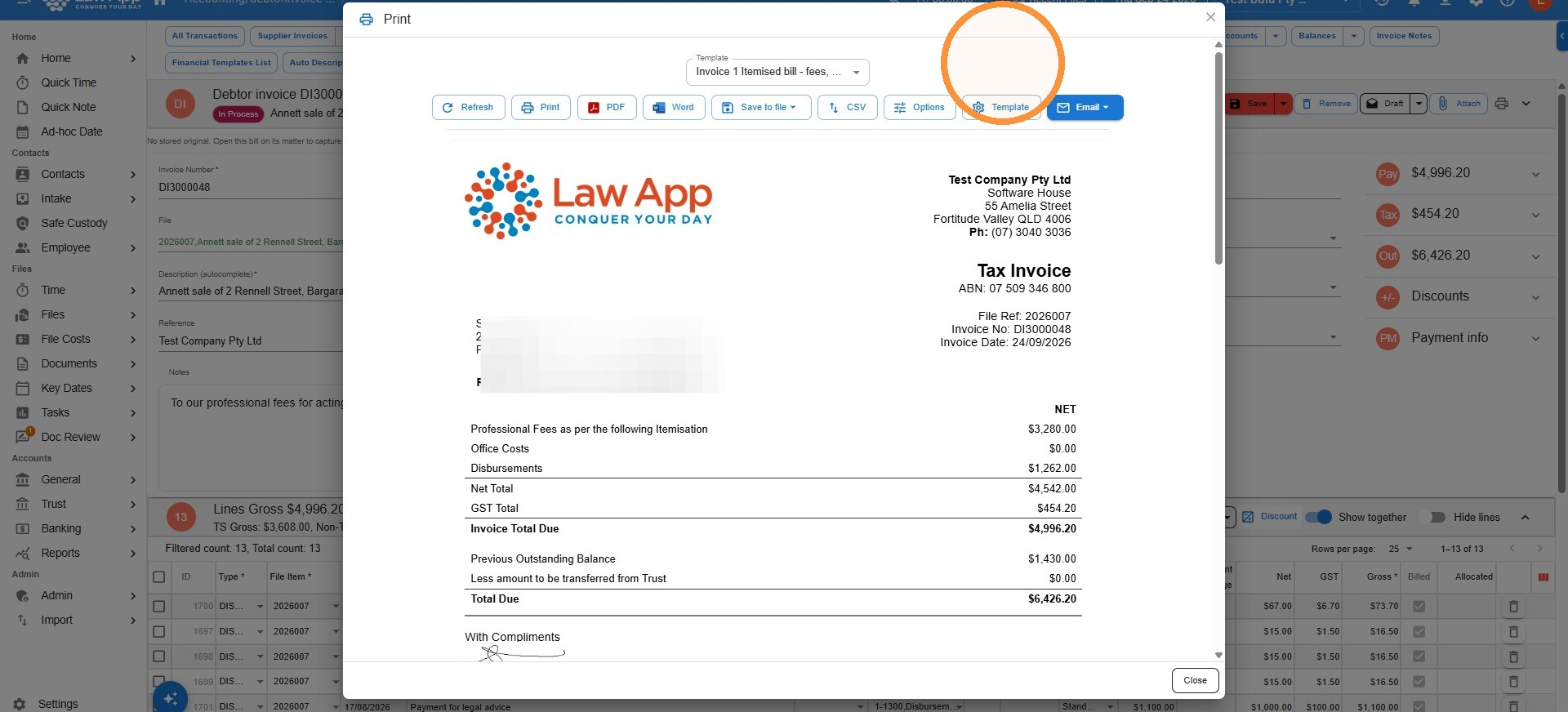
- In the Print window, choose the invoice template you want from the Template list. Not sure which one? See Invoice layouts — choosing the right bill.
- From here you can generate a PDF or Word copy, Save to file, or send it straight to your client with Email.
How to create a blank invoice and add items selectively
Use this method when you want to choose exactly what goes on the invoice — for example, billing only up to a certain date or leaving some entries for a later bill.
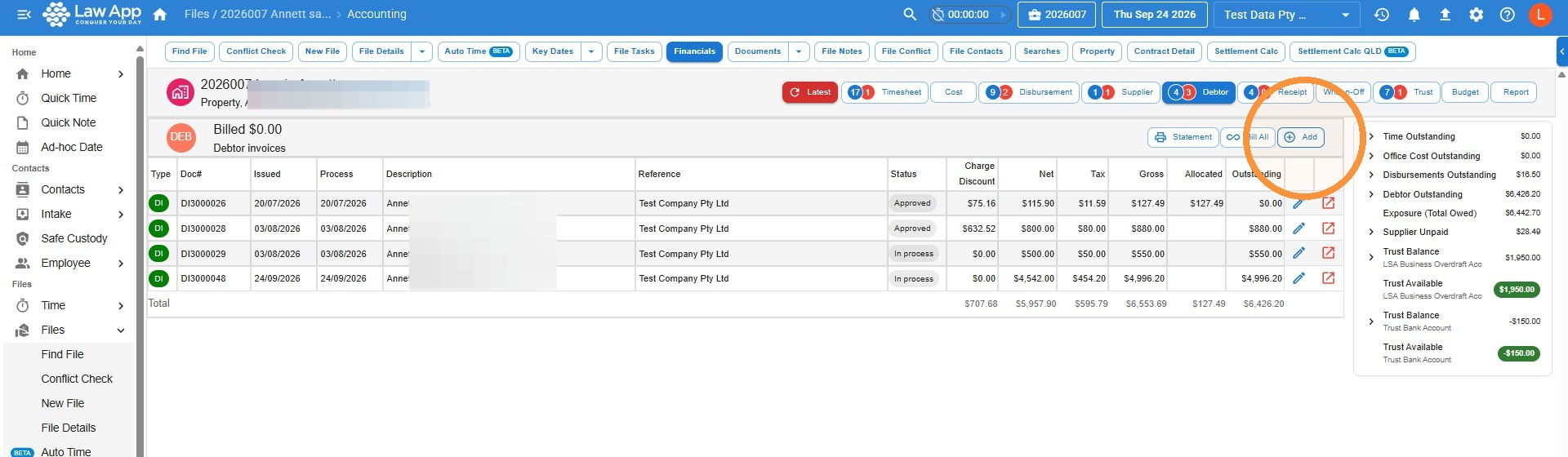
- On the file’s Debtor tab, click Add.
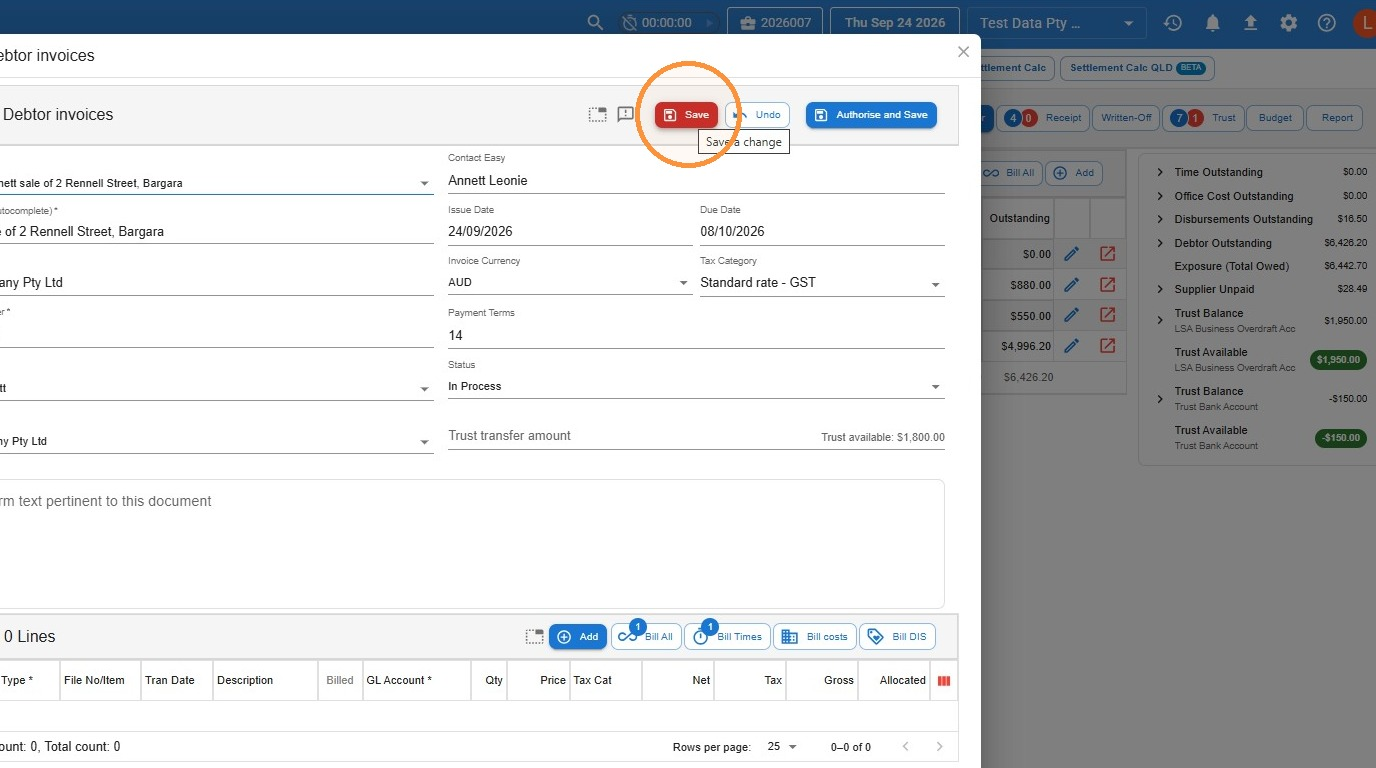
- This screen has buttons to add all timesheet entries, costs or disbursements at once. For more control over what’s added, don’t click any of them — just click Save and you’ll add items in the next steps. Save keeps the invoice as a draft; Authorise and Save puts it straight into Approved status.
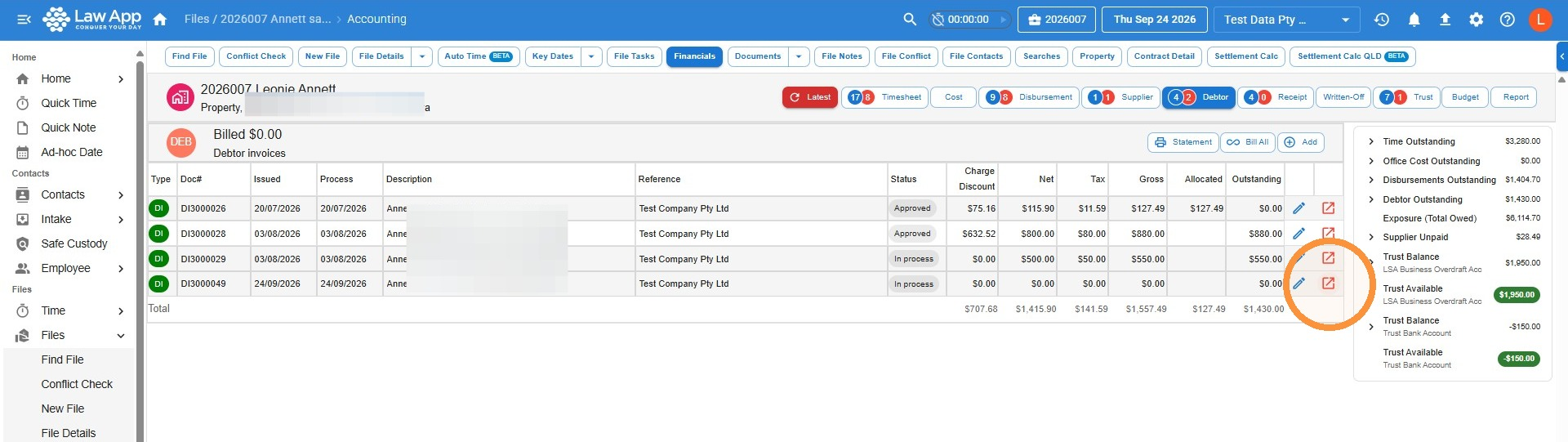
- You’ll be taken back to the Debtor tab, where your new invoice appears. Click the Open in new icon at the end of its row.
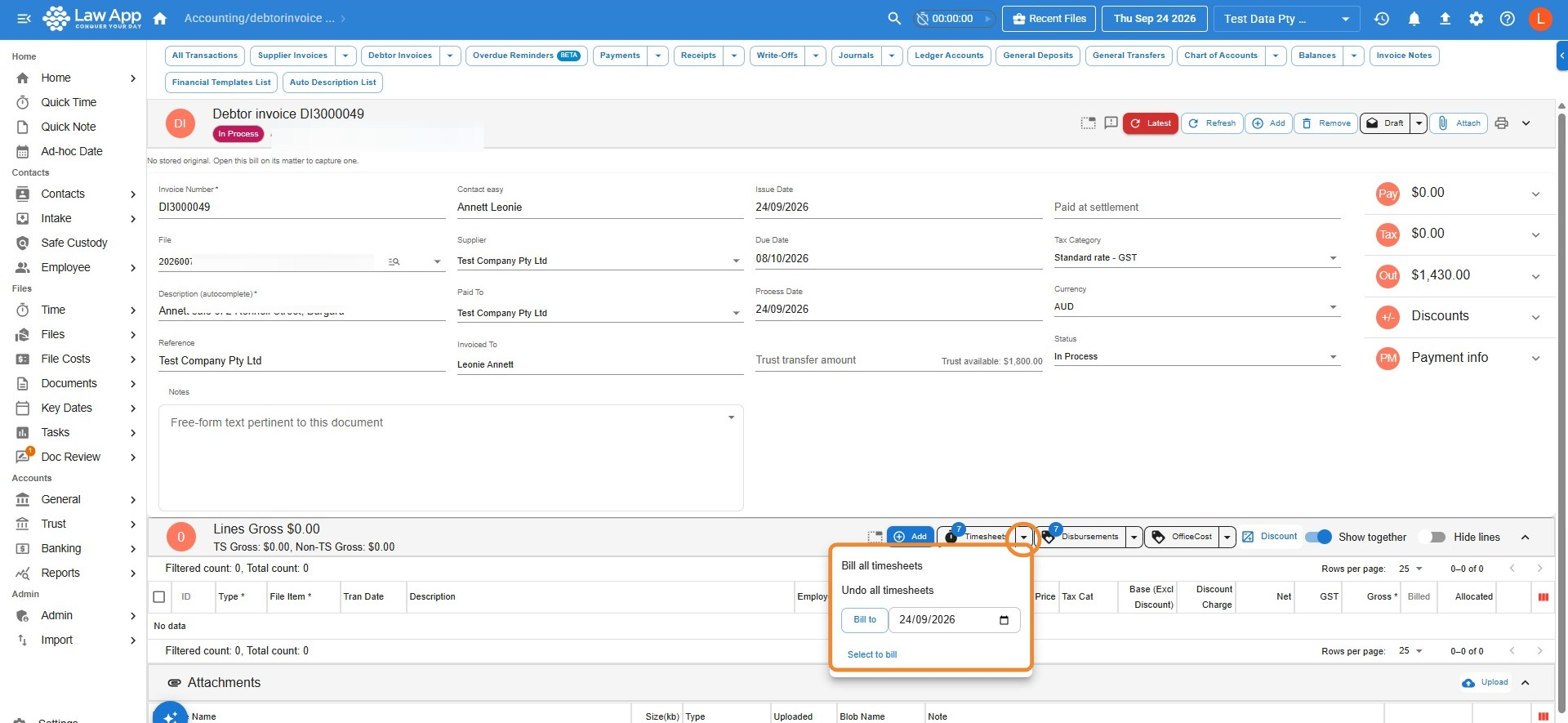
- In the invoice lines section, click the dropdown arrow next to Timesheets, Disbursements or OfficeCost to open the selection menu, then choose how to add items:
- Bill all — adds every unbilled item in that category to the invoice.
- Bill to — pick a date from the calendar to bill everything up to that date.
- Select to bill — opens a list of all unbilled items in that category so you can tick the ones to include.
- Undo — removes the items you’ve added, so you can adjust what’s included before finalising.
- Once you’ve added everything you need, follow the same steps as in How to review, finalise and print the invoice above.
Common questions
What’s the difference between a draft and an approved invoice?
A draft can still be edited or deleted before you send it. An approved (authorised) invoice is locked and recorded against the matter, ready to be paid.
What can I include on an invoice on a file?
Any professional fees (timesheet entries), office costs and disbursements recorded against that matter. Use Bill All to include everything, or a blank invoice to choose exactly which items go on.
Can I edit an invoice after it’s approved?
Not directly — an approved invoice is locked. If you need to correct one, contact our support team and we’ll help you fix it.
My invoice picked up the wrong mailing address
Law App uses the File Mailing Address on the invoice, unless you print with Bill 6 or 6A for third-party billing.
Items aren’t appearing on the invoice
Check that each entry is:
- Saved
- Dated correctly
- Marked Billable = Yes
- In the same entity/account
- Not already billed
Discounts look incorrect
Discounts are applied proportionally across the invoice lines — this is intentional. If you only want one line discounted, edit that line’s narration and adjust the amount manually.
Leave a Reply