
A trust ledger must never sit in deficit. If a file’s trust account is showing as overdrawn, it needs to be corrected straight away by moving real funds from the general account into trust — not with a journal or an adjustment alone.
How to correct the overdraw
Do this on the file that is overdrawn. Two entries bring the trust ledger back to zero or positive:
- Process a disbursement payment from the general account on the file, for the amount of the overdraw. This takes the funds out of the general (office) account.
- Process a trust receipt on the same file, for the same amount. This brings the trust balance back to zero or positive.
Once both entries are done, the file’s trust ledger is back in order and the overdraw is corrected.
What happens to the disbursement next
The disbursement now sits on the file as a cost the firm has funded. What happens to it next depends on why the trust account was overdrawn in the first place.
Recoverable disbursement
If it’s a genuine recoverable cost, leave it as a recoverable disbursement — to be recovered from the client in the normal way, from trust funds once available or on the next bill.
Correct the underlying error
If the overdraw was caused by an error — for example, trust money was transferred to the office account against a bill before it was actually available or cleared — correct the underlying error. The disbursement may need to be reversed or adjusted rather than recovered.
Key points
- Correct an overdraw immediately — a trust ledger should never be left in deficit.
- Money must actually move from the general account to the trust account: a disbursement payment out of general, and a receipt into trust.
- Always process the correction on the file that is overdrawn.
- The reason for the overdraw determines what happens to the disbursement afterwards — but the correction itself is always the same two steps.
Worked examples
Any overdraw of the trust account is a breach of the trust accounting requirements and must be corrected as soon as practicable, and reported to the Law Society. Law App has built-in safeguards to prevent overdraws, however overdraws can still inadvertently occur — particularly when money has been receipted to a file incorrectly, making it look like there were sufficient funds in trust. The two worked examples below show how to correct an overdraw in Law App, step by step with screenshots.
Example 1: Overdraw due to a trust-to-general transfer for payment of the firm’s tax invoice
In this example, a duplicate receipt was recorded on the file, causing the trust balance to show as $10,000.00 when it should have been $5,000.00. Payment was drawn for the firm’s tax invoice totalling $7,810.00, meaning the trust account was technically overdrawn by $2,810.00.
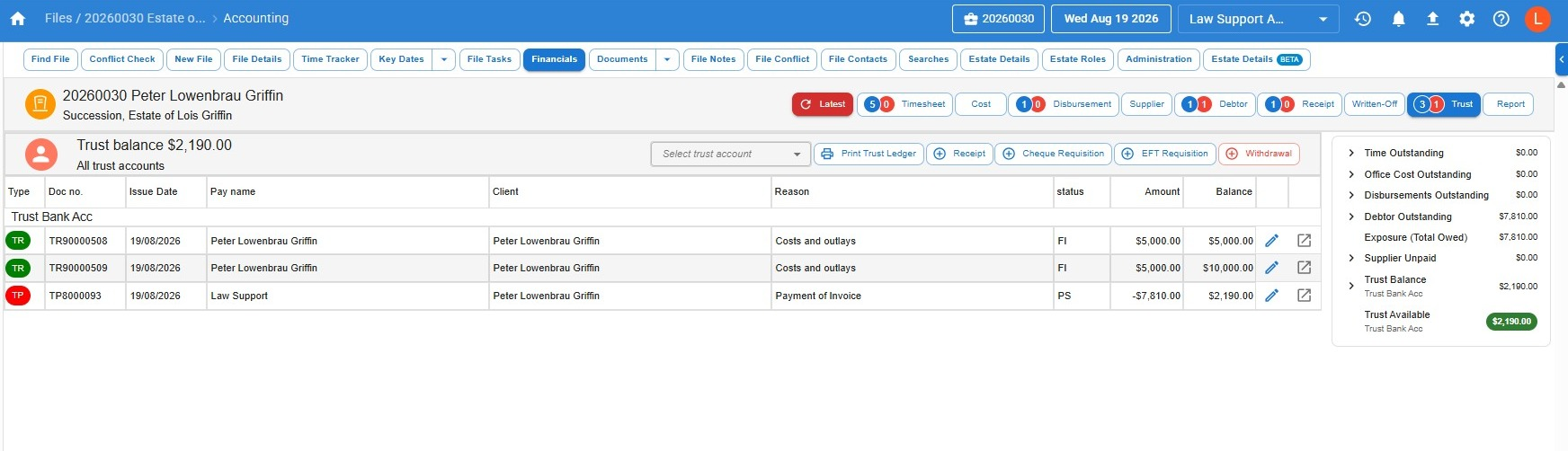
- First, open the duplicate receipt and Reverse.
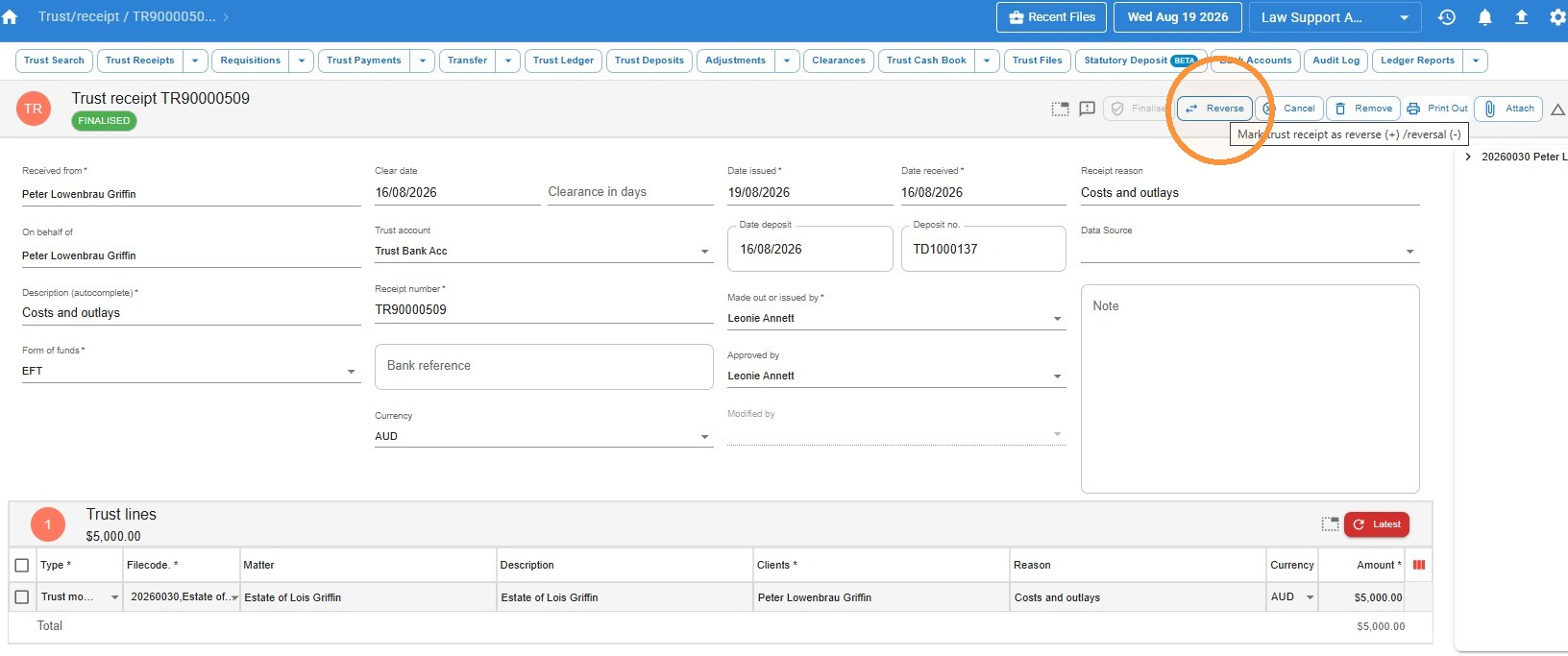
- Enter the reason for the reversal, and Save.
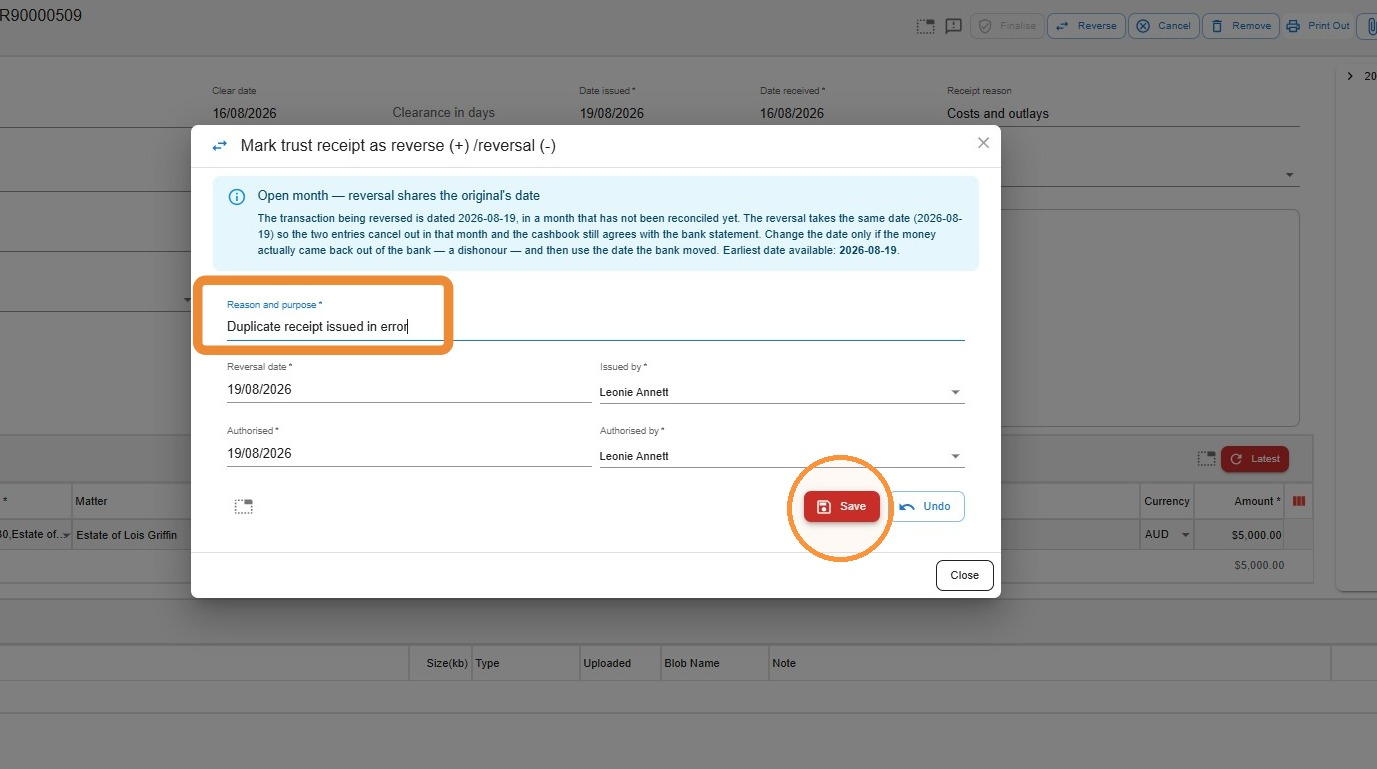
- Now the trust ledger is showing as overdrawn.
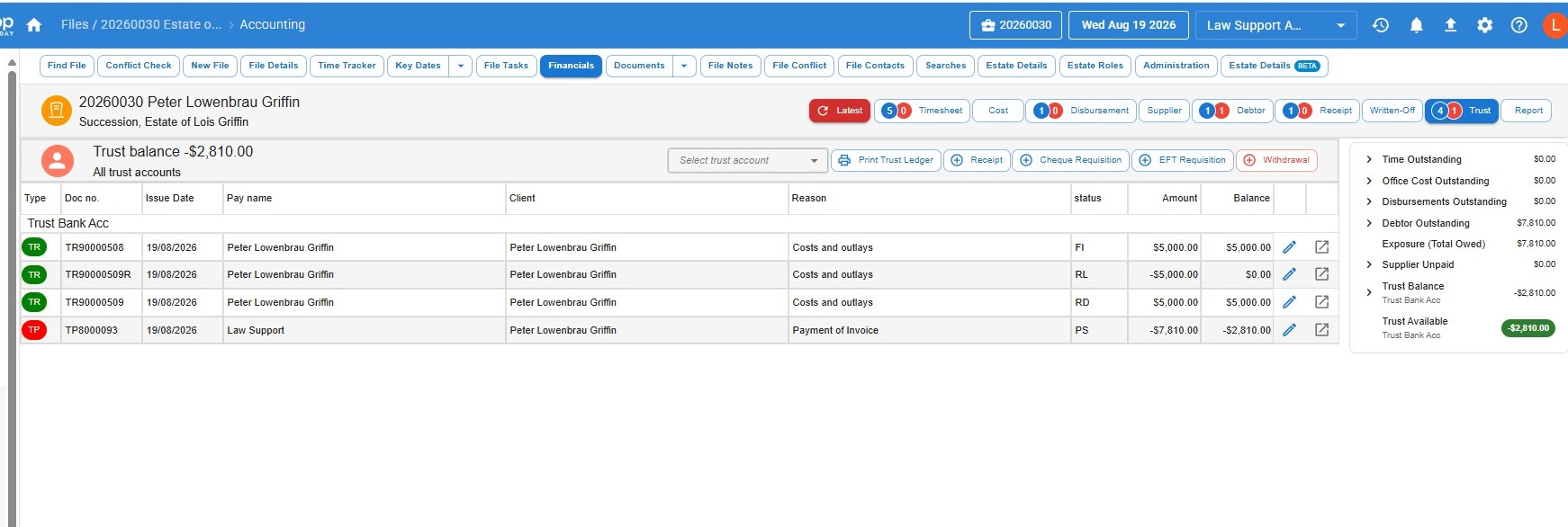
- Process a payment from the firm’s general account to the trust account, then create a trust receipt to receipt those funds to the file. This corrects the overdraw. Save and finalise the receipt.
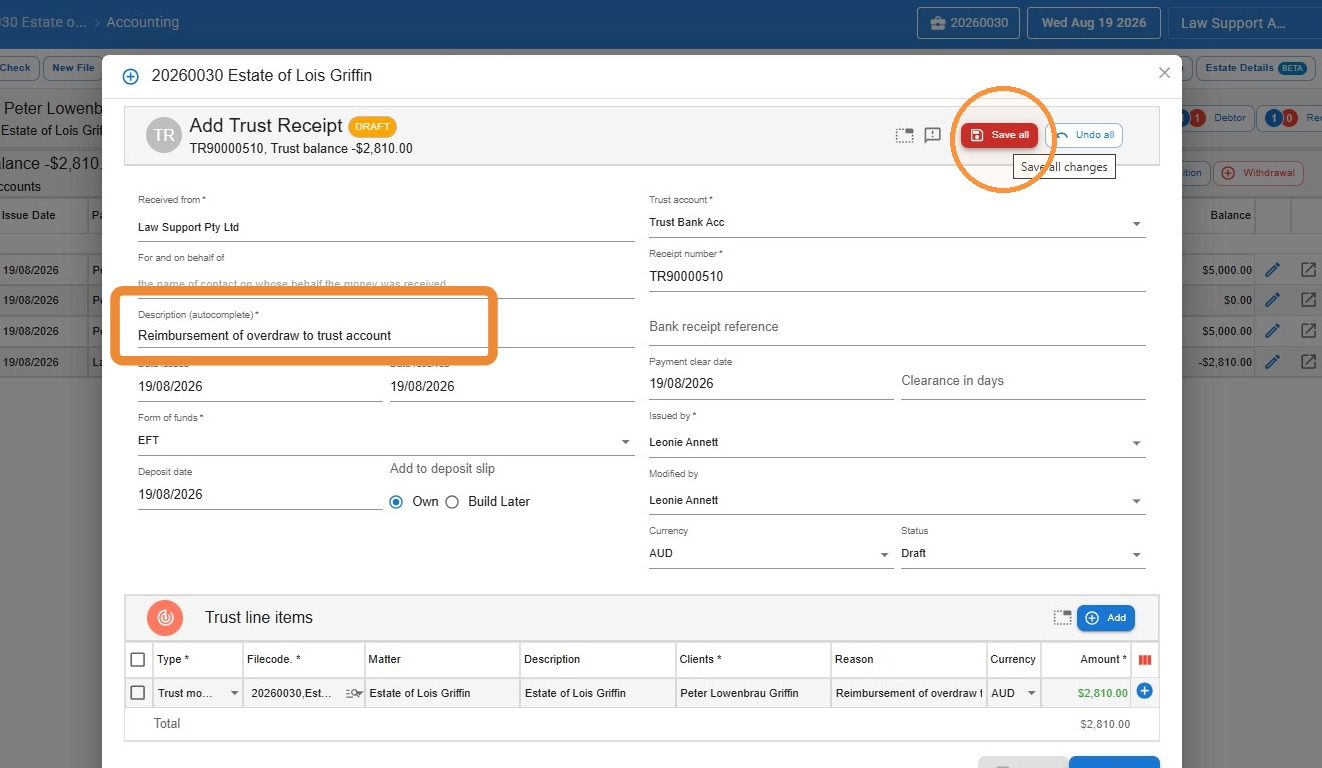
- Create a disbursement payment on the file for the amount transferred to the trust account to correct the overdraw. This provides the payment record to reconcile against the debit from the general account.
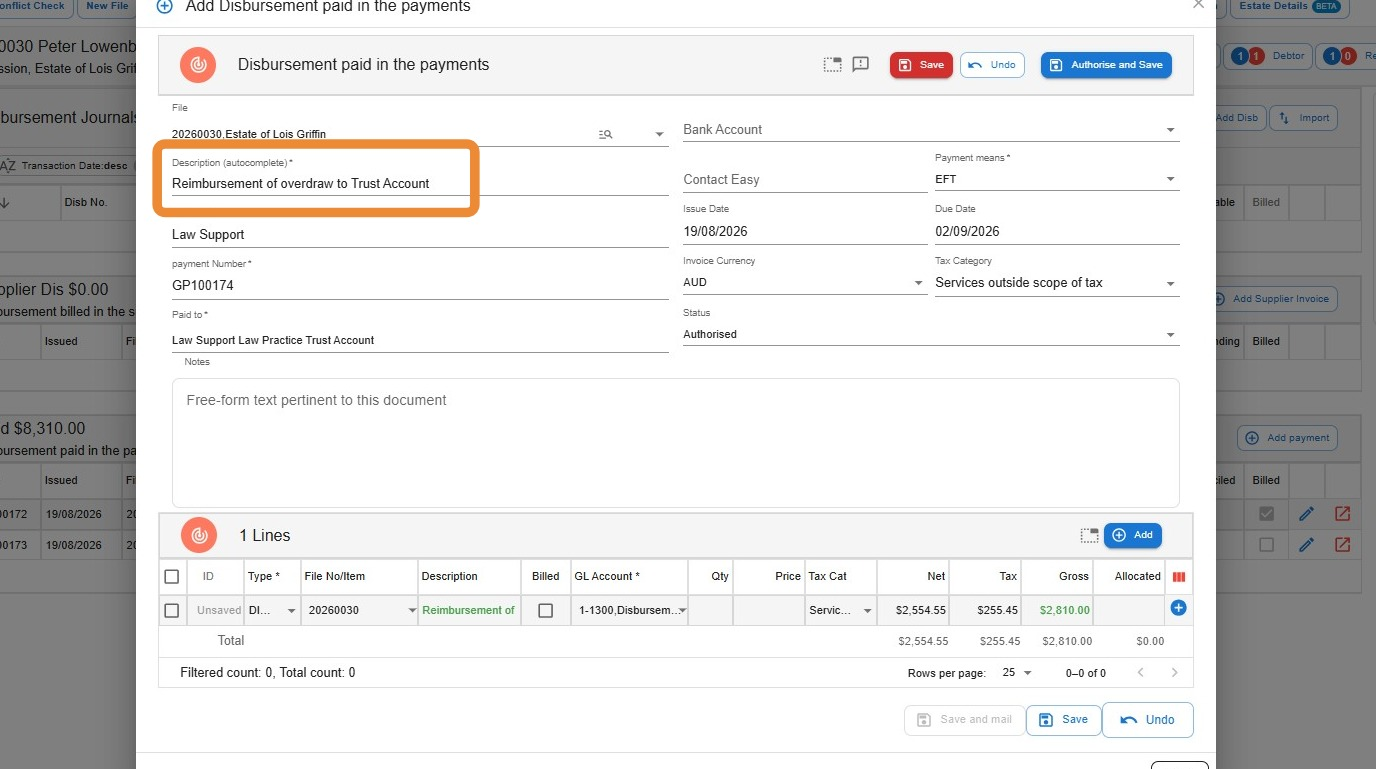
- Then create a debtor invoice which bills only the disbursement just created. This reinstates the debtor balance on the file.
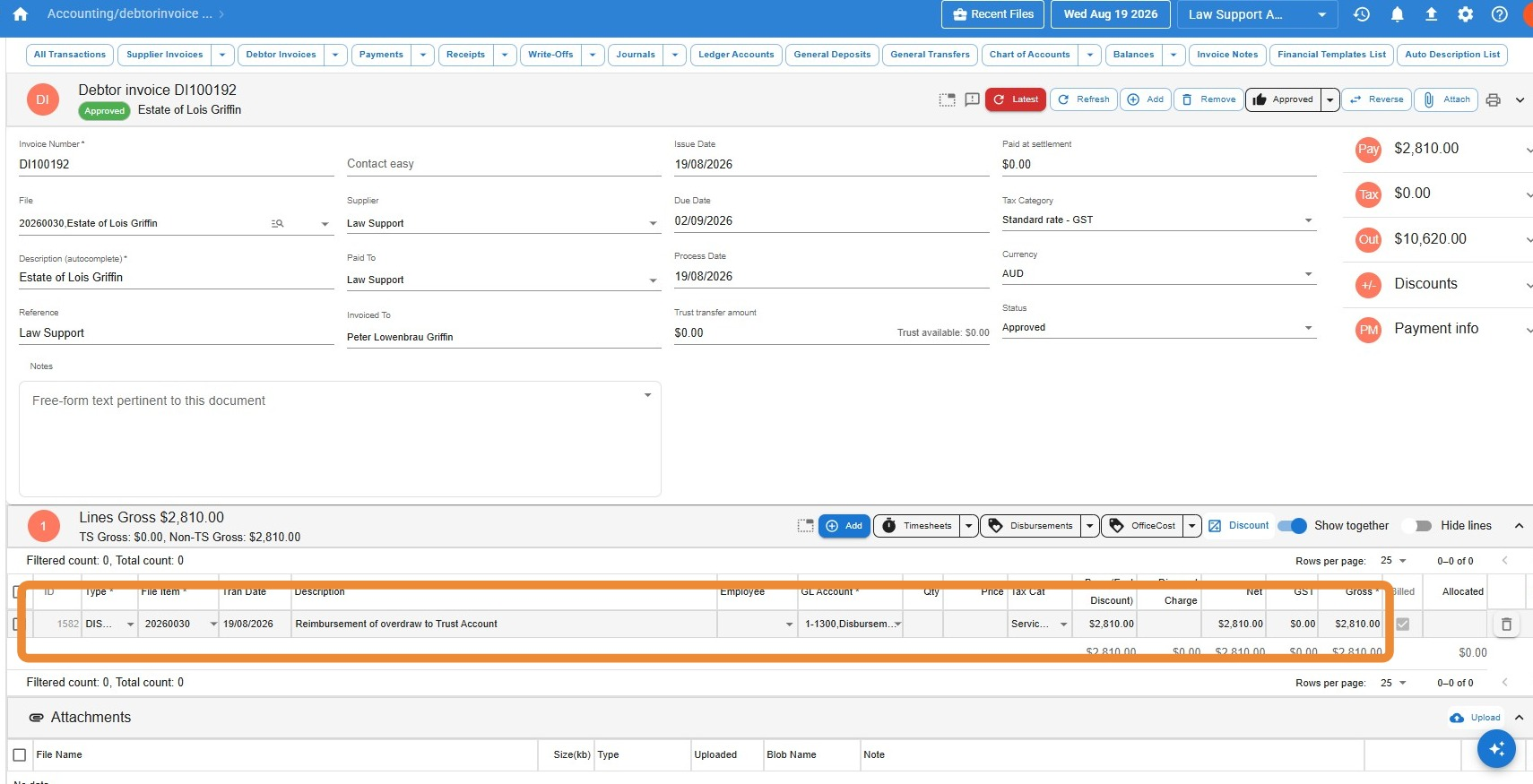
Example 2: Overdraw due to payment of an outlay or other cost out of the trust account
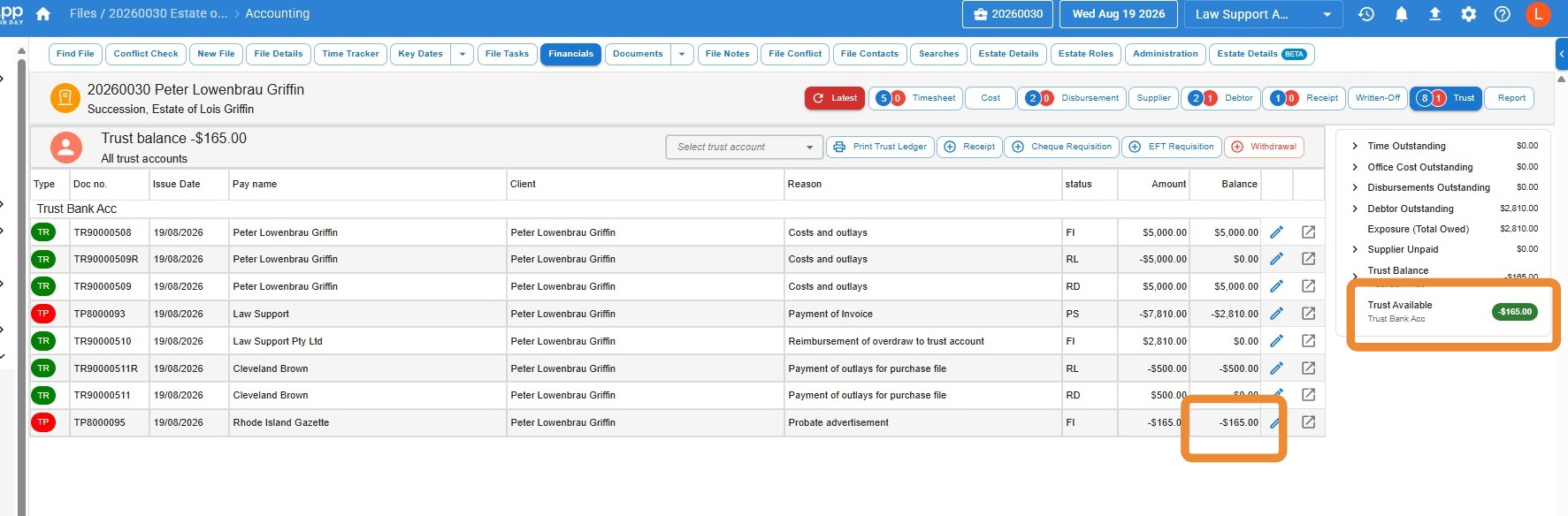
In this example, funds were receipted to the incorrect file and then drawn against to pay for an outlay, meaning the trust account was overdrawn by $165.00.
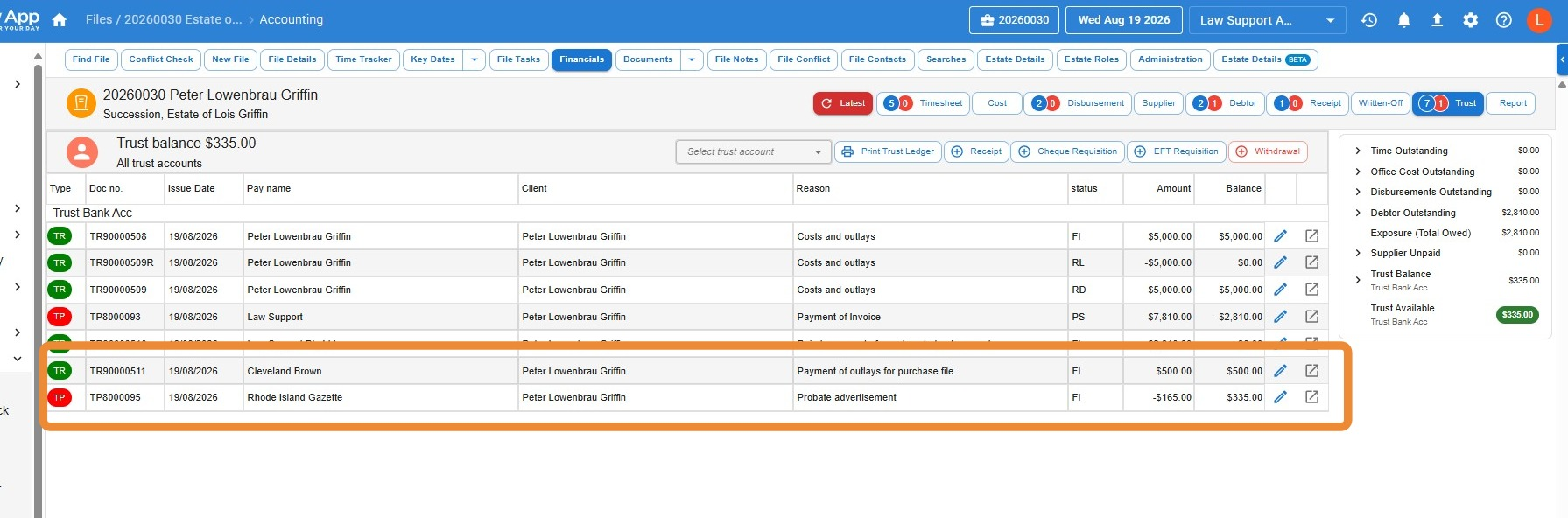
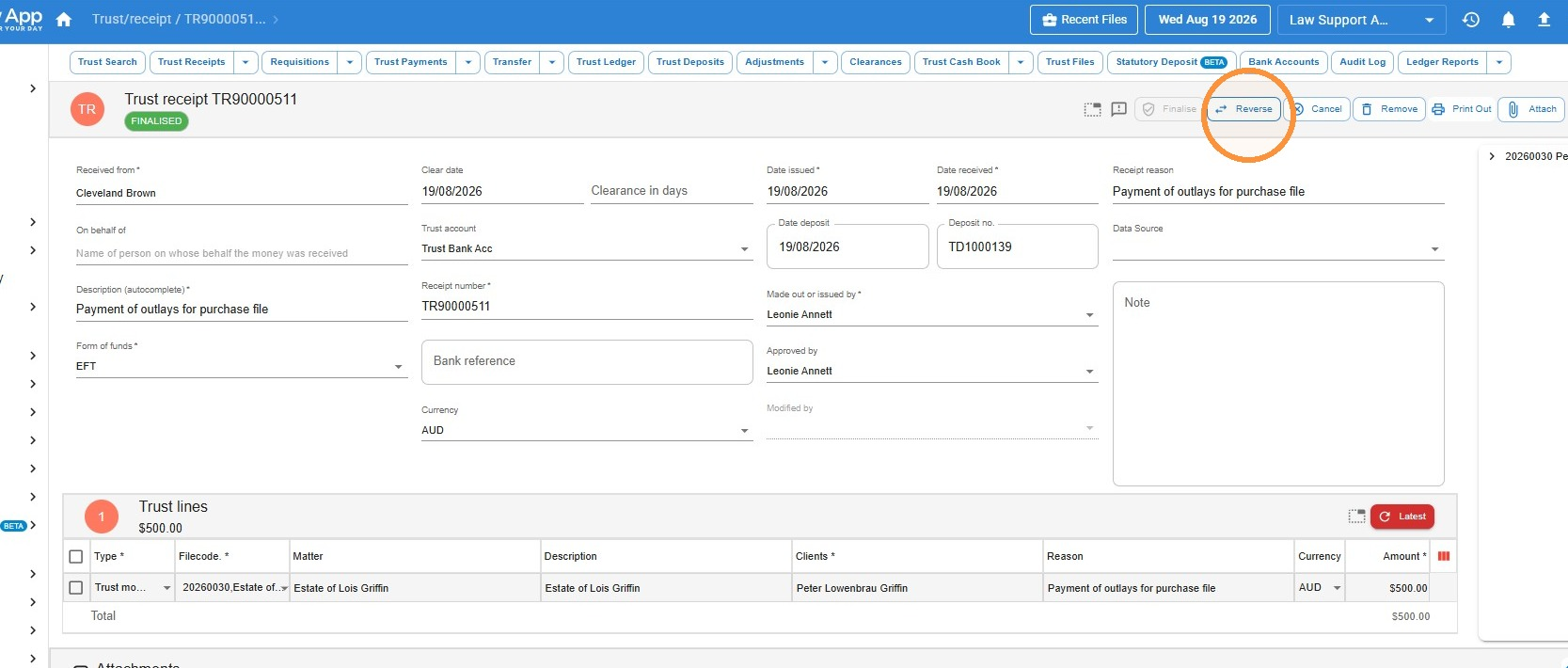
- First, open the receipt and Reverse.
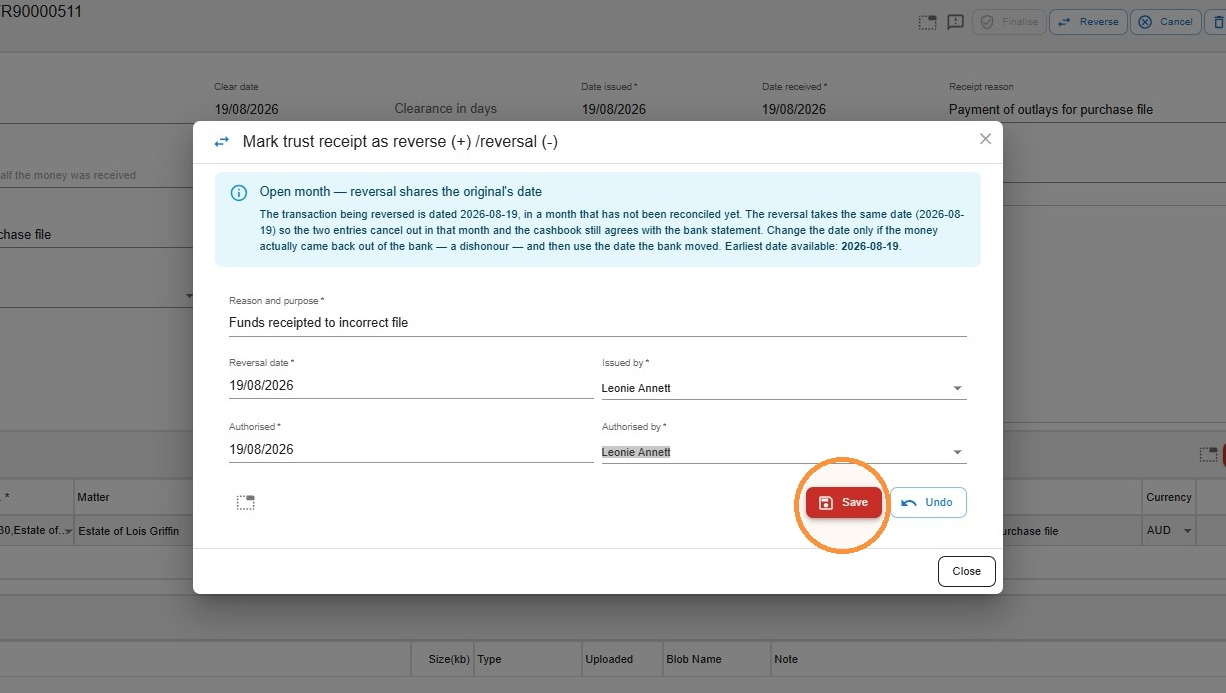
- Enter the reason for the reversal and Save.
- Now the trust ledger is showing as overdrawn.
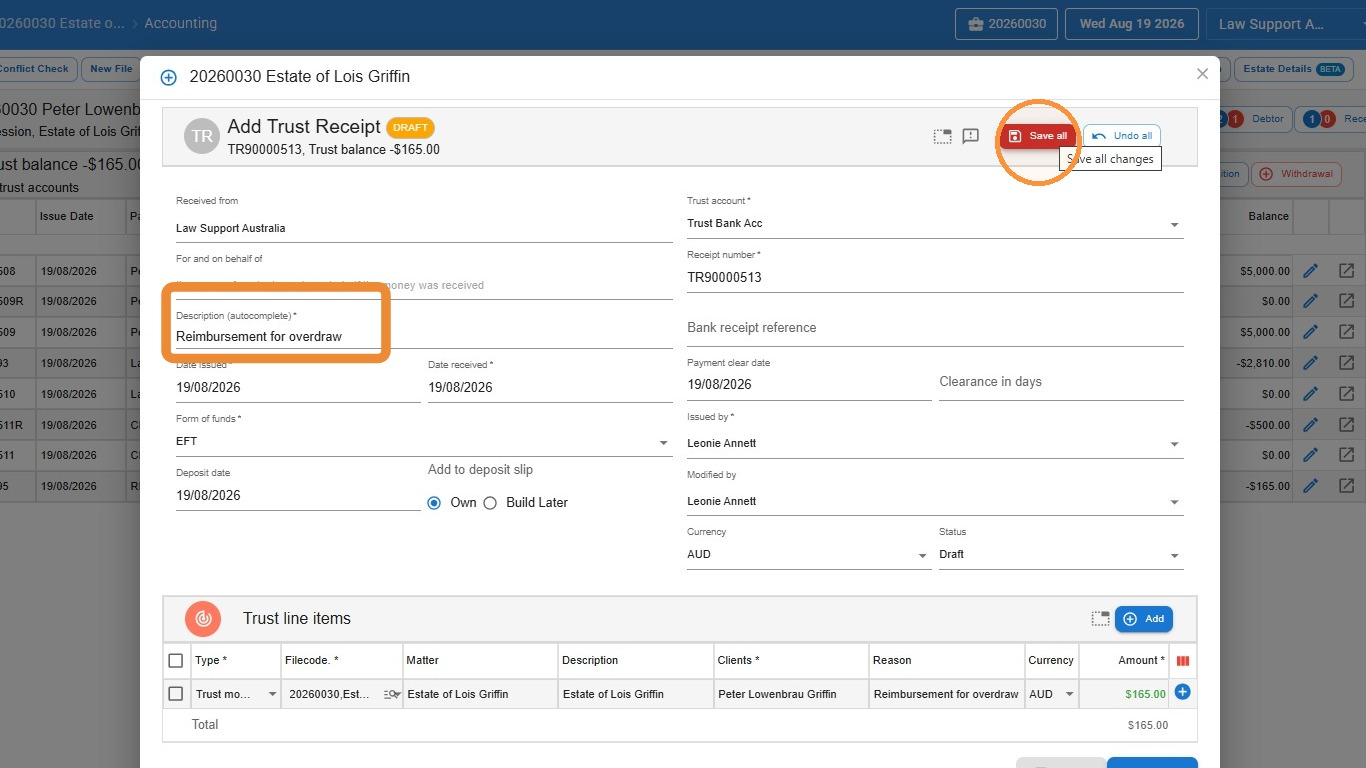
- Process a payment from the firm’s general account to the trust account, then create a trust receipt to receipt those funds to the file. This corrects the overdraw. Save and finalise the receipt.
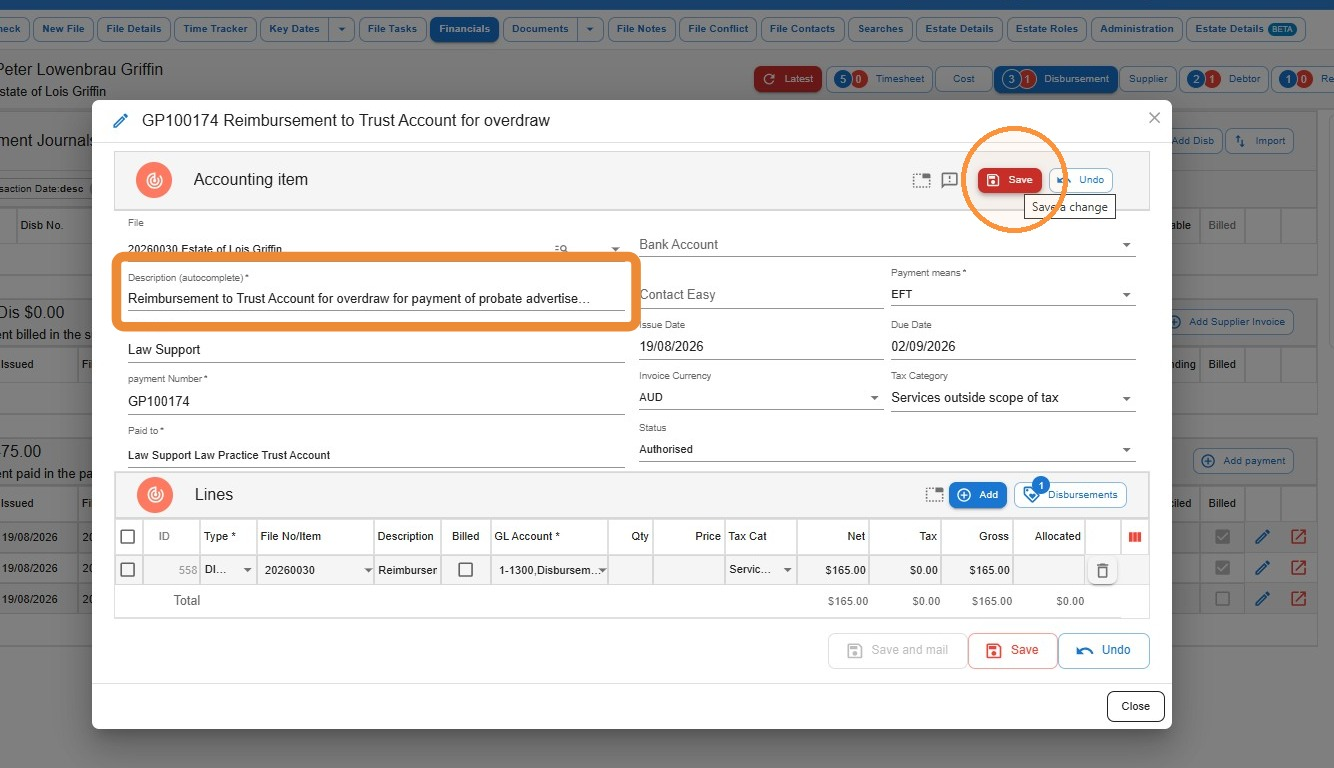
- Create a disbursement payment on the file for the amount transferred to the trust account to correct the overdraw. This provides the payment record to reconcile against the debit from the general account — similar to paying an outlay from the office account and charging it to the file. You can choose to bill this to the client now or later, depending on the situation.
Leave a Reply