
A bank reconciliation checks that the transactions recorded in Law App agree with your bank statement. Reconciling regularly confirms your records are accurate and is an essential control for both your general and trust accounts.
For trust accounts, it’s also a compliance requirement. Monthly trust reconciliations are mandatory in all Australian jurisdictions and must be completed within 15 working days of month-end.
The short video below walks through both reconciling your bank transactions and preparing the reconciliation report. The step-by-step guide underneath covers the reconciliation, then how to generate, check and print the monthly trust reconciliation report for your records.
Step-by-step guide
Every account starts with the same reconciliation. Trust accounts then need one more step each month.
Reconcile your bank statement
Match your Law App transactions to your bank statement. Do this regularly so issues are caught early.
Once you have reconciled, run the report
After you have reconciled your transactions for the month, you then generate, check, print and sign the reconciliation report.
How to reconcile a bank statement
- Go to Banking, Reconcile and open the bank reconciliation for the account you want to reconcile.
- Enter the statement details — the closing balance and date from your bank statement.
- Match each Law App transaction to its entry on the bank statement.
- Review any unmatched items and deal with them.
- Generate your reconciliation report once you have reconciled the items.
How to run the monthly trust reconciliation report
Once the trust account reconciliation for the month is complete, generate and print a reconciliation summary snapshot for your records.
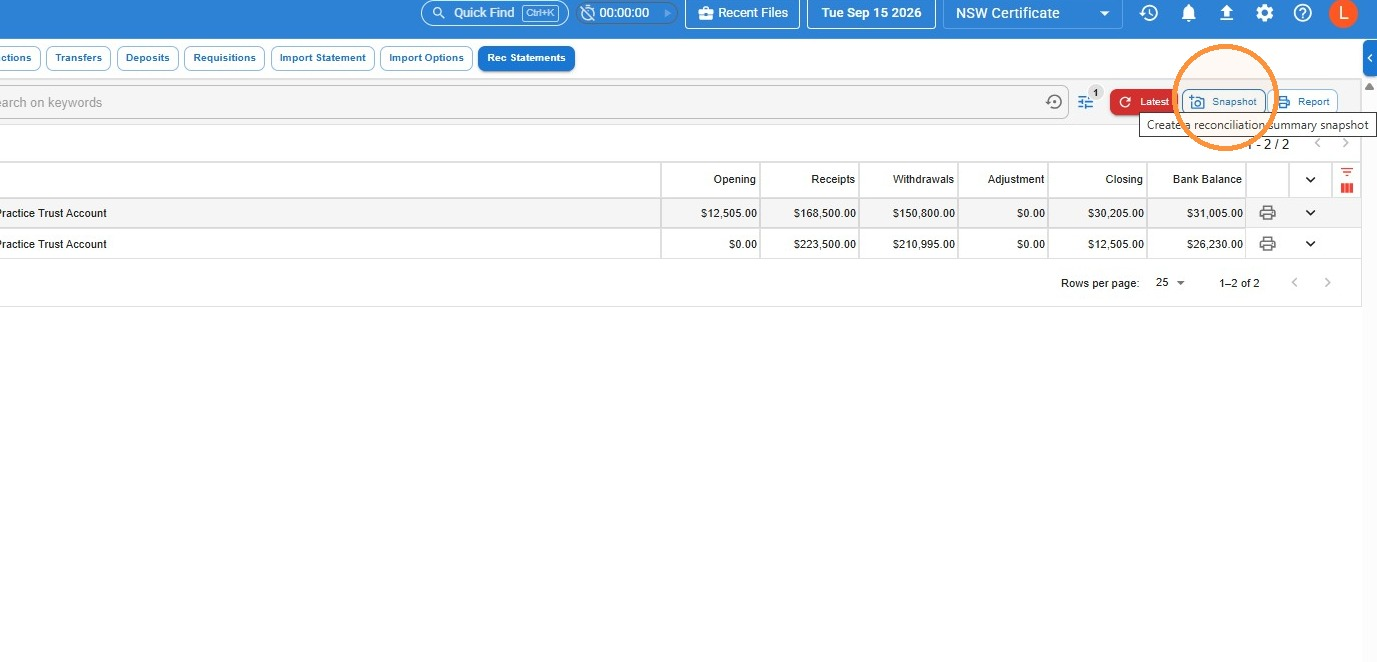
- Go to Banking, Rec Statements. Make sure the correct trust account is selected in the Account box, then click Snapshot.
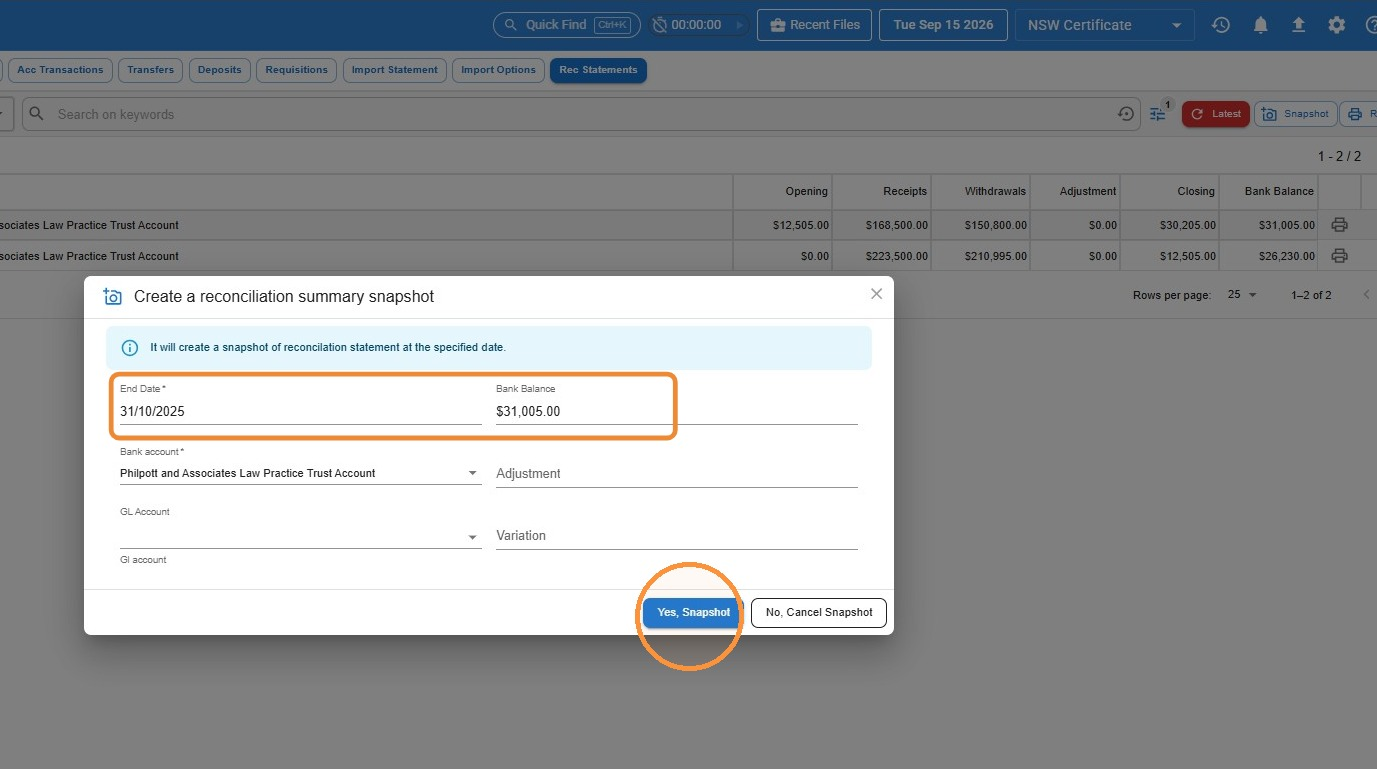
- Set the End Date as the last date of the month you are reconciling, enter the balance from the bank statement, and click Yes, Snapshot.
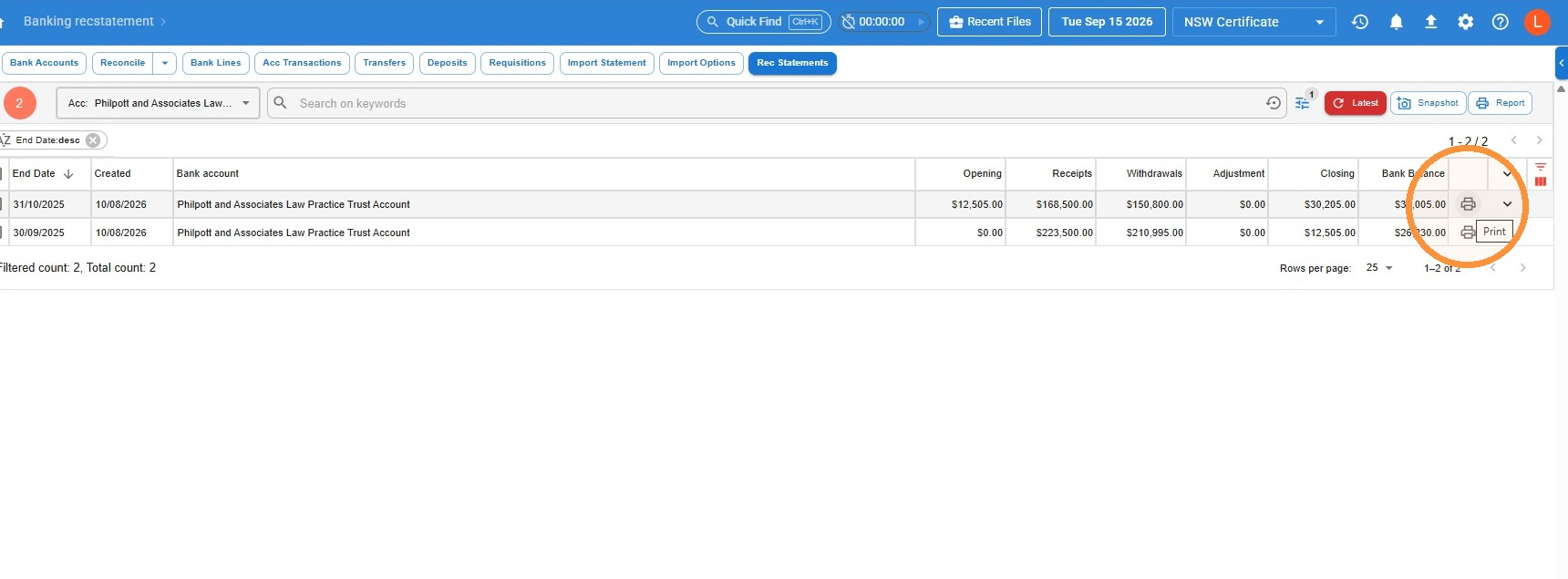
- Your report is now generated. Click the Print icon to open and print it.
Checking the report
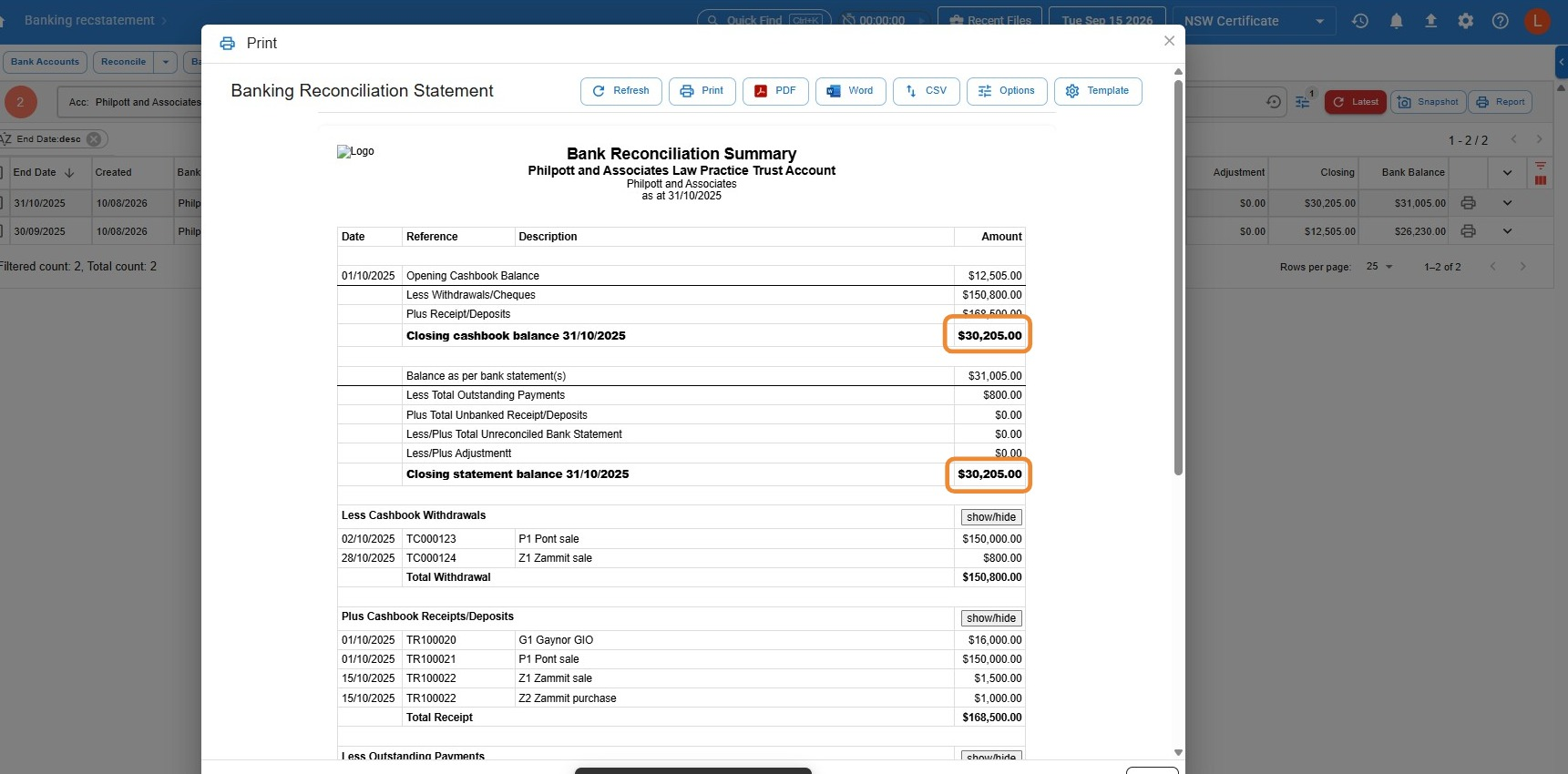
- Make sure the cashbook balance and the closing statement balance match. You can then review the rest of the report, including your cashbook withdrawals and a list of any unreconciled statement lines and unpresented payments.
Common questions
Why won’t my reconciliation balance?
Usually a transaction is missing or unmatched — either an entry on the bank statement that hasn’t been recorded in Law App, or a Law App entry that isn’t on the statement. For a trust account, also check you haven’t reconciled any lines dated after the month you’re reconciling.
What’s the difference between a general and a trust account reconciliation?
Both work the same way in Law App, but a trust account reconciliation is a compliance requirement with stricter rules. It must be done monthly, and you also need to generate, print and sign the reconciliation report.
How often should I reconcile?
Reconcile each account regularly so issues are caught early. Trust accounts must be reconciled every month, within 15 working days of month-end.
Why does a transaction show as unreconciled if it was banked in a different month?
Say you have a transaction dated 30 August, but you didn’t get around to receipting it until 2 September. You don’t change anything to bring it into the earlier reconciliation. You should never backdate a receipt when processing trust money — the issue date of the receipt is always the date you actually process it. That deposit will show on the reconciliation statement as an unreconciled statement line, and that is exactly correct.
The reconciliation report isn’t meant to match the bank statement dollar for dollar. Its job is to explain any difference between the bank balance and your trust ledger — the money was in the bank on 30 August, but it wasn’t receipted until 2 September, so as at 31 August it hadn’t reached the ledger yet. It’s the same principle as an unpresented cheque.
The deposit will then clear on your September reconciliation.
Leave a Reply