
Learn how to quickly update the contents of one of your firm templates in Law App. Templates cannot be edited from within the file, you must navigate to the document template area to do this.
Finding the Template
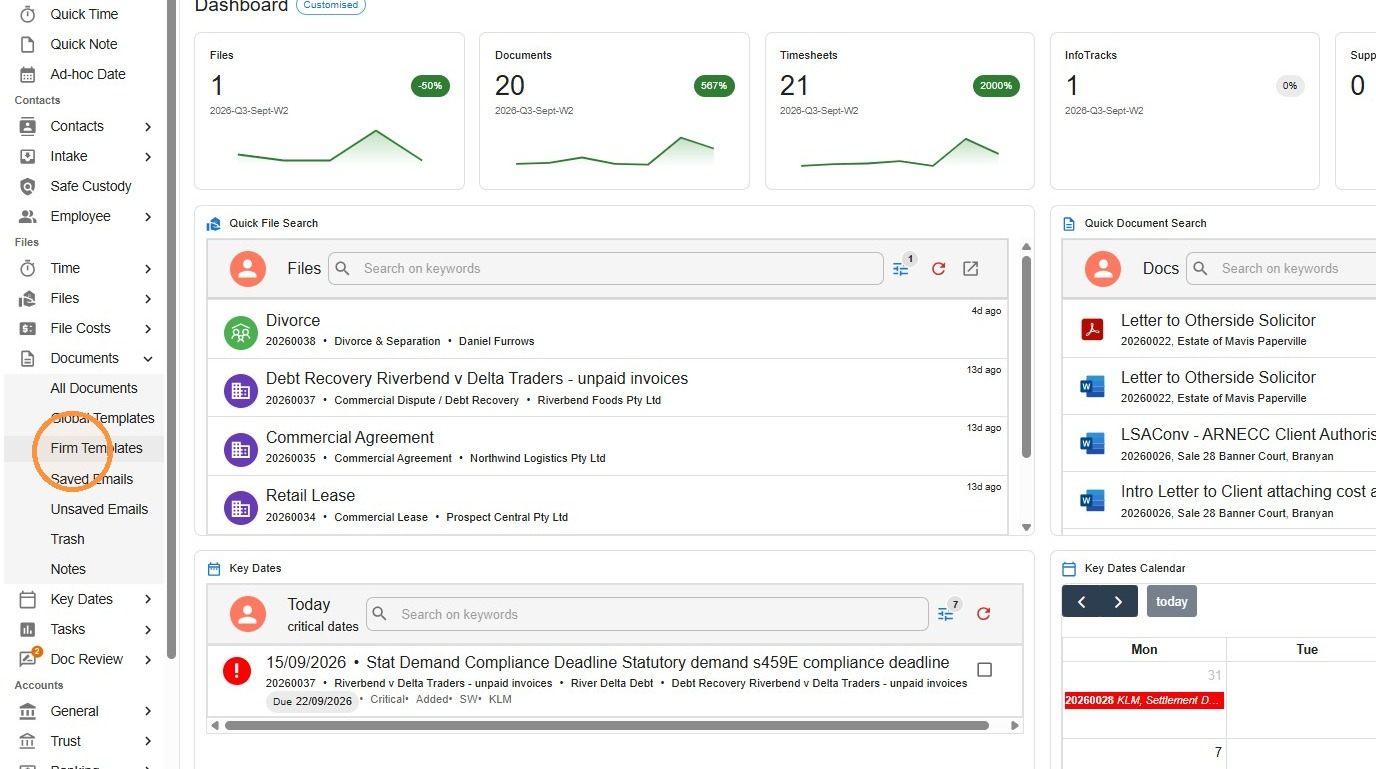
- From the left menu, navigate to Documents, Firm Templates
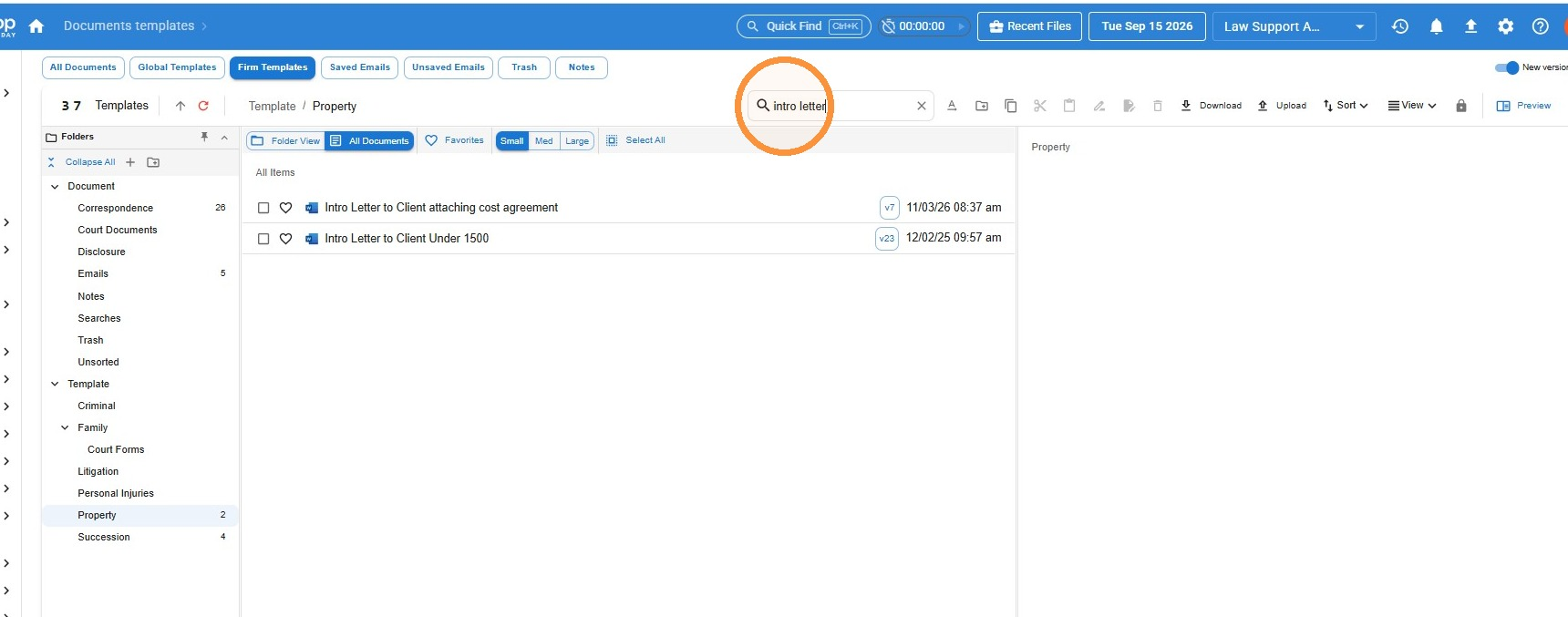
- You can either locate the document in the relevant folder, or search for the template by name
Creating the New Version
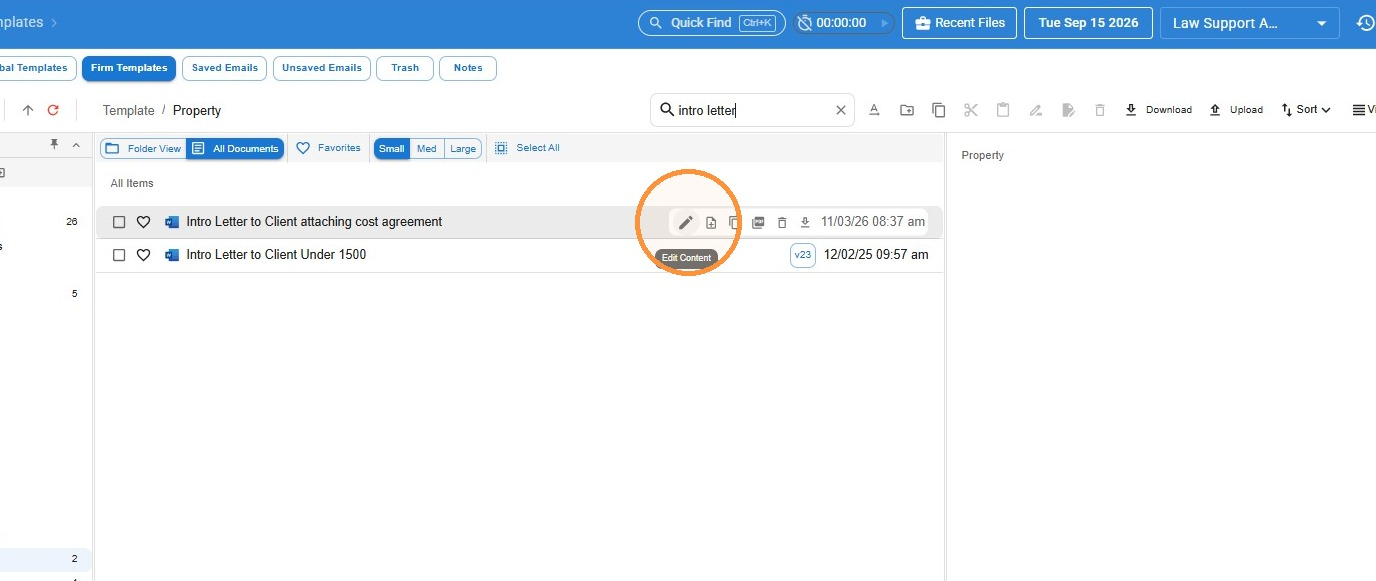
- Hover over and select Edit Content
- Click Create new version
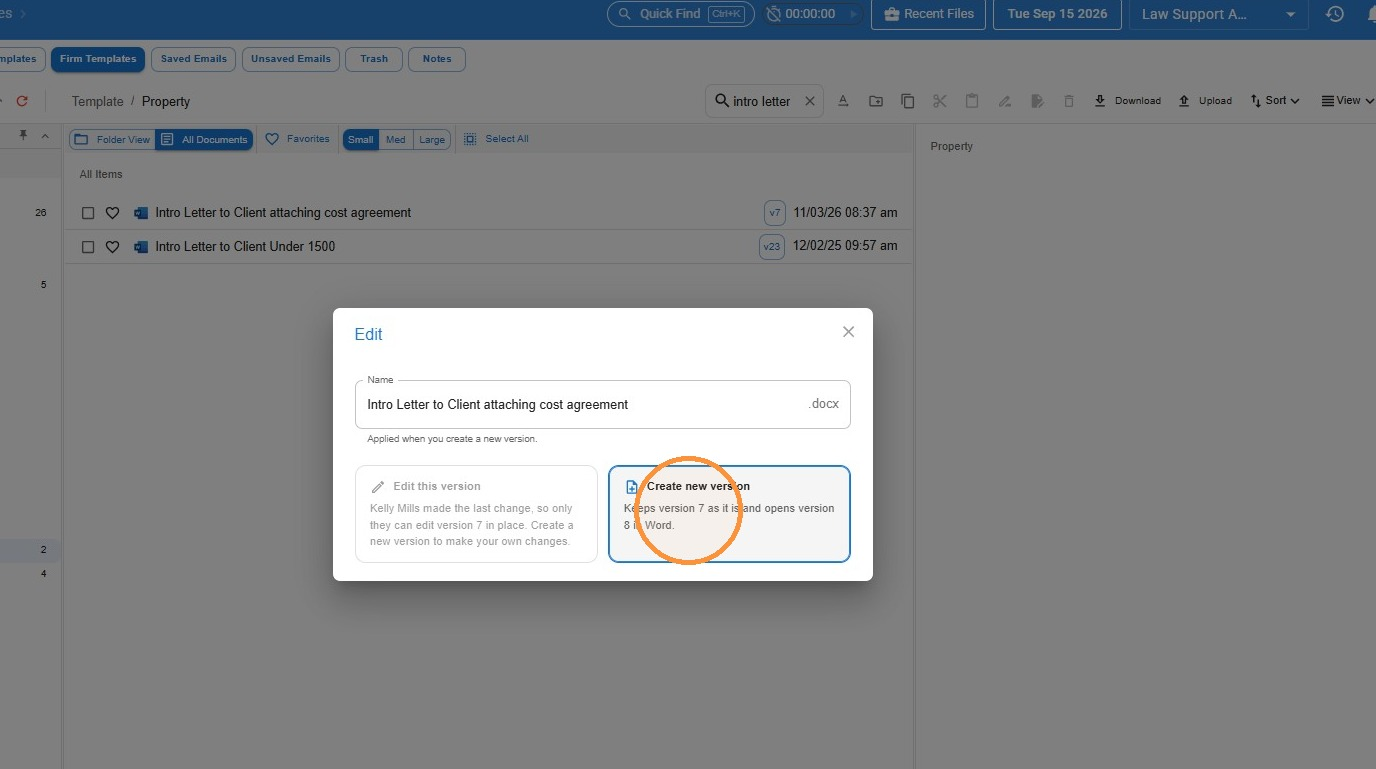 The template will now open in Word, where you can edit as you would a normal document.
Take care with merge fields. Avoid accidentally changing any merge fields unless you want to remove those fields completely.
Once you have finished, simply save and close, and your changes will be saved back to Law App.
Leave a Reply