
File Setup holds the lists and defaults behind your files (matters): what kinds of files you open, the roles people play on them, the rates they’re charged at, where they’re archived, and the litigation and conveyancing lists Law App suggests from. Change a list here and the choices change on every file.
How to get there
- From the left menu, click Settings.
- Under Firm, click File Setup.
- Click the tab for the list you want.
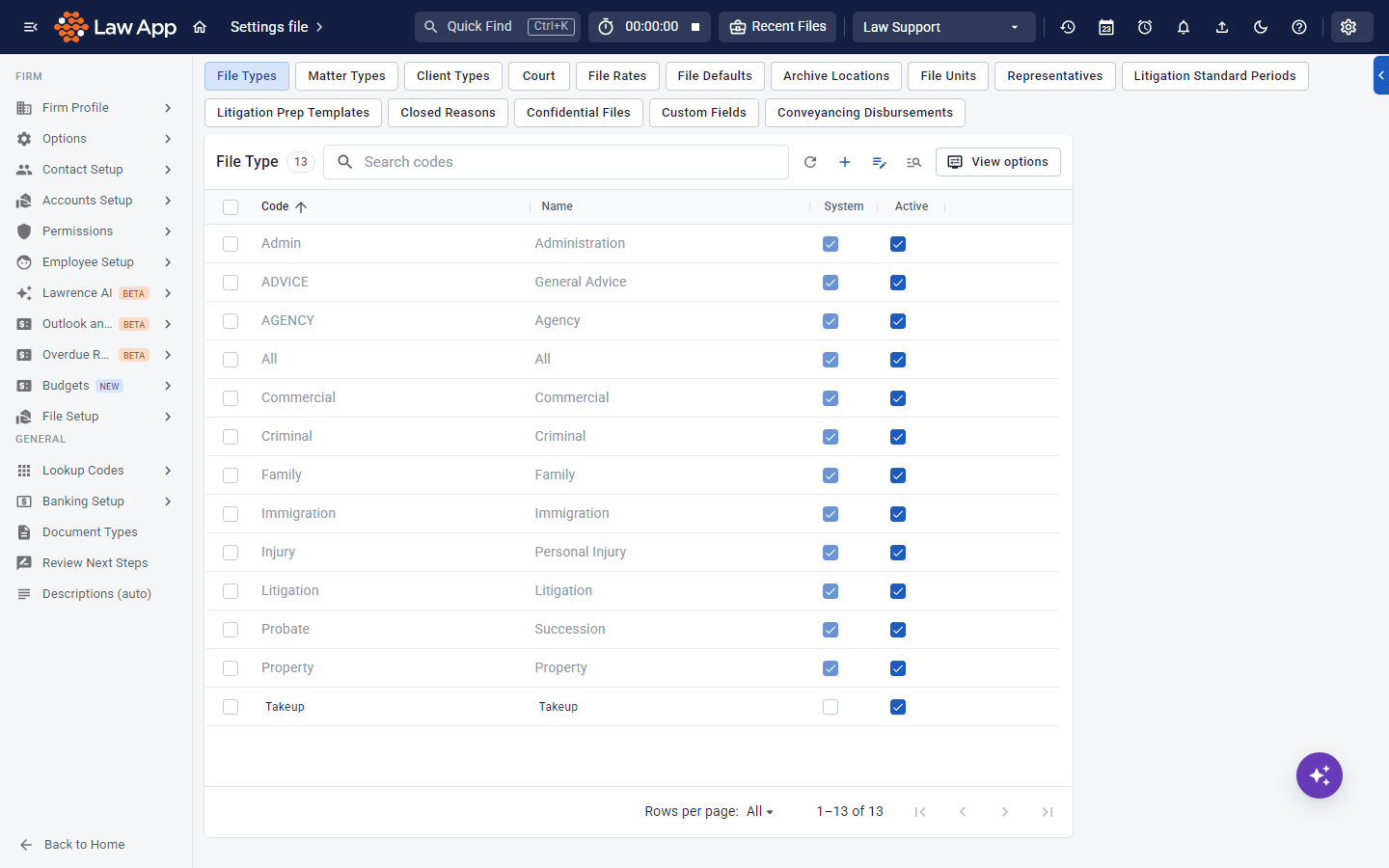
The lists work like every Law App list: + adds a value with a code and a name, the edit button changes one, and Archived (or unticking Active) stops a value being offered while files that already use it keep it. Rows ticked System are Law App’s own: leave them as they are.
The kinds of file
| Tab | What it’s for and what it changes |
|---|---|
| File Types | Your areas of law: Property, Family, Litigation, Succession and so on. Each file has one. It decides the file’s colour and icon, which questions and templates it offers, and how files are grouped on reports. Most are system types. |
| Matter Types | The kinds of matter within a file type, such as Purchase or Sale under Property. A matter type can start a workflow of tasks, and can open the file as an AML/CTF designated service (see Options). |
| Client Types | The kinds of client a file can be recorded against, for firms that report on them. |
| Closed Reasons | The reasons you can give when a file doesn’t proceed or is closed, such as “client went elsewhere”. Used for reporting. |
Parties and courts
| Tab | What it’s for and what it changes |
|---|---|
| Representatives | The roles a contact can play on a file, such as Purchaser, Vendor, Applicant or Other side’s solicitor. These are the choices when you add a party to a file. |
| Court | The courts and registries your firm deals with, with their details, so they can be chosen on a file and merged into court forms and letters. |
Rates and defaults for a file
| Tab | What it’s for and what it changes |
|---|---|
| File Rates | A special rate for one file, by rate code. It beats every other rate when time is recorded on that file. See Set File Rate for an Individual File. |
| File Defaults | The default rate code and time unit for a particular file, which new time entries on it start with. |
Archiving and units
| Tab | What it’s for and what it changes |
|---|---|
| Archive Locations | Where archived files are kept, chosen when you archive a file. See Managing Archived Files and Archive Settings. |
| File Units | Units a file can be recorded against, for firms that use them. |
Litigation lists
| Tab | What it’s for and what it changes |
|---|---|
| Litigation Standard Periods | Standard time periods (such as those in the court rules) that Law App uses to suggest a due date for a step on a litigation file. A suggestion only: a lawyer always confirms the date on the file. |
| Litigation Prep Templates | Checklists of what to prepare before a court event, offered when you add that kind of event to a file. |
Confidential files, custom fields and conveyancing
| Tab | What it’s for and what it changes |
|---|---|
| Confidential Files | The files marked confidential, and who may see them. Confidential files are also kept away from Lawrence. See How to restrict access to Confidential Files. |
| Custom Fields | Extra fields your firm wants on every file, beyond the standard ones. They can be merged into templates. See Custom Fields (UDFs) in Law App. |
| Conveyancing Disbursements | Your firm’s standard conveyancing outlay lines, such as searches and registration fees. They’re copied onto each new settlement, so changing this list doesn’t change settlements already started. |
Questions
How do I add a new matter type? Go to Settings, File Setup, Matter Types, click + and enter a code and name.
Why is a party’s name blank in a generated document? The party’s role on the file may not match the role name the template uses. Check the name in Settings, File Setup, Representatives, and don’t rename a representative type that templates already use.
How do I change the standard outlays on new settlements? Go to Settings, File Setup, Conveyancing Disbursements. Only new settlements pick up the change.
Leave a Reply