
By default, when you send certain emails using the Send from Law App option — such as Trust Account Statements and Debtor Invoices — Law App automatically sends a copy to your firm email address. If you’d rather not receive these copies, you can turn off automatic CC to your firm email with a single firm-wide setting.
How to turn off automatic CC to your firm email
- From the left menu, go to Settings.
- Click Options, then Firm-Wide.
- In the list of setting categories, click Accounting.
- Find the option Remove firm email from cc and turn the toggle on.
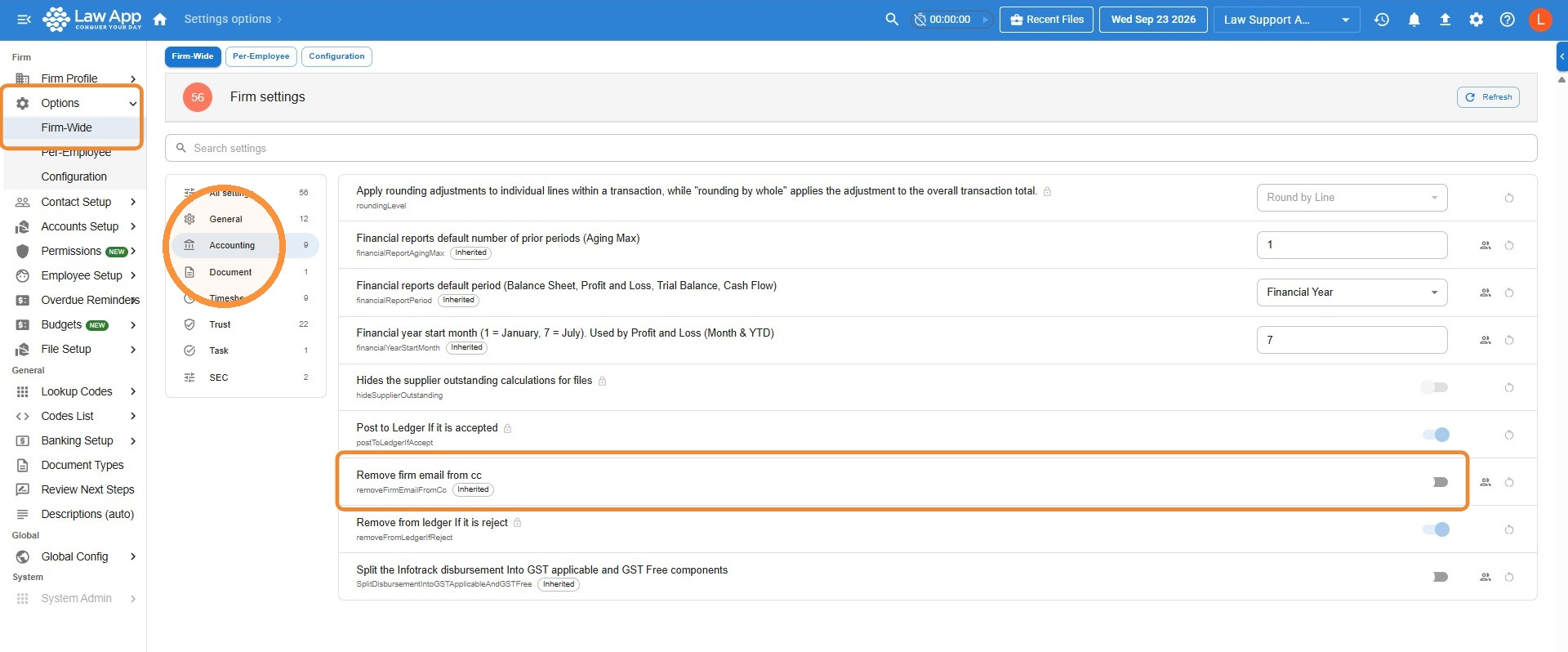
Want the copies back? Return to the same setting and turn the Remove firm email from cc toggle off. Law App will go back to copying your firm email address on these emails.
Leave a Reply