
By default, InfoTrack disbursements import into Law App as a single line. If you’d rather see the GST side and the GST-free side separately, you can split InfoTrack disbursements into two lines — one for the GST-applicable component and one for the GST-free component — by turning on one firm-wide setting.
How to split InfoTrack disbursements into GST and GST-free lines
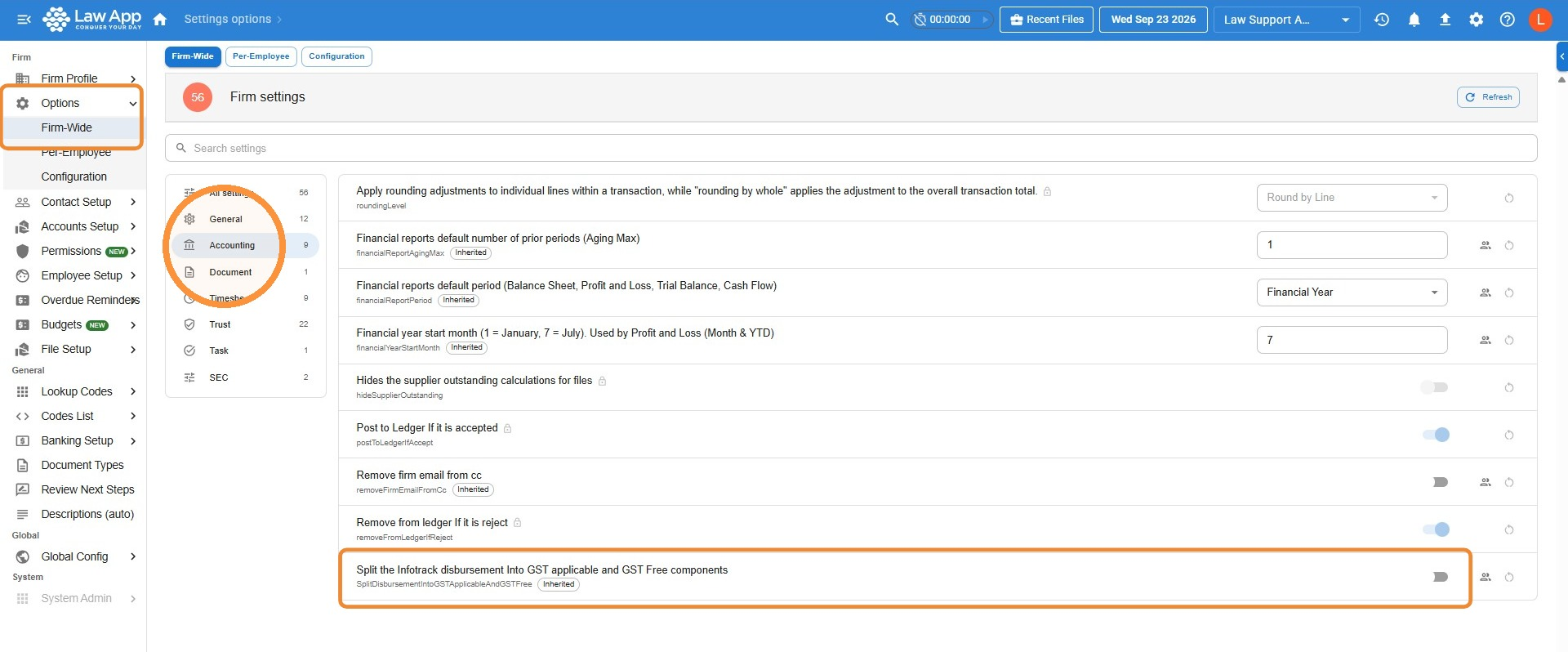
- From the left menu, go to Settings > Options > Firm-Wide
- Click Accounting in the settings list
- Find Split the Infotrack disbursement Into GST applicable and GST Free components and turn the toggle on
Only applies to new orders. Turning this on doesn’t change InfoTrack disbursements already on your files. The split only applies to InfoTrack disbursements ordered after the setting is enabled.
What your clients will see: Once split, the GST-applicable and GST-free components show as two separate lines on the invoice.
Leave a Reply