Making a cheque payment in Law App follows the same process as making an EFT payment, with one key difference — you change the Fund Type to CHQ.
What happens when you select CHQ:
Once you change the Fund Type to CHQ, the system will automatically assign a cheque reference number instead of the usual EFT reference number. No other changes to your workflow are needed.
How to edit cheque numbers:
If you need to update or correct your cheque numbering sequence, follow these steps:
- From the left menu, go to Admin > Number Sequencer
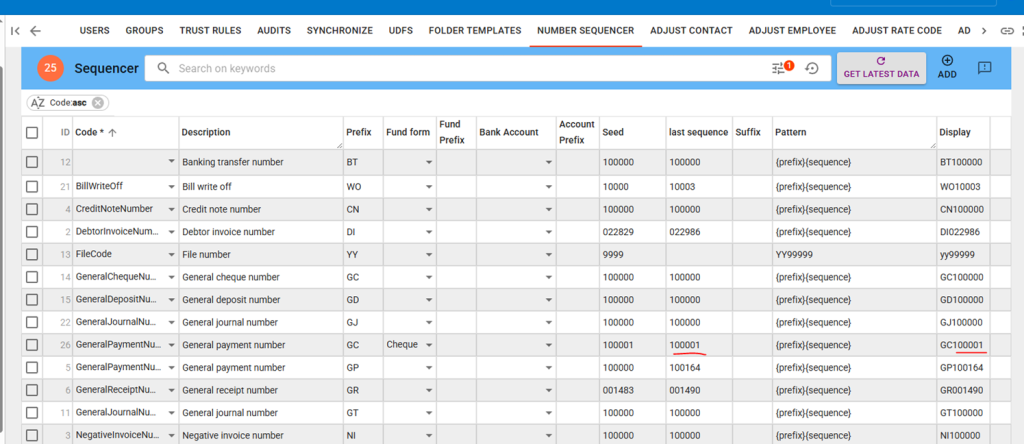
- Locate the following two entries that control cheque numbering:
- GeneralPaymentNu… (Prefix: GC, Fund form: Cheque) — this is ID 26
- GeneralChequeNu… (Prefix: GC) — this is ID 14
- Update the last sequence field in both entries to match your current cheque number
- Press Save
Important: You must update both entries to keep your cheque numbering in sync.