
Reports > AML/CTF > AML/CTF Register is your firm’s internal record of what’s been lodged with AUSTRAC, and of every escalation raised to your Compliance Officer — organised by financial year. This article covers what it tracks, how to record a lodged report, and what it doesn’t do.
Opening the register
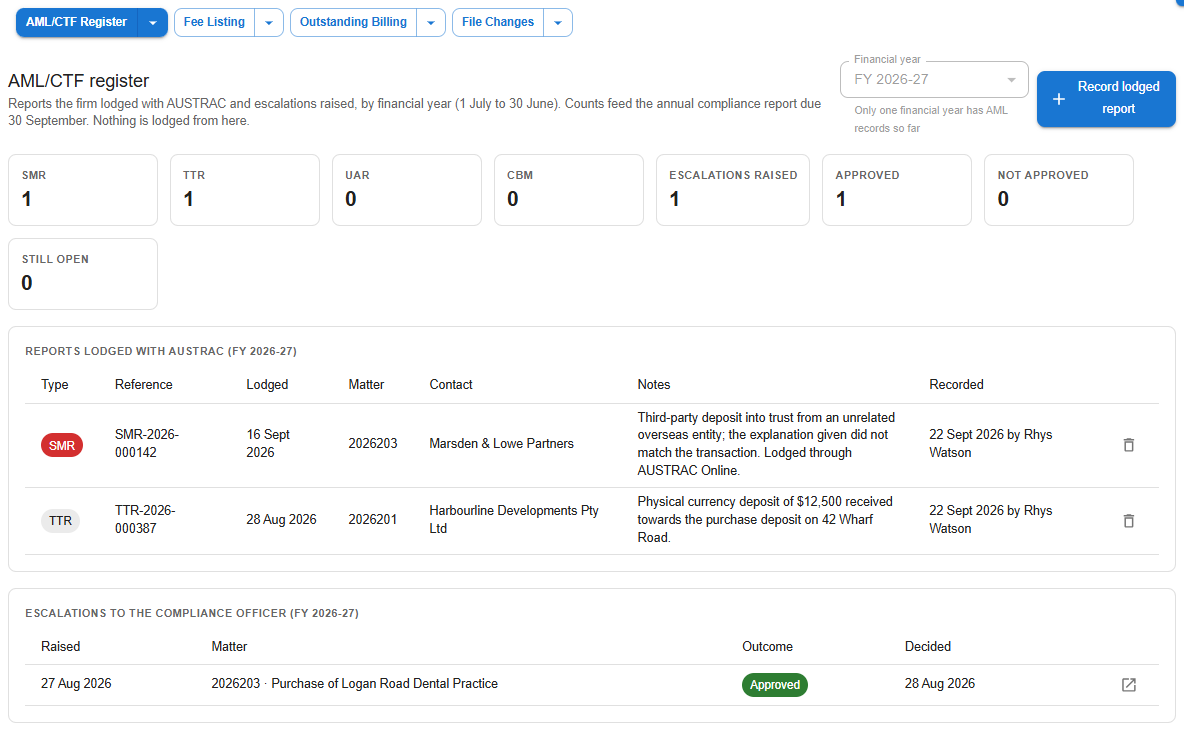
Pick the financial year (1 July to 30 June) at the top — only years with entries are offered, and the picker is greyed out with a note while there’s just one. The tiles count SMR, TTR, UAR and CBM reports recorded in the year, and the escalations raised, split into approved, not approved and still open.
Recording a report lodged with AUSTRAC
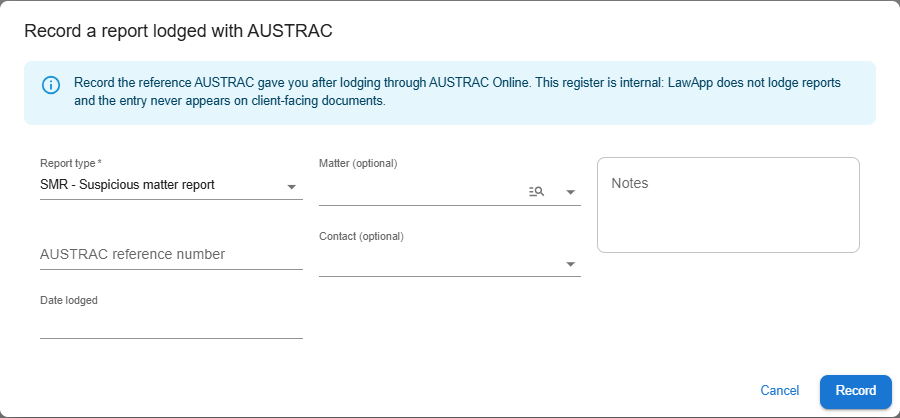
Record lodged report opens a form that captures the report type, the AUSTRAC reference number, the date lodged, notes, and optionally the matter and contact it relates to.
Each entry can open the matter’s AML report, and an entry recorded in error can be removed — this is confirmed and audited, not a silent delete.
Escalations in the register
The escalations table lists every matter escalated to the Compliance Officer in the financial year, who raised it, and the outcome. This is populated automatically from the decision recorded against the matter’s AML risk assessment — see AML/CTF Compliance in Law App for how an escalation is raised and decided.
Leave a Reply