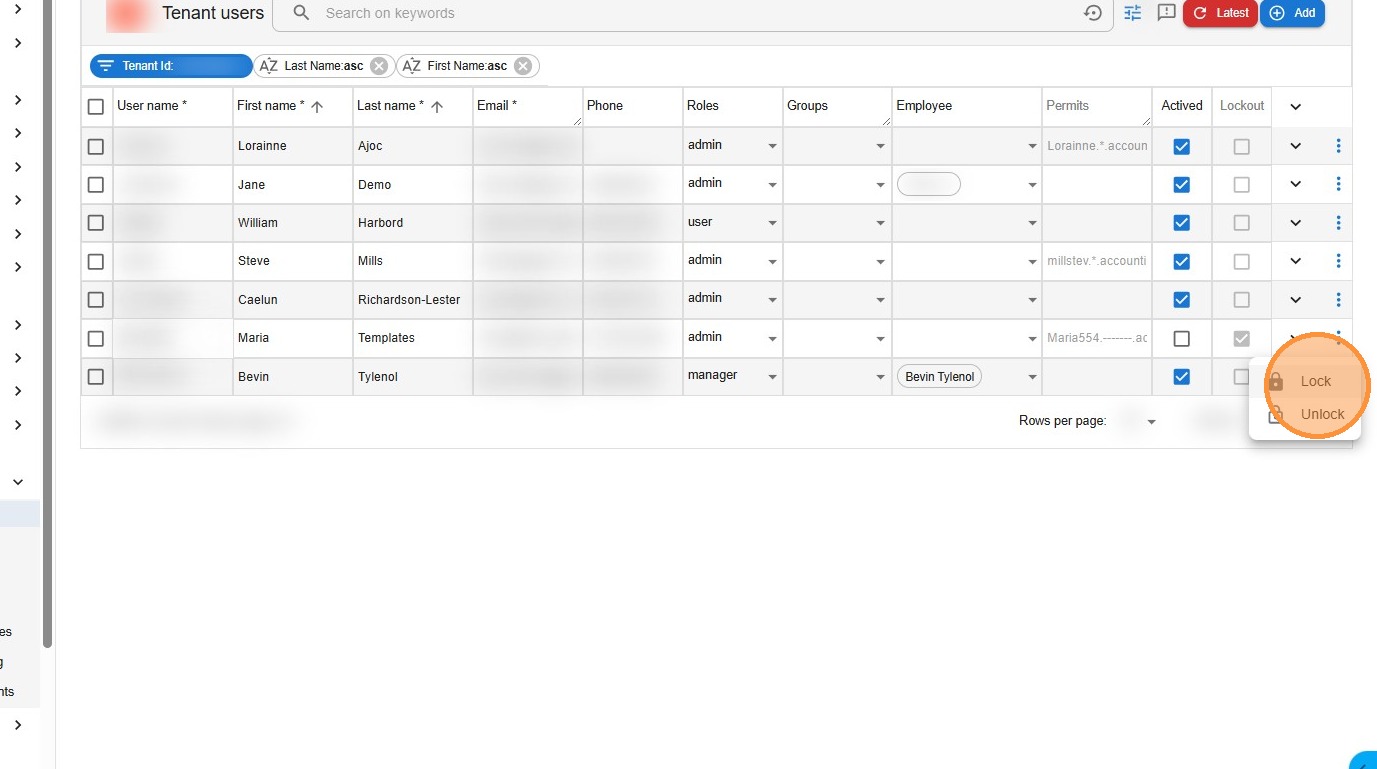
1. Navigate to https://app.lawsupport.com.au/admin/users
Note: You must have admin access to lock out users.
Go to Admin (left menu)
Select Users
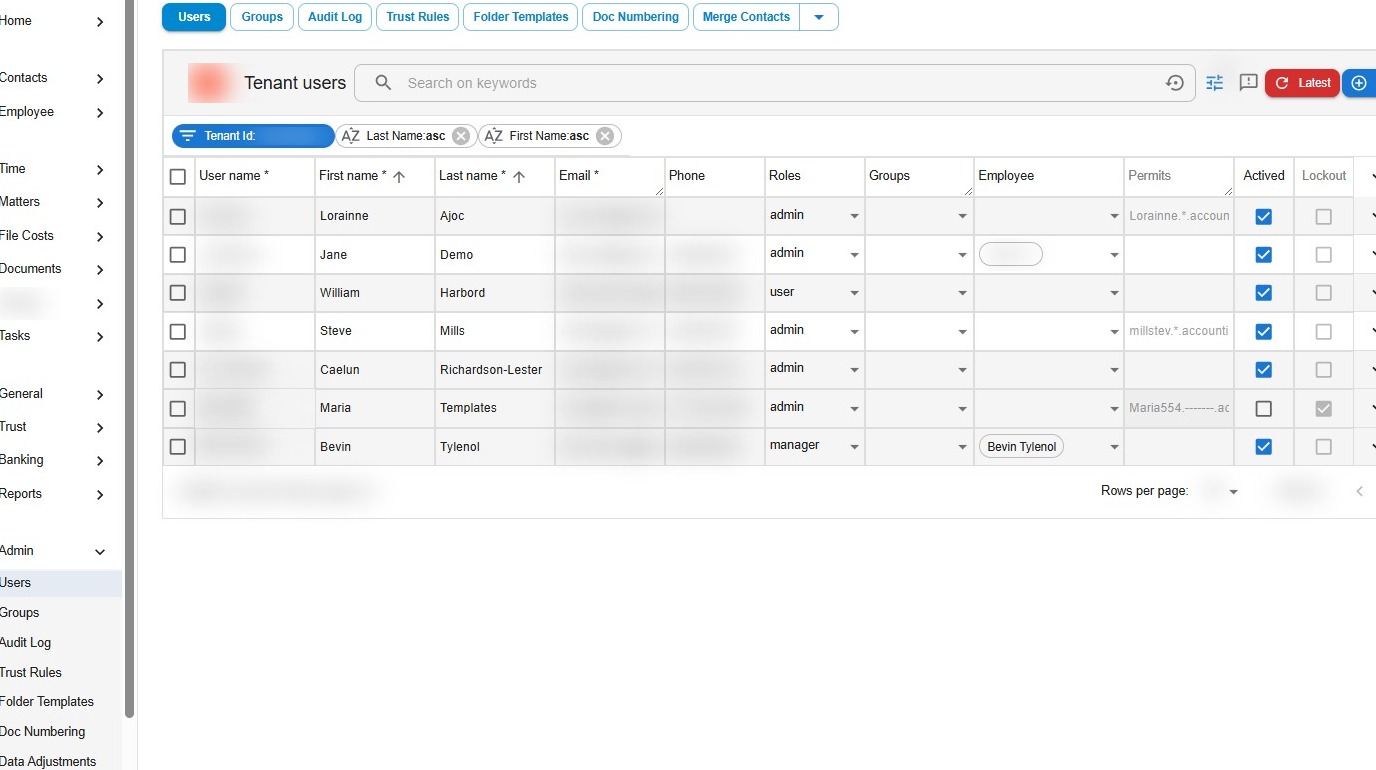
2. – Find the user you wish to lock out in the user list. Click the three-dot menu (⋯) at the far right of their row.
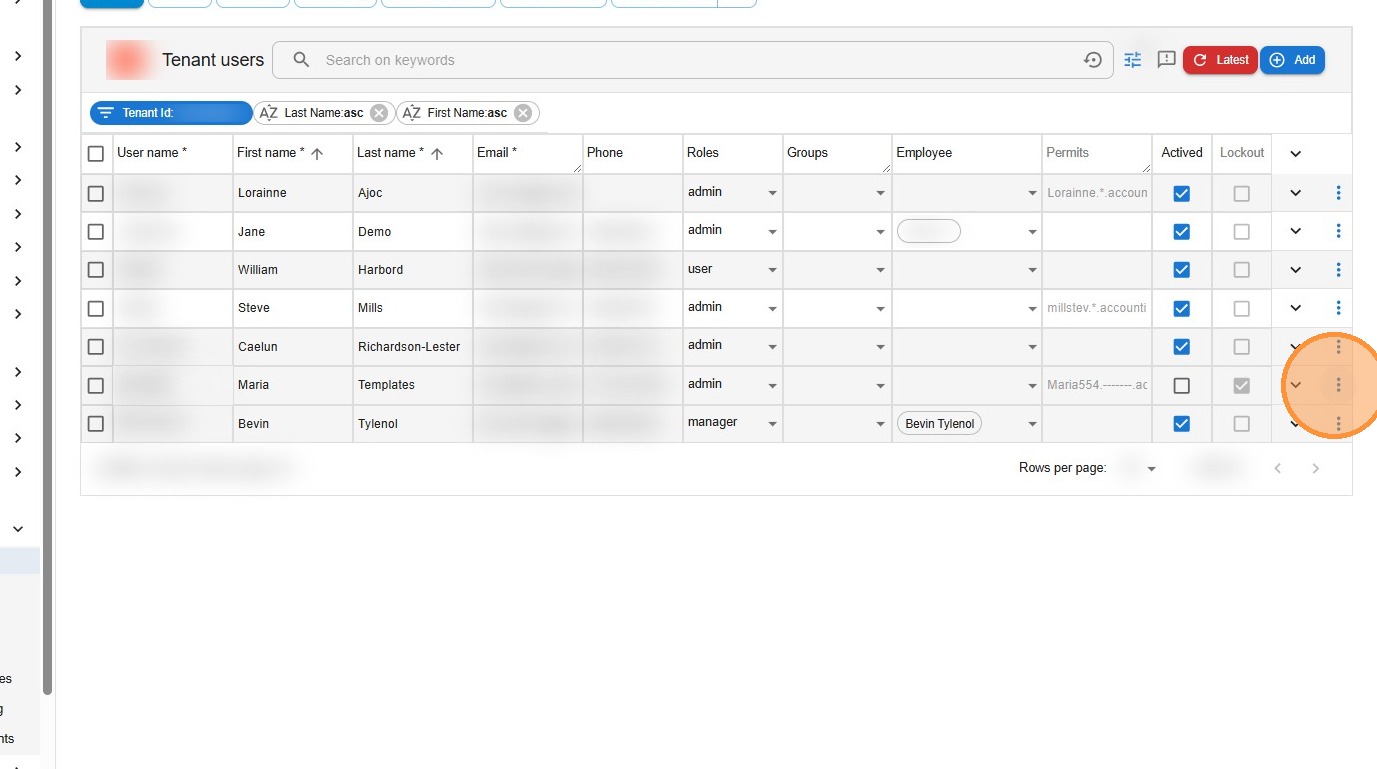
3. – Select Lock
- The user can no longer log into the system