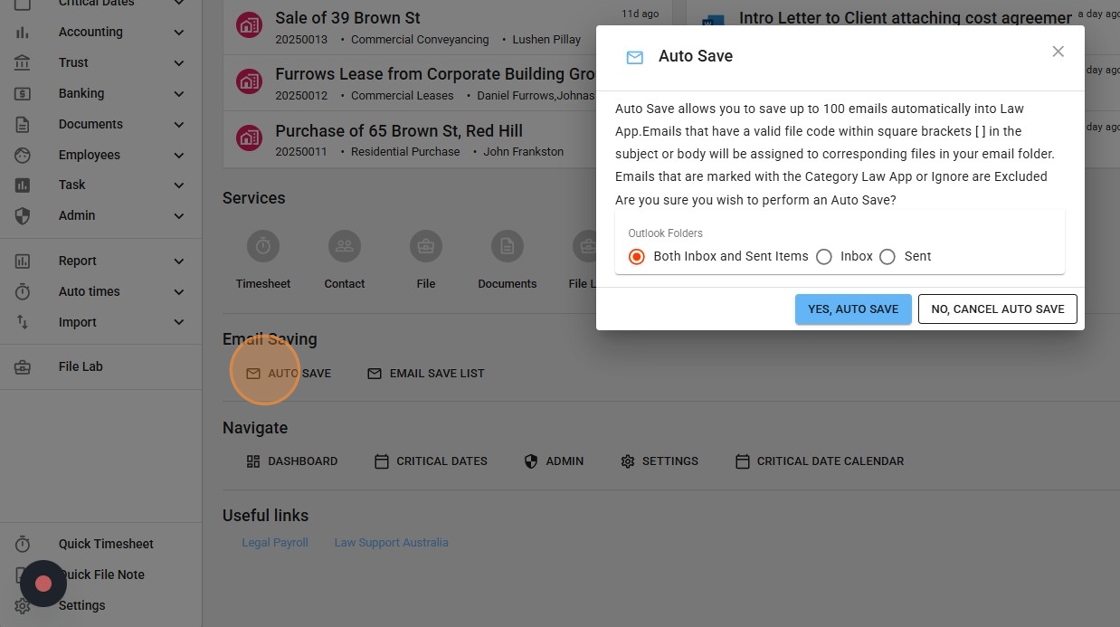
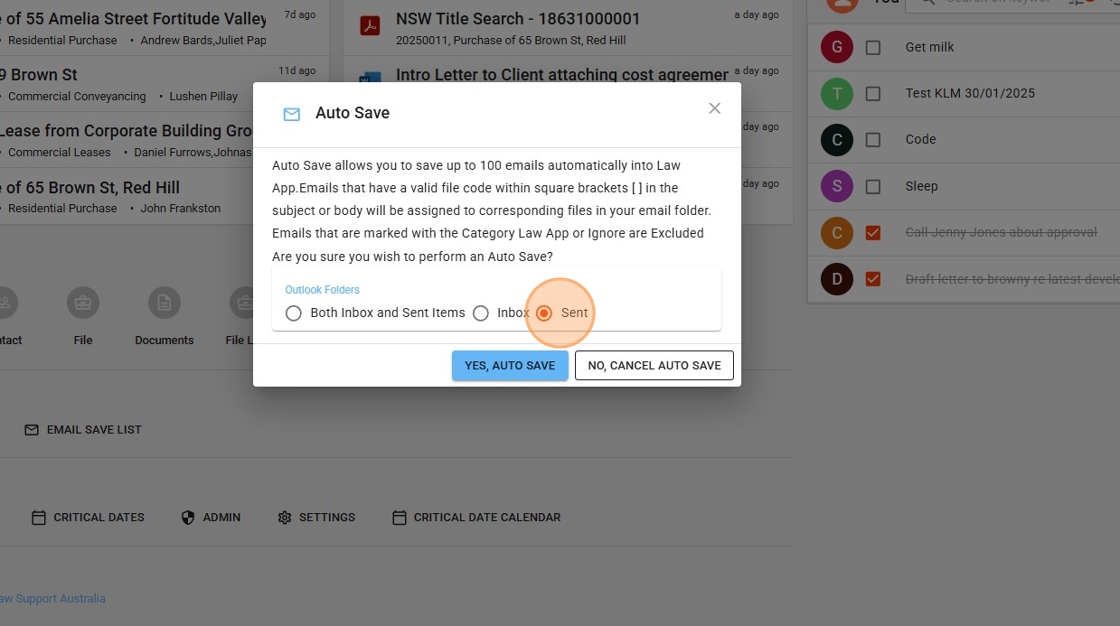
How to trigger an Auto Save of Emails 1. From the opening Dashboard – Click “Auto Save” 2. Click the “Sent” field. and press “YES, AUTO SAVE” Updated on 11 November 2025 Tagged: auto save emailsemail historyemail recordsemail syncLaw App emailLaw App supportreceived emailssave to fileSent Emails Was this article helpful? Yes No About The Author Kelly Mills CEO Related Articles How to Set Up Microsoft 365 Business Standard for Your Domain Email Automatically open Email and Word Docs, after download from Chrome Winmail.dat Issue and PDF Compatibility on Older Devices Renaming Attachments Using Outlook Classic (with Video) Opening Downloaded Emails in the New Outlook with Law App Having trouble saving emails with the Outlook Add in