
You don’t need to hunt through a file to find unbilled disbursements, time entries or office costs. Whenever you open or create a debtor invoice, Law App automatically flags every unbilled entry that’s ready for billing, so you can bring it all onto the invoice in one go — or pick exactly what you want to include.
How Law App flags unbilled disbursements
When you press Bill All on a debtor invoice, in addition to including all unbilled timesheet entries, Law App automatically includes:
- Unbilled disbursements
- Supplier invoices
- Office Costs
- Pending payments (where applicable)
This means recoverable outlays are picked up automatically, rather than relying on someone to remember them at billing time.
How to choose which items to bill
If you’d rather control what goes on each invoice, you can select items to bill manually by category — timesheets, disbursements or office costs.
- Open or create the debtor invoice.
- In the invoice lines section, click the dropdown arrow next to Timesheets, Disbursements or OfficeCost to open the selection menu.
- Choose one of the billing options below.
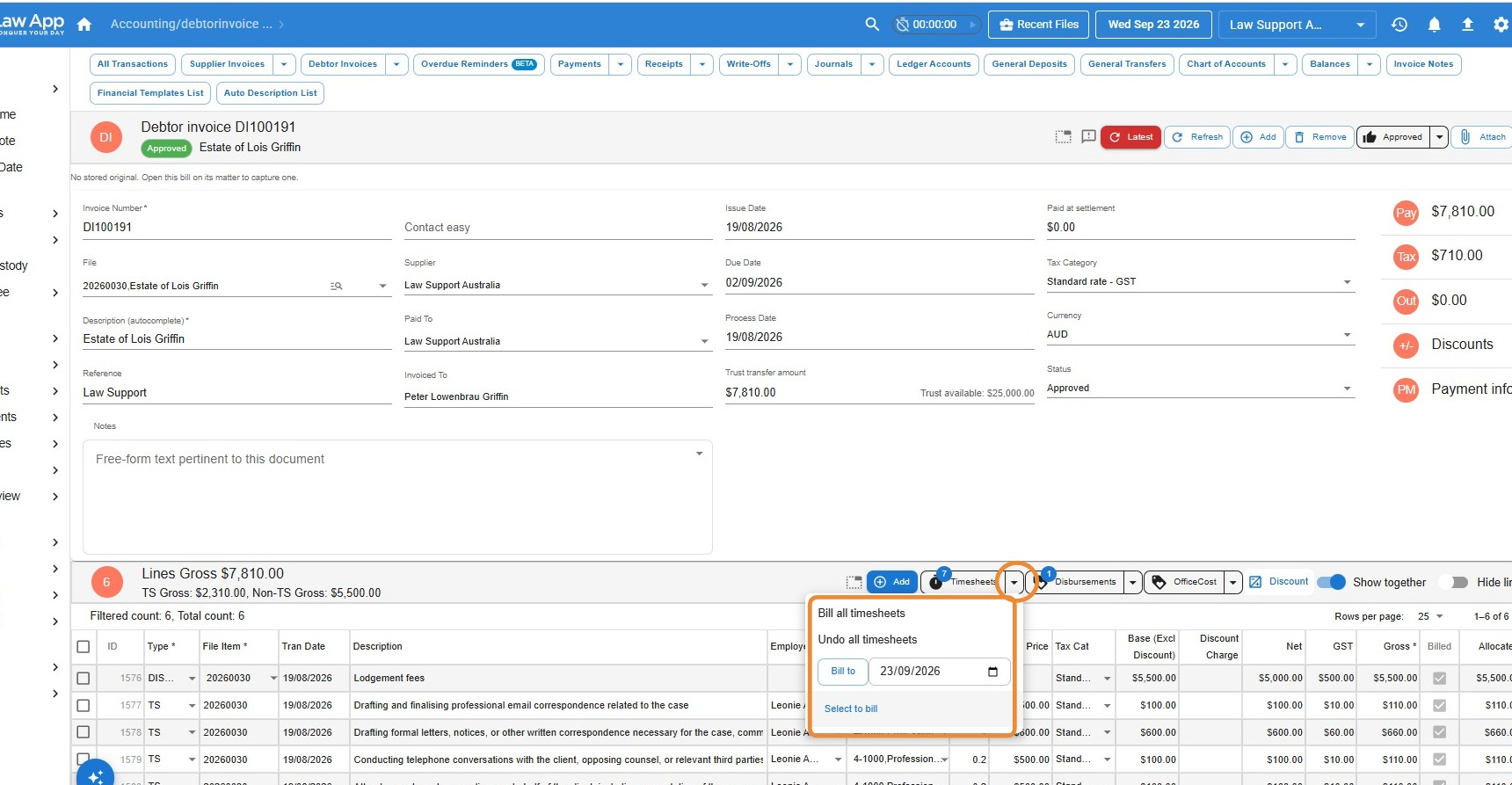 From the selection menu you can:
- Bill all — add every unbilled item in that category to the invoice.
- Bill to — pick a date from the calendar to bill everything up to that date.
- Select to bill — open a list of all unbilled items in that category and tick the ones you want to include.
- Undo — remove items you’ve added, so you can adjust what’s included before finalising.
Tip: These options give you full control over what goes on each invoice, while still keeping every eligible disbursement and time entry in view for review.
Leave a Reply