
To perform searches with InfoTrack you will need to add your InfoTrack Login to your account for each employee.
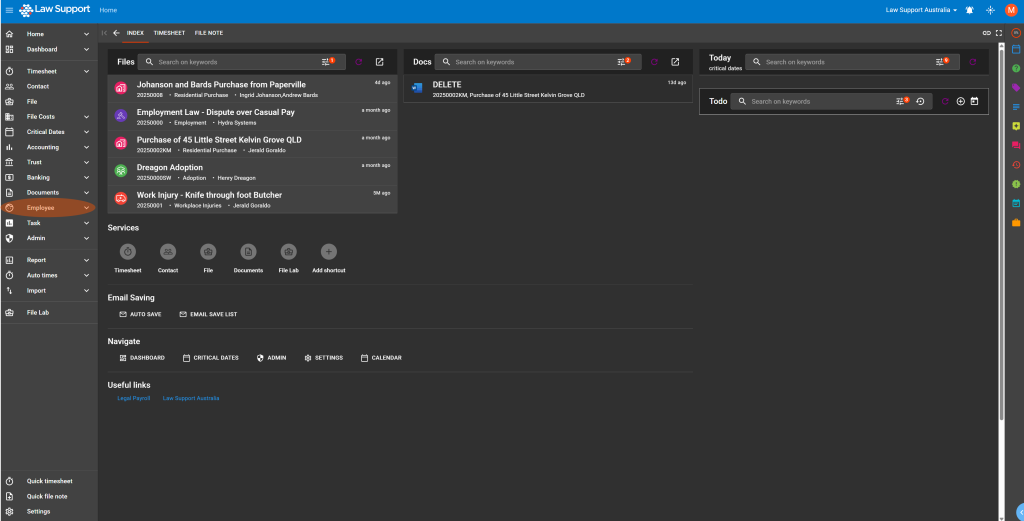
- To do this go to the Employee section in Law App
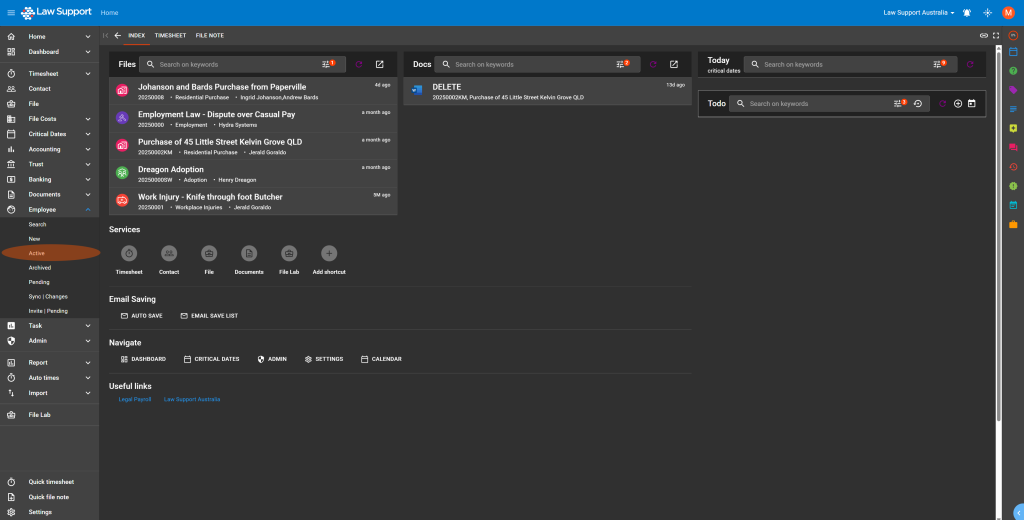
- Then go to Active Users
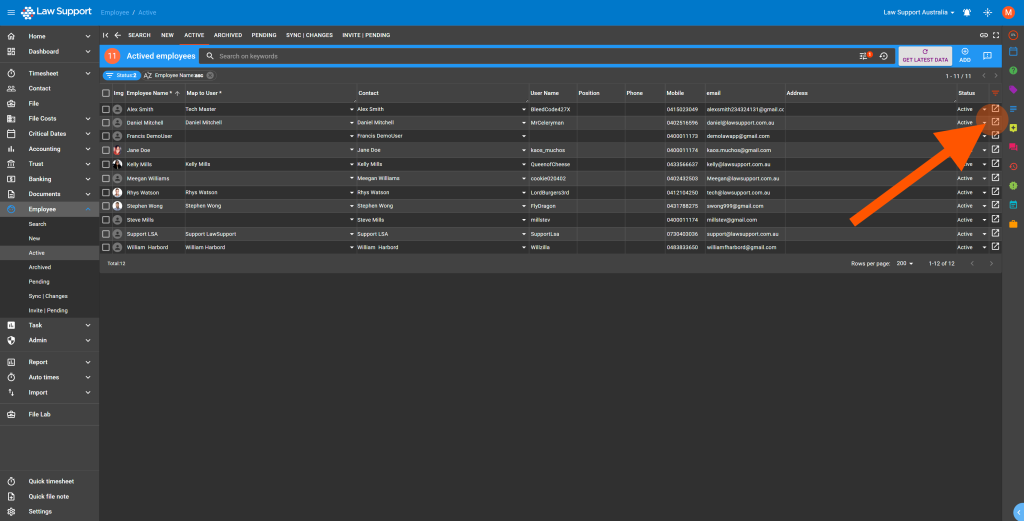
- Find your employee and click on the icon shown below to go to your employee settings
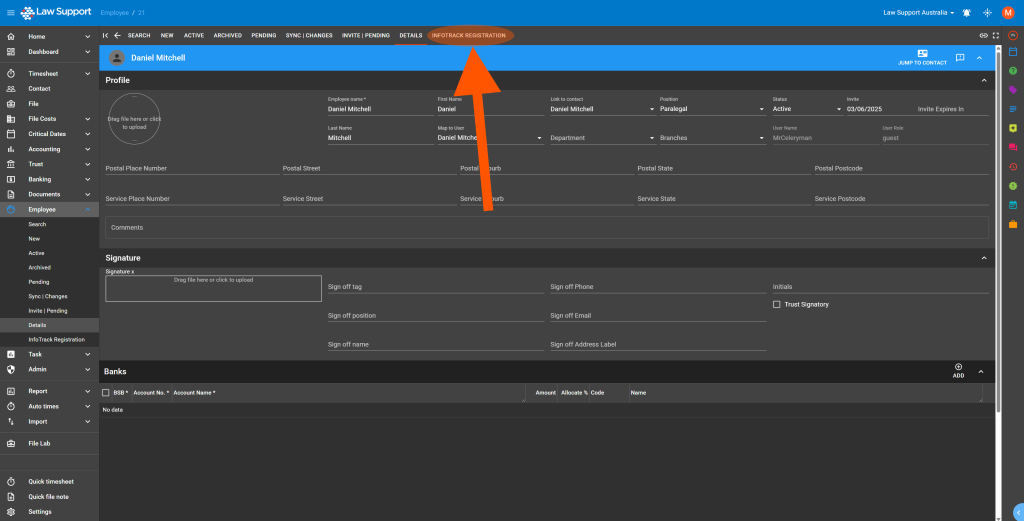
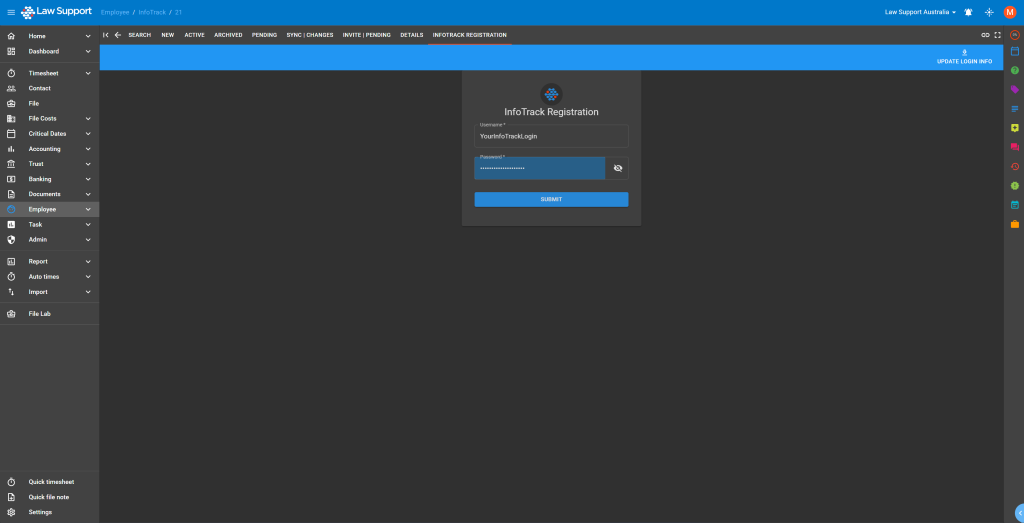
- Then go to the InfoTrack Registration page
- Then enter your or your offices InfoTrack login
Be careful because this page may autofill your Law App login you will need to remove that and enter your InfoTrack login, once done click on the “Submit” Button
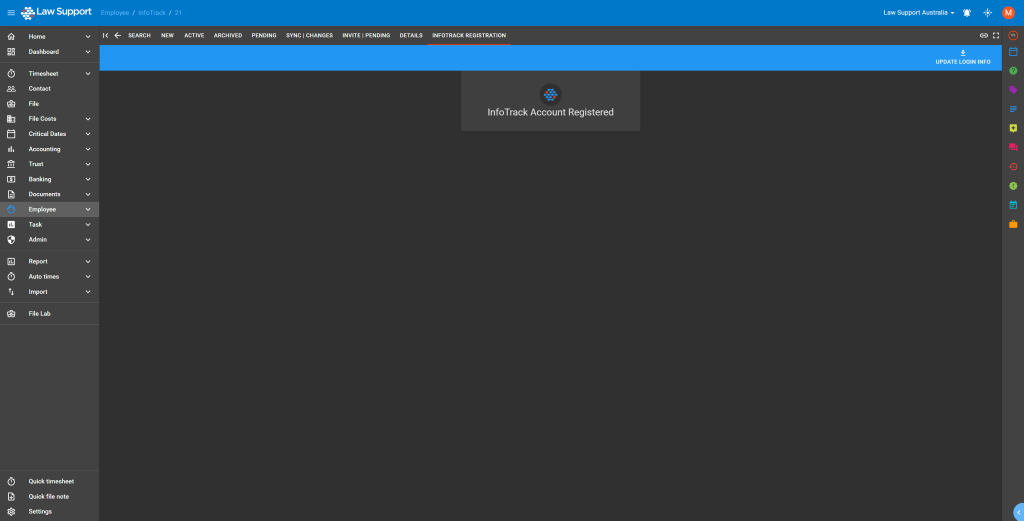
 If this was successful you will see the screen change to say “InfoTrack Account Registered”, you will now be able to perform searches.
Leave a Reply