
From time to time you might find a bank line with a mistake in it — maybe it’s a duplicate, or there’s a typo somewhere in the details. Rather than deleting it, the fix is to archive it. That way the line stays on record, but it’s clearly marked as excluded on purpose.
How to archive a bank line
- From the left menu, go to Banking > Bank Lines
- Find the bank line (or lines) you want to archive
- Tick the Archived checkbox for each one
- Click Save all
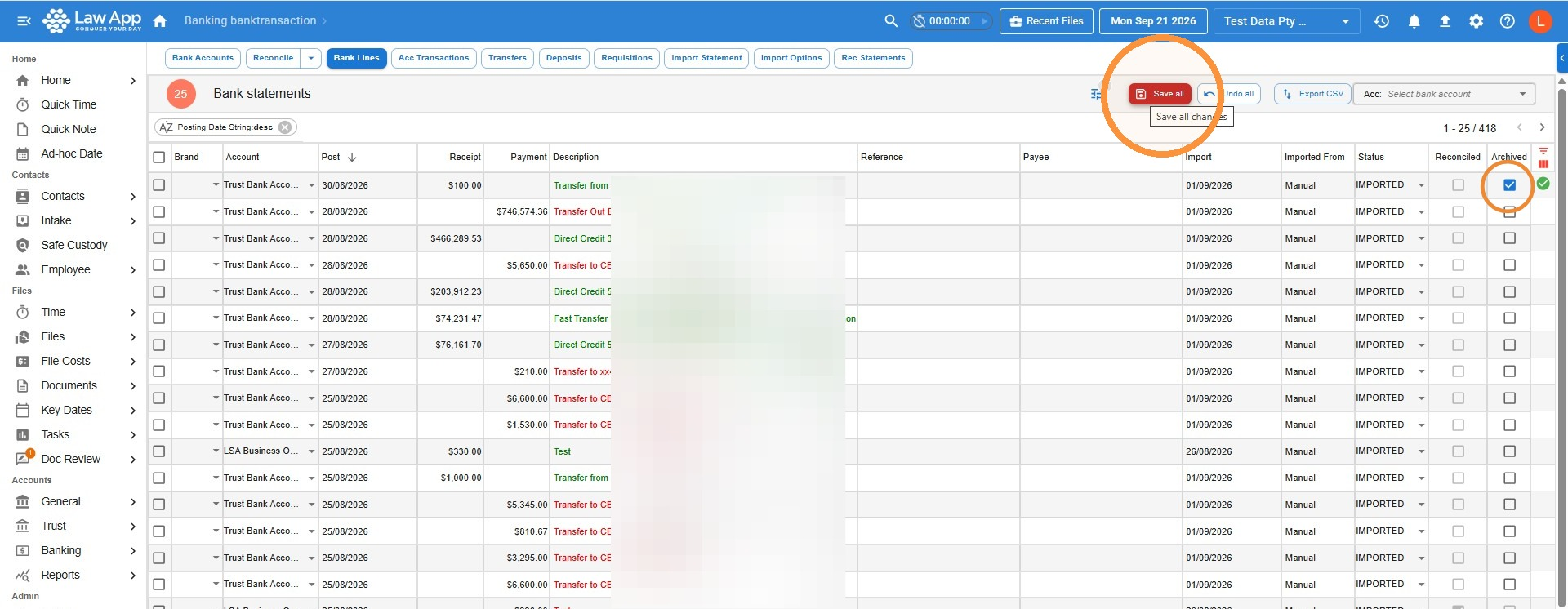
Changed your mind? If you archive a line by mistake, just come back to Bank Lines, untick the Archived box, and save again.
Leave a Reply