
Sometimes a client pays money that belongs in trust into your general account instead — a credit card payment being the most common example, since credit card facilities are typically set up on the general account rather than trust. This isn’t a crisis, but it does need to be handled carefully and documented clearly so the trail is always easy to follow.
There are two ways to correct this in Law App. Both are valid. The right choice depends on who will be doing the work and how your firm manages its suspense account.
Via the Suspense Account
Receipt the funds into a suspense GL account, pay them back out, then receipt into trust. Three steps, fully on the general side. The most common approach — best when a client pays by credit card.
Through the File
Receipt against the file, create a matching disbursement payment to trust, then bill and allocate to close it out. A few more steps, but gives visibility of the correction on the file itself.
Read on for the full steps for each method, or jump straight to Which Method to Use for a quick decision guide.
Method 1 — Via the Suspense Account
This is the most common approach, particularly when a client pays by credit card and the funds land in your general account.
How it works
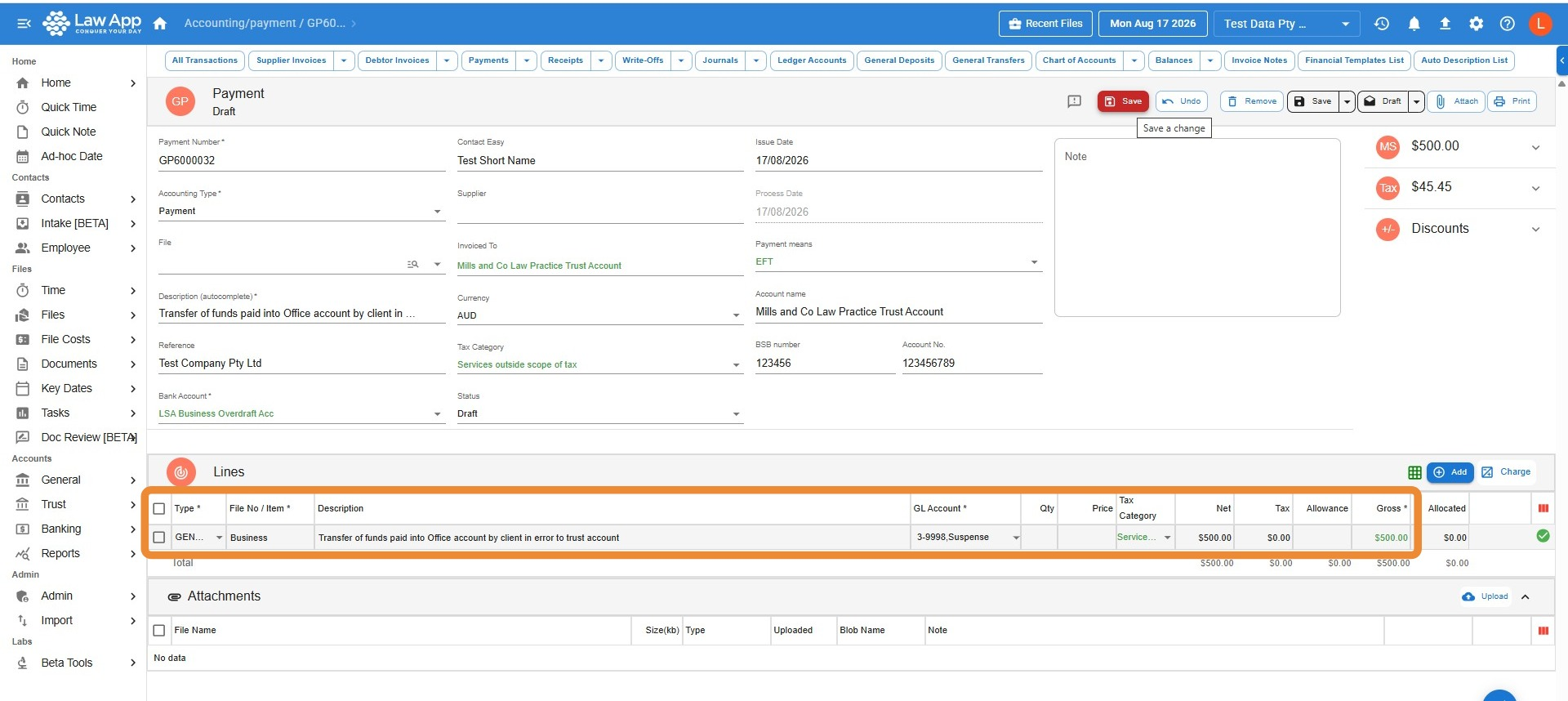
- Receipt the funds into a suspense GL account on the general side — either a dedicated account set up specifically for this purpose, or your firm’s existing suspense account.
- Once the money is sitting in suspense, draw it back out via a general payment from that same suspense account.
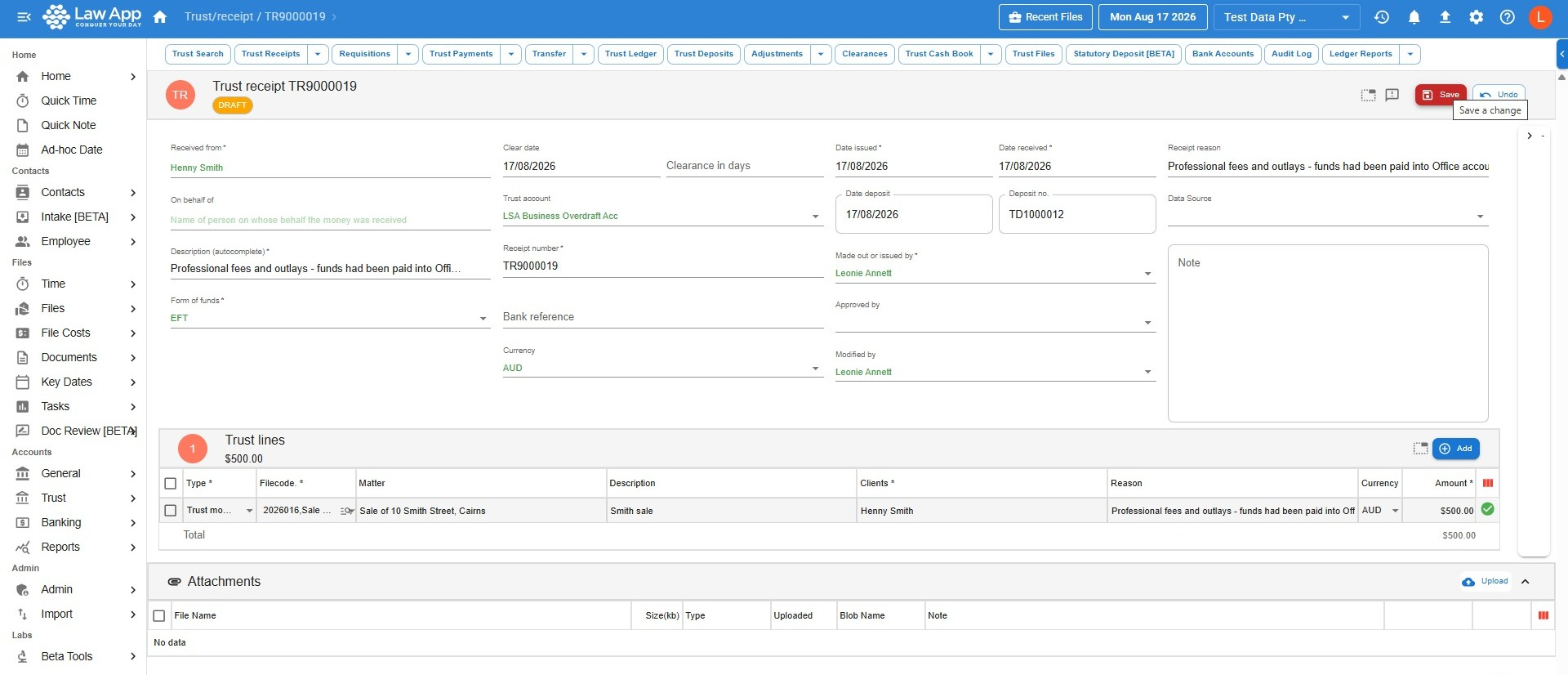
- Receipt the funds into trust in the normal way — as a trust receipt against the relevant file.
Proving the trail
Whether you use a dedicated account or your general suspense account, you need to be able to demonstrate clearly that the money came in and went out for exactly the same purpose. If your suspense account contains other uncleared items, this is especially important — an auditor or principal should be able to look at the account and see that these two entries cancel each other out, with no ambiguity.
Method 2 — Through the File
This approach routes the correction through the file’s disbursements, which gives visibility at the file level. It’s a legitimate method, and it’s worth understanding how the receipt and the disbursement come back together at the end.
How it works
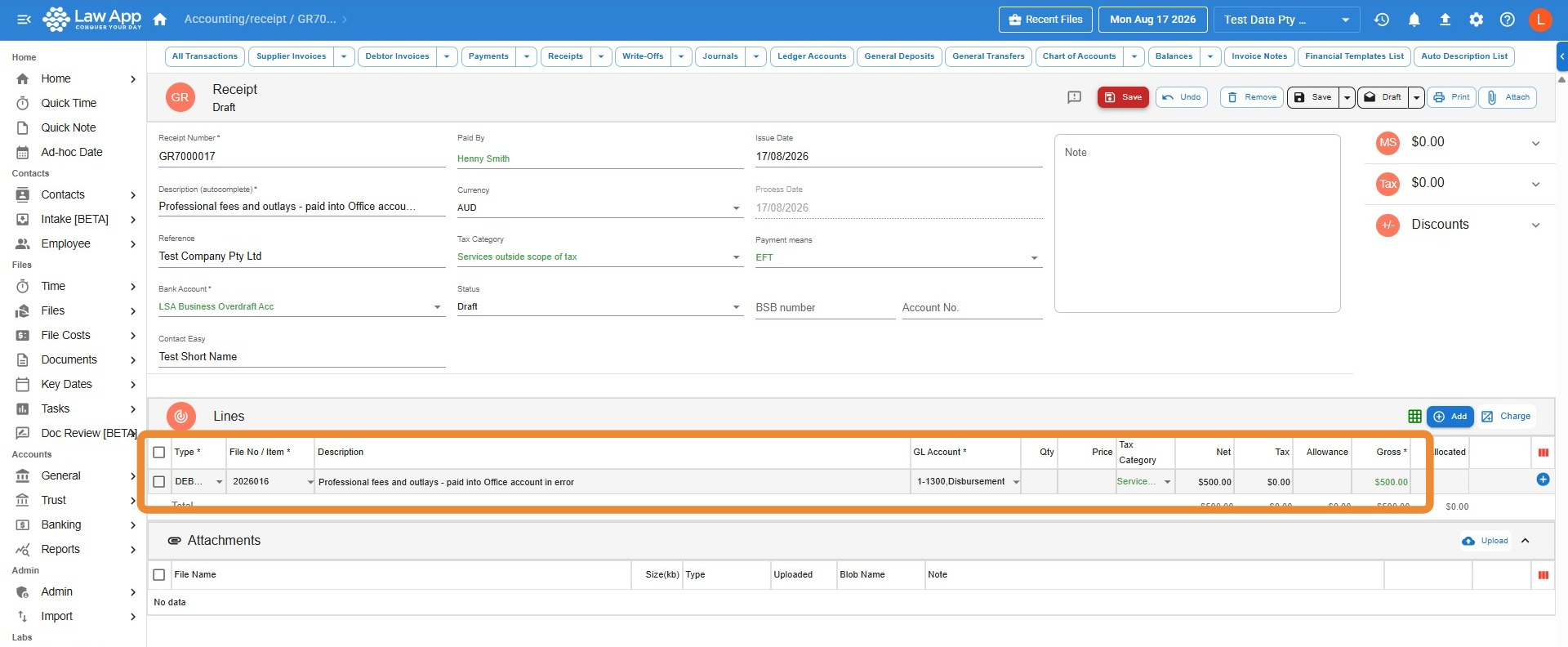
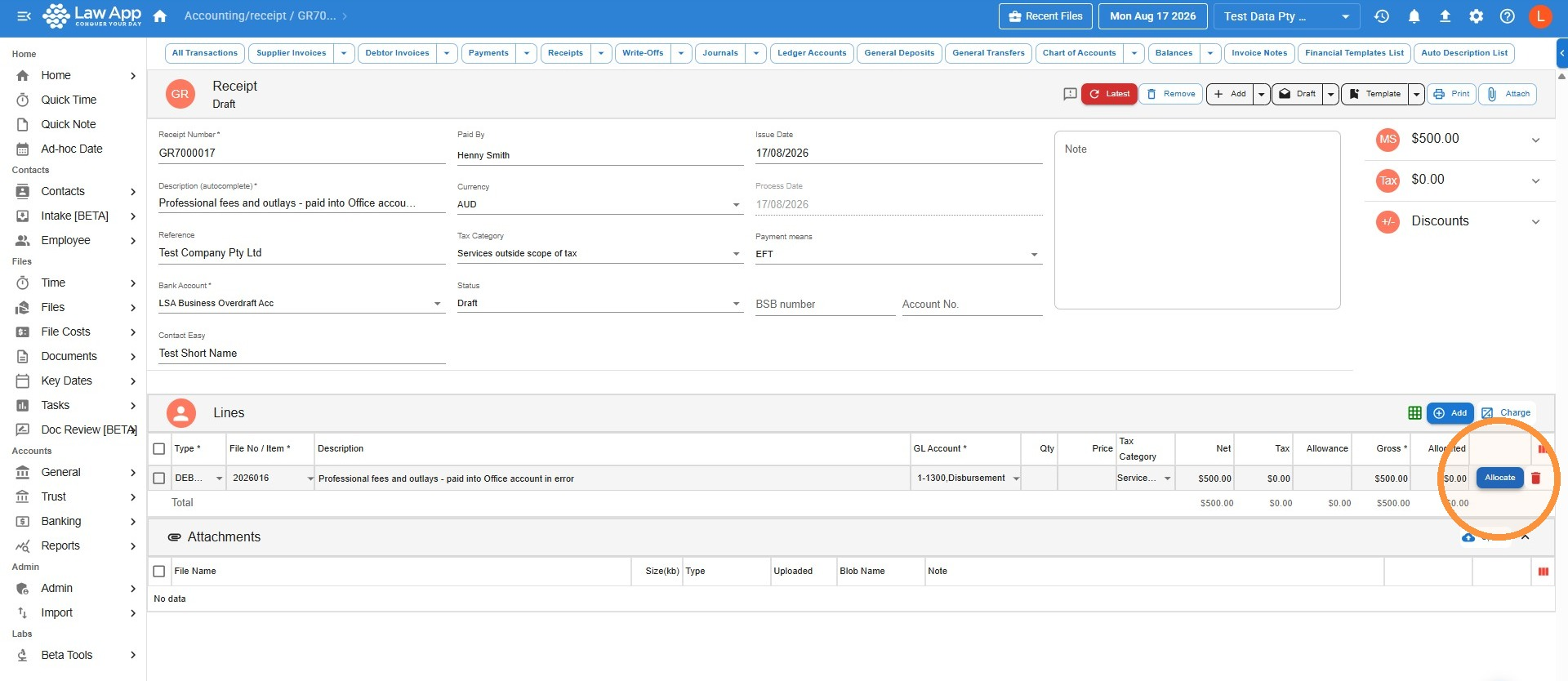
- Receipt the funds on the general account against the file — this records the money coming in on the file side. You’ll allocate this receipt in a later step.
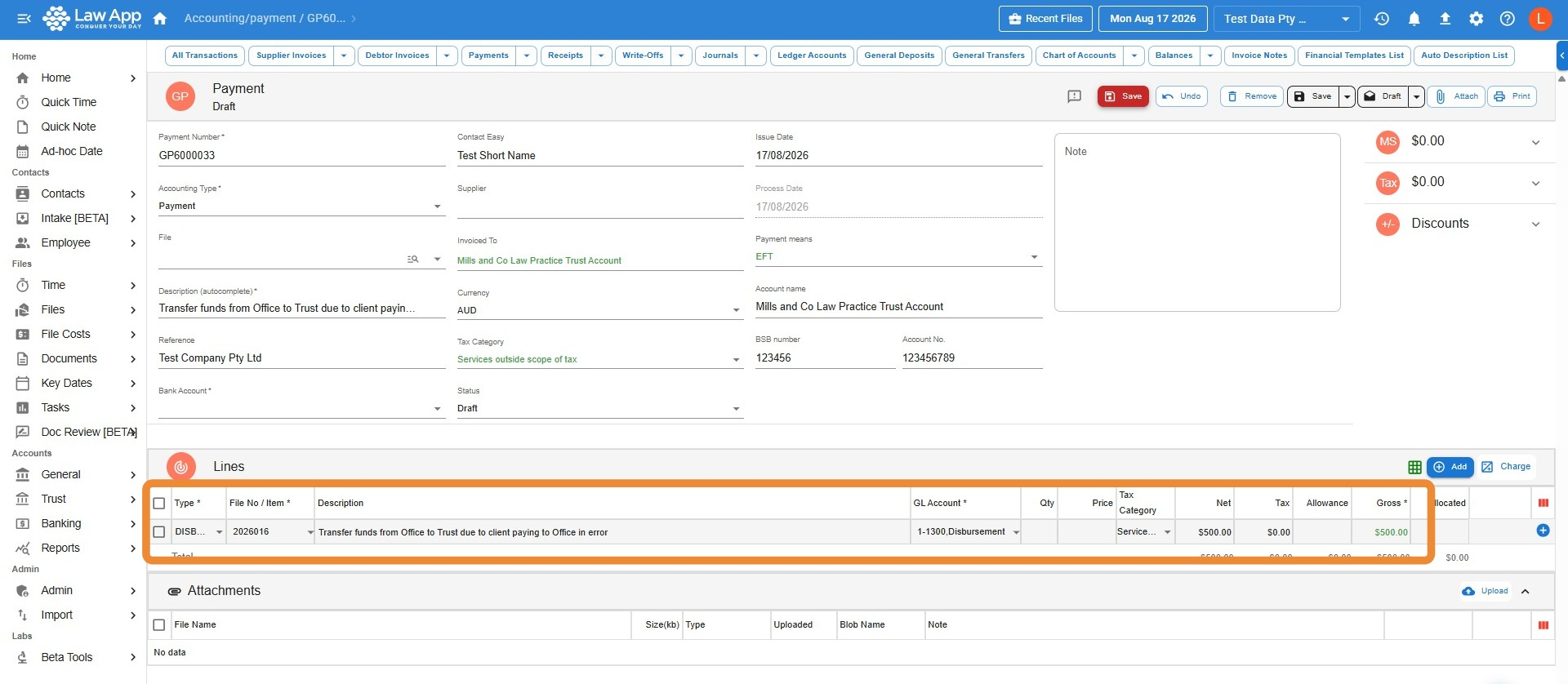
- Create a disbursement payment out of the file for the same amount, directed to trust — this records the money leaving the file to go where it belongs.
- Create a bill that bills only the disbursement you’ve just created.
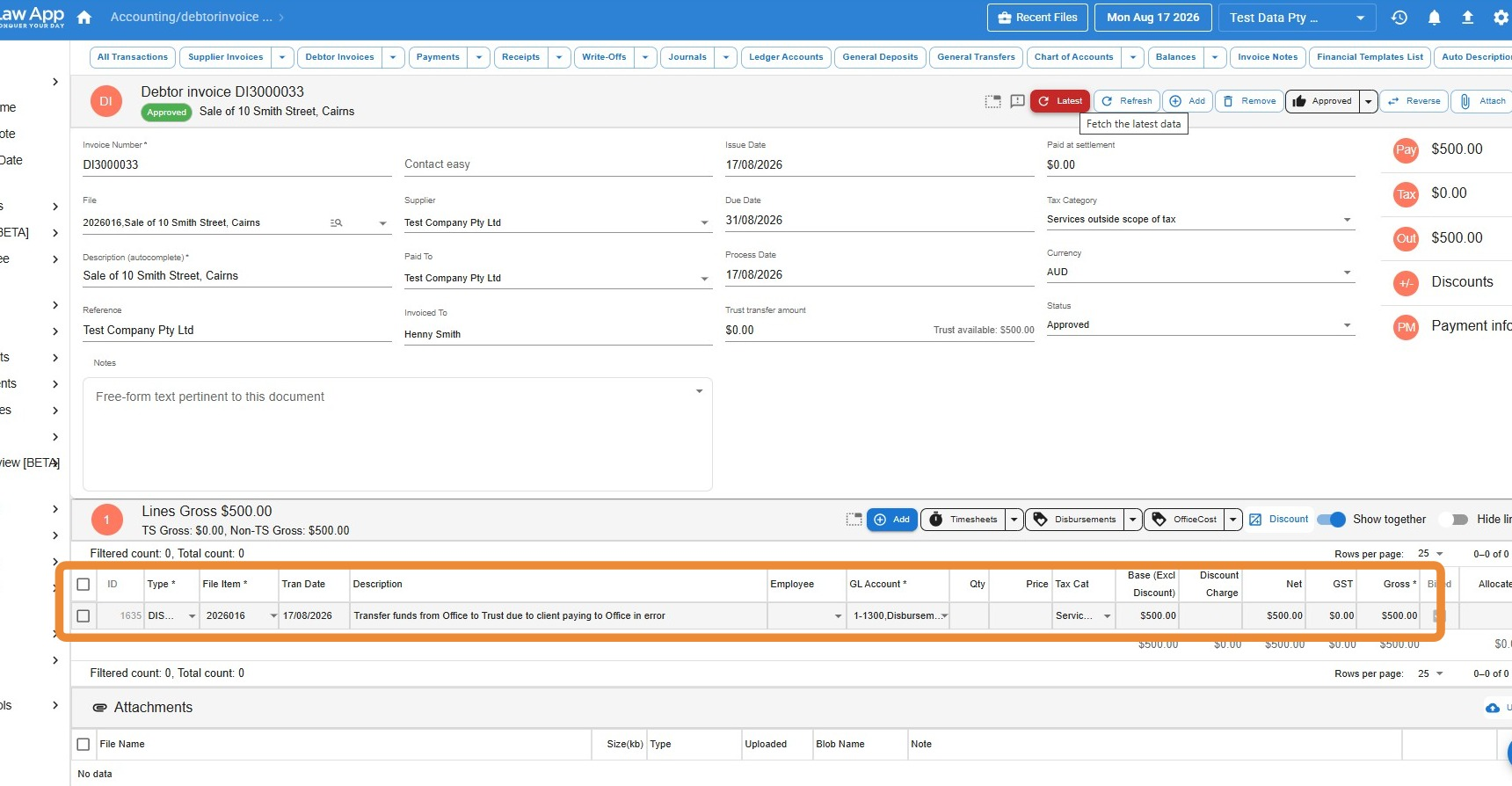
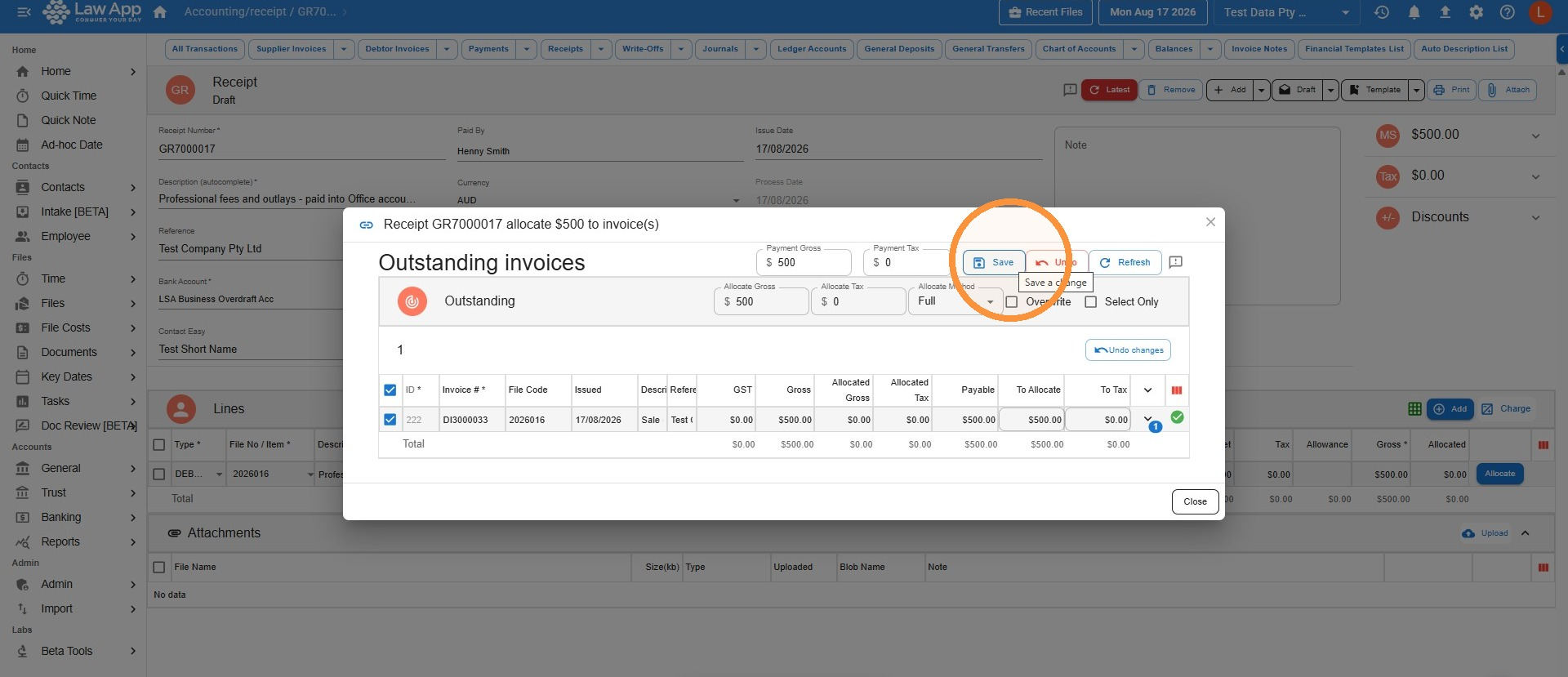
- Go back to the receipt you created in step 1, and allocate it to the bill you’ve just created. That clears the entry cleanly and keeps it off the disbursement outstanding report.
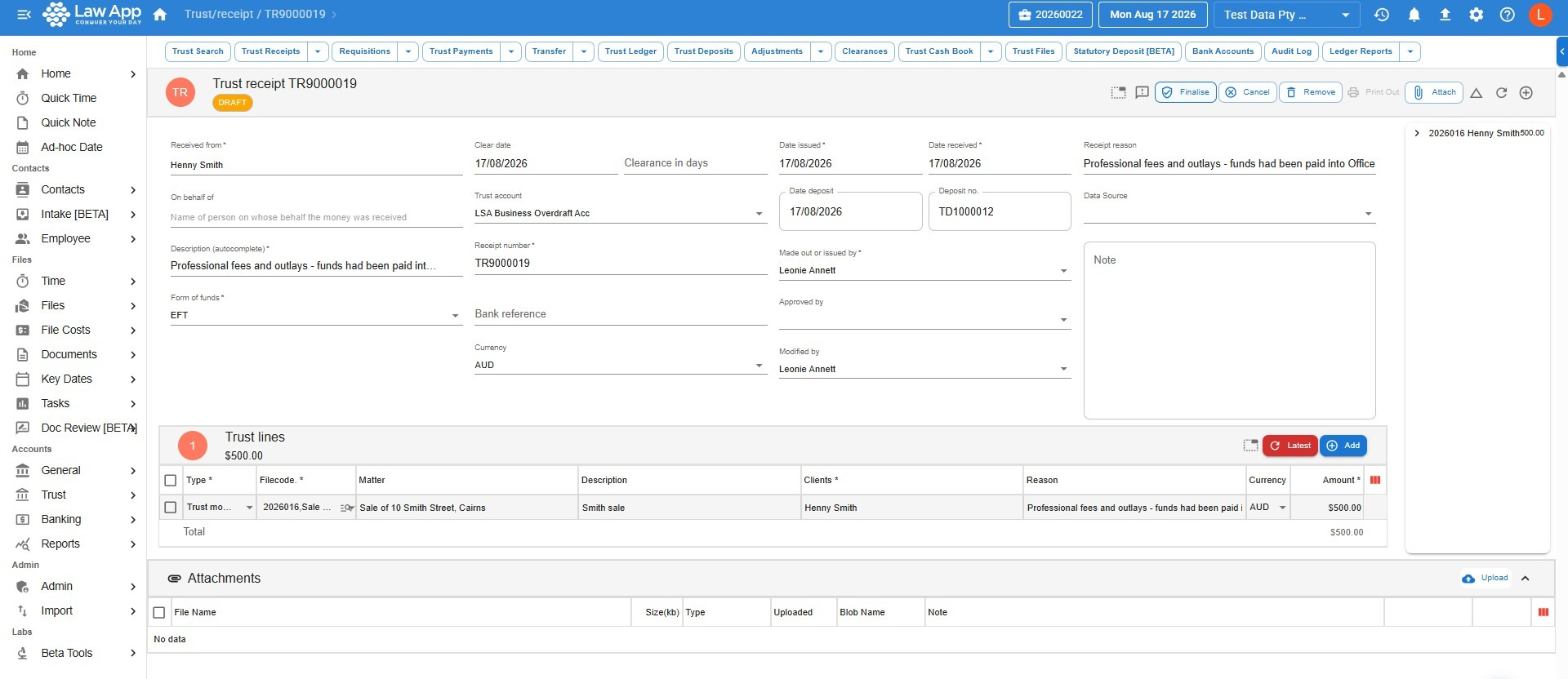
- Receipt the funds into trust in the normal way — as a trust receipt against the file.
Which Method to Use
| Scenario | Recommended method |
|---|---|
| Credit card payment, or any situation where the general account is the entry point | Suspense account — simpler trail, easier to audit |
| You want visibility of the correction on the file’s financial record | Through the file — allocate the receipt to the disbursement bill to close it out cleanly |
| The person doing the work is less experienced with accounting | Suspense account — fewer moving parts, less risk of the trail being misread later |
Questions
If you’re not sure which approach is right for your firm, or you’d like a walkthrough of either method, contact our support team at support@lawsupport.com.au or call 07 3040 3036.
Leave a Reply